 / PLN
/ PLN
Server Configurators


- Server Dell PowerEdge R6625 4x3.5" with 2x EPYC 9124, 512GB RAM, H355, 2x 1.92TB SSD SATA 2.5", 2x10/25GbE SFP28, 1x L4 24GB, 2x PSU 1400W, rails, bezel, iDRAC9 EnterpriseThis set contains: 1x Dell PowerEdge R6625 4x3.5" server platform 2x AMD EPYC 9124 processor 16-core 3GHz 64MB 200W 8x RAM 64GB 4800MHz DDR5 RDIMM 2x Hard driv...Calculating delivery time...In stock 3Warranty 36 monthsSpecial offer available until further notice.Special Price PLN 161,695.69 PLN 131,459.91 Regular Price PLN 161,821.49
- Server Dell PowerEdge R6625 4x3.5" with 2x EPYC 9124, 256GB RAM, H355, 2x 1.92TB SSD SATA 2.5", 2x10/25GbE SFP28, 1x L4 24GB, 2x PSU 1400W, rails, bezel, iDRAC9 EnterpriseThis set contains: 1x Dell PowerEdge R6625 4x3.5" server platform 2x AMD EPYC 9124 processor 16-core 3GHz 64MB 200W 4x RAM 64GB 4800MHz DDR5 RDIMM 2x Hard driv...Calculating delivery time...In stock 3Warranty 36 monthsSpecial offer available until further notice.Special Price PLN 111,695.69 PLN 90,809.50 Regular Price PLN 111,821.50
- Server Dell PowerEdge R6625 4x3.5" with 2x EPYC 9124, 128GB RAM, H355, 2x 1.92TB SSD SATA 2.5", 2x10/25GbE SFP28, 1x L4 24GB, 2x PSU 1400W, rails, bezel, iDRAC9 EnterpriseThis set contains: 1x Dell PowerEdge R6625 4x3.5" server platform 2x AMD EPYC 9124 processor 16-core 3GHz 64MB 200W 4x 32GB 4800MHz DDR5 RDIMM RAM 2x Hard driv...Calculating delivery time...In stock 3Warranty 36 monthsSpecial offer available until further notice.Special Price PLN 90,895.68 PLN 73,898.93 Regular Price PLN 91,021.50
- Server Dell PowerEdge R6625 4x3.5" with 2x EPYC 9124, 64GB RAM, H355, 2x 1.92TB SSD SATA 2.5", 2x10/25GbE SFP28, 1x L4 24GB, 2x PSU 1400W, rails, bezel, iDRAC9 EnterpriseThis set contains: 1x Dell PowerEdge R6625 4x3.5" server platform 2x AMD EPYC 9124 processor 16-core 3GHz 64MB 200W 4x 16GB DDR5 RDIMM 4800MHz RAM 2x Hard driv...Calculating delivery time...In stock 3Warranty 36 monthsSpecial offer available until further notice.Special Price PLN 72,230.69 PLN 58,724.14 Regular Price PLN 72,356.50
- Server Dell PowerEdge R6625 8x2.5" with 2x EPYC 9124, 128GB RAM, H355, 2x 480GB SSD SATA 2.5", 4x1GbE, 2x PSU 1400W, rails, iDRAC9 EnterpriseThis set contains: 1x Dell PowerEdge R6625 8x2.5" server platform 2x AMD EPYC 9124 processor 16-core 3GHz 64MB 200W 4x 32GB 4800MHz DDR5 RDIMM RAM 2x Hard driv...Calculating delivery time...In stock 4Warranty 36 monthsPLN 64,519.00 PLN 52,454.47
- Server Dell PowerEdge R6625 8x2.5" with 2x EPYC 9124, 256GB RAM, H355, 2x 480GB SSD SATA 2.5", 4x1GbE, 2x PSU 1400W, rails, iDRAC9 EnterpriseThis set contains: 1x Dell PowerEdge R6625 8x2.5" server platform 2x AMD EPYC 9124 processor 16-core 3GHz 64MB 200W 4x RAM 64GB 4800MHz DDR5 RDIMM 2x Hard driv...Calculating delivery time...In stock 4Warranty 36 monthsPLN 85,319.00 PLN 69,365.04
- Server Dell PowerEdge R6625 8x2.5" with 2x EPYC 9124, 512GB RAM, H355, 2x 480GB SSD SATA 2.5", 4x1GbE, 2x PSU 1400W, rails, iDRAC9 EnterpriseThis set contains: 1x Dell PowerEdge R6625 8x2.5" server platform 2x AMD EPYC 9124 processor 16-core 3GHz 64MB 200W 8x RAM 64GB 4800MHz DDR5 RDIMM 2x Hard driv...Calculating delivery time...In stock 4Warranty 36 monthsPLN 135,319.00 PLN 110,015.45
- Server Dell PowerEdge R6625 8x2.5" with 2x EPYC 9124, 64GB RAM, H355, 2x 480GB SSD SATA 2.5", 4x1GbE, 2x PSU 1400W, rails, iDRAC9 EnterpriseThis set contains: 1x Dell PowerEdge R6625 8x2.5" server platform 2x AMD EPYC 9124 processor 16-core 3GHz 64MB 200W 4x 16GB DDR5 RDIMM 4800MHz RAM 2x Hard driv...Calculating delivery time...In stock 3Warranty 36 monthsPLN 47,319.00 PLN 38,470.73
- Server Dell PowerEdge R6625 10x2.5" with 2x EPYC 9534, 256GB RAM, H755, BOSS-N1 with 2x Dell 480GB SSD NVMe M.2, 4x 6.4TB SSD SAS 12G MU 2.5", 4x10GbE SFP+, 2x PSU 1400W, rails, iDRAC9 EnterpriseThis set contains: 1x Dell PowerEdge R6625 10x2.5" server platform 2x AMD EPYC 9534 processor 64-core 2.45GHz 256MB 280W 8x 32GB 4800MHz DDR5 RDIMM RAM 4x Hard...Calculating delivery time...In stock 3Warranty 36 monthsPLN 161,727.44 PLN 131,485.72
- Server Dell PowerEdge R6625 10x2.5" with 2x EPYC 9534, 128GB RAM, H755, BOSS-N1 with 2x Dell 480GB SSD NVMe M.2, 4x 6.4TB SSD SAS 12G MU 2.5", 4x10GbE SFP+, 2x PSU 1400W, rails, iDRAC9 EnterpriseThis set contains: 1x Dell PowerEdge R6625 10x2.5" server platform 2x AMD EPYC 9534 processor 64-core 2.45GHz 256MB 280W 4x 32GB 4800MHz DDR5 RDIMM RAM 4x Hard...Calculating delivery time...In stock 3Warranty 36 monthsPLN 132,527.44 PLN 107,745.89
- Server Dell PowerEdge R6625 10x2.5" with 2x EPYC 9534, 64GB RAM, H755, BOSS-N1 with 2x Dell 480GB SSD NVMe M.2, 4x 6.4TB SSD SAS 12G MU 2.5", 4x10GbE SFP+, 2x PSU 1400W, rails, iDRAC9 EnterpriseThis set contains: 1x Dell PowerEdge R6625 10x2.5" server platform 2x AMD EPYC 9534 processor 64-core 2.45GHz 256MB 280W 4x 16GB DDR5 RDIMM 4800MHz RAM 4x Hard...Calculating delivery time...In stock 3Warranty 36 monthsPLN 115,327.44 PLN 93,762.15
- Server Dell PowerEdge R6625 10x2.5" with 2x EPYC 9534, 32GB RAM, H755, BOSS-N1 with 2x Dell 480GB SSD NVMe M.2, 4x 6.4TB SSD SAS 12G MU 2.5", 4x10GbE SFP+, 2x PSU 1400W, rails, iDRAC9 EnterpriseThis set contains: 1x Dell PowerEdge R6625 10x2.5" server platform 2x AMD EPYC 9534 processor 64-core 2.45GHz 256MB 280W 2x 16GB DDR5 RDIMM 4800MHz RAM 2x Hard...Calculating delivery time...In stock 3Warranty 36 monthsPLN 106,252.44 PLN 86,384.10
- Server Dell PowerEdge R6625 10x2.5" with 2x EPYC 9534, 256GB RAM, H755, 2x 960GB SSD SATA 2.5", 4x 6.4TB SSD SAS 12G MU 2.5", 4x10GbE SFP+, 2x PSU 1400W, rails, iDRAC9 EnterpriseThis set contains: 1x Dell PowerEdge R6625 10x2.5" server platform 2x AMD EPYC 9534 processor 64-core 2.45GHz 256MB 280W 8x 32GB 4800MHz DDR5 RDIMM RAM 2x Hard...Calculating delivery time...In stock 3Warranty 36 monthsPLN 156,134.00 PLN 126,938.21
- Server Dell PowerEdge R6625 10x2.5" with 2x EPYC 9534, 128GB RAM, H755, 2x 960GB SSD SATA 2.5", 4x 6.4TB SSD SAS 12G MU 2.5", 4x10GbE SFP+, 2x PSU 1400W, rails, iDRAC9 EnterpriseThis set contains: 1x Dell PowerEdge R6625 10x2.5" server platform 2x AMD EPYC 9534 processor 64-core 2.45GHz 256MB 280W 4x 32GB 4800MHz DDR5 RDIMM RAM 2x Hard...Calculating delivery time...In stock 3Warranty 36 monthsPLN 126,934.00 PLN 103,198.37
- Server Dell PowerEdge R6625 10x2.5" with 2x EPYC 9534, 64GB RAM, H755, 2x 960GB SSD SATA 2.5", 4x 6.4TB SSD SAS 12G MU 2.5", 4x10GbE SFP+, 2x PSU 1400W, rails, iDRAC9 EnterpriseThis set contains: 1x Dell PowerEdge R6625 10x2.5" server platform 2x AMD EPYC 9534 processor 64-core 2.45GHz 256MB 280W 4x 16GB DDR5 RDIMM 4800MHz RAM 2x Hard...Calculating delivery time...In stock 3Warranty 36 monthsPLN 109,733.99 PLN 89,214.63
- Server Dell PowerEdge R6625 10x2.5" with 2x EPYC 9534, 32GB RAM, H755, 2x 960GB SSD SATA 2.5", 4x 6.4TB SSD SAS 12G MU 2.5", 4x10GbE SFP+, 2x PSU 1400W, rails, iDRAC9 EnterpriseThis set contains: 1x Dell PowerEdge R6625 10x2.5" server platform 2x AMD EPYC 9534 processor 64-core 2.45GHz 256MB 280W 2x 16GB DDR5 RDIMM 4800MHz RAM 2x Hard...Calculating delivery time...In stock 3Warranty 36 monthsPLN 103,733.99 PLN 84,336.58
- Server Dell PowerEdge R6625 10x2.5" with 2x EPYC 9534, 32GB RAM, H355, 2x 960GB SSD SATA 2.5", 2x PSU 1400W, rails, iDRAC9 EnterpriseThis set contains: 1x Dell PowerEdge R6625 10x2.5" server platform 2x AMD EPYC 9534 processor 64-core 2.45GHz 256MB 280W 2x 16GB DDR5 RDIMM 4800MHz RAM 2x Hard...Calculating delivery time...In stock 3Warranty 36 monthsPLN 66,789.00 PLN 54,300.00
- Server Dell PowerEdge R6625 10x2.5" with 2x EPYC 9124, 128GB RAM, H755, BOSS-N1 with 2x Dell 480GB SSD NVMe M.2, 4x 6.4TB SSD SAS 12G MU 2.5", 4x10GbE SFP+, 2x PSU 1400W, rails, iDRAC9 EnterpriseThis set contains: 1x Dell PowerEdge R6625 10x2.5" server platform 2x AMD EPYC 9124 processor 16-core 3GHz 64MB 200W 4x 32GB 4800MHz DDR5 RDIMM RAM 2x Hard dri...Calculating delivery time...In stock 3Warranty 36 monthsPLN 106,452.44 PLN 86,546.70
- Server Dell PowerEdge R6625 10x2.5" with 2x EPYC 9124, 64GB RAM, H755, BOSS-N1 with 2x Dell 480GB SSD NVMe M.2, 4x 6.4TB SSD SAS 12G MU 2.5", 4x10GbE SFP+, 2x PSU 1400W, rails, iDRAC9 EnterpriseThis set contains: 1x Dell PowerEdge R6625 10x2.5" server platform 2x AMD EPYC 9124 processor 16-core 3GHz 64MB 200W 4x 16GB DDR5 RDIMM 4800MHz RAM 4x Hard dri...Calculating delivery time...In stock 3Warranty 36 monthsPLN 92,327.44 PLN 75,062.96
- Server Dell PowerEdge R6625 10x2.5" with 2x EPYC 9124, 256GB RAM, H755, BOSS-N1 with 2x Dell 480GB SSD NVMe M.2, 4x 6.4TB SSD SAS 12G MU 2.5", 4x10GbE SFP+, 2x PSU 1400W, rails, iDRAC9 EnterpriseThis set contains: 1x Dell PowerEdge R6625 10x2.5" server platform 2x AMD EPYC 9124 processor 16-core 3GHz 64MB 200W 8x 32GB 4800MHz DDR5 RDIMM RAM 4x Hard dri...Calculating delivery time...In stock 3Warranty 36 monthsPLN 138,727.44 PLN 112,786.54
- Server Dell PowerEdge R6625 10x2.5" with 2x EPYC 9124, 32GB RAM, H755, BOSS-N1 with 2x Dell 480GB SSD NVMe M.2, 4x 6.4TB SSD SAS 12G MU 2.5", 4x10GbE SFP+, 2x PSU 1400W, rails, iDRAC9 EnterpriseThis set contains: 1x Dell PowerEdge R6625 10x2.5" server platform 2x AMD EPYC 9124 processor 16-core 3GHz 64MB 200W 2x 16GB DDR5 RDIMM 4800MHz RAM 2x Hard dri...Calculating delivery time...In stock 3Warranty 36 monthsPLN 83,252.44 PLN 67,684.91
- Server Dell PowerEdge R6625 10x2.5" with 2x EPYC 9124, 128GB RAM, H755, 2x 960GB SSD SATA 2.5", 4x 6.4TB SSD SAS 12G MU 2.5", 4x10GbE SFP+, 2x PSU 1400W, rails, iDRAC9 EnterpriseThis set contains: 1x Dell PowerEdge R6625 10x2.5" server platform 2x AMD EPYC 9124 processor 16-core 3GHz 64MB 200W 4x 32GB 4800MHz DDR5 RDIMM RAM 2x Hard dri...Calculating delivery time...In stock 3Warranty 36 monthsPLN 103,934.00 PLN 84,499.19
- Server Dell PowerEdge R6625 10x2.5" with 2x EPYC 9124, 256GB RAM, H755, 2x 960GB SSD SATA 2.5", 4x 6.4TB SSD SAS 12G MU 2.5", 4x10GbE SFP+, 2x PSU 1400W, rails, iDRAC9 EnterpriseThis set contains: 1x Dell PowerEdge R6625 10x2.5" server platform 2x AMD EPYC 9124 processor 16-core 3GHz 64MB 200W 8x 32GB 4800MHz DDR5 RDIMM RAM 2x Hard dri...Calculating delivery time...In stock 3Warranty 36 monthsPLN 133,133.99 PLN 108,239.02
- Server Dell PowerEdge R6625 10x2.5" with 2x EPYC 9124, 64GB RAM, H755, 2x 960GB SSD SATA 2.5", 4x 6.4TB SSD SAS 12G MU 2.5", 4x10GbE SFP+, 2x PSU 1400W, rails, iDRAC9 EnterpriseThis set contains: 1x Dell PowerEdge R6625 10x2.5" server platform 2x AMD EPYC 9124 processor 16-core 3GHz 64MB 200W 4x 16GB DDR5 RDIMM 4800MHz RAM 2x Hard dri...Calculating delivery time...In stock 3Warranty 36 monthsPLN 86,734.00 PLN 70,515.45
- Server Dell PowerEdge R6625 10x2.5" with 2x EPYC 9124, 32GB RAM, H355, 2x 960GB SSD SATA 2.5", 2x PSU 1400W, rails, iDRAC9 EnterpriseThis set contains: 1x Dell PowerEdge R6625 10x2.5" server platform 2x AMD EPYC 9124 processor 16-core 3GHz 64MB 200W 2x 16GB DDR5 RDIMM 4800MHz RAM 2x Hard dri...Calculating delivery time...In stock 3Warranty 36 monthsPLN 43,789.00 PLN 35,600.81
- Server Dell PowerEdge R6625 10x2.5" with 2x EPYC 9124, 32GB RAM, H755, 2x 960GB SSD SATA 2.5", 4x 6.4TB SSD SAS 12G MU 2.5", 4x10GbE SFP+, 2x PSU 1400W, rails, iDRAC9 EnterpriseThis set contains: 1x Dell PowerEdge R6625 10x2.5" server platform 2x AMD EPYC 9124 processor 16-core 3GHz 64MB 200W 2x 16GB DDR5 RDIMM 4800MHz RAM 2x Hard dri...Calculating delivery time...In stock 3Warranty 36 monthsPLN 80,734.00 PLN 65,637.40
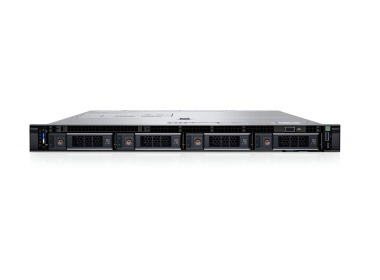
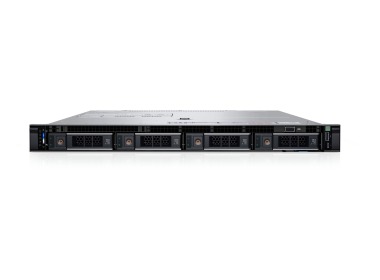
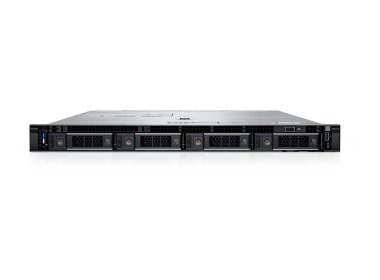
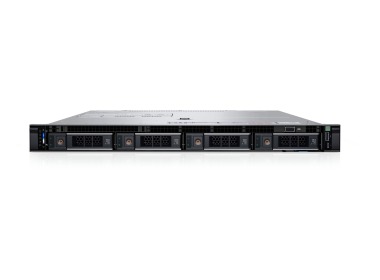
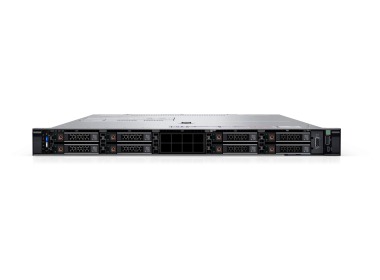
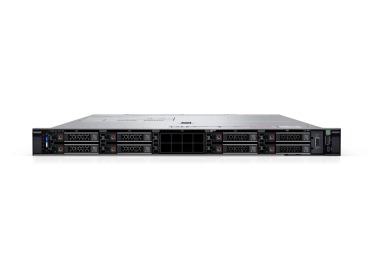
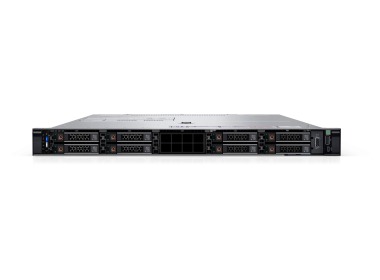
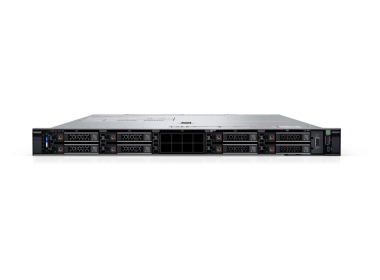
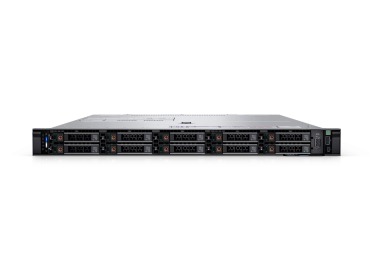
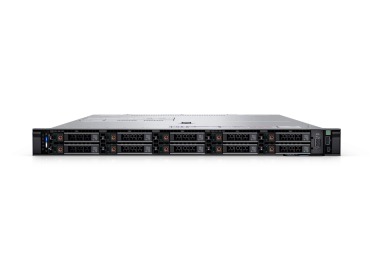
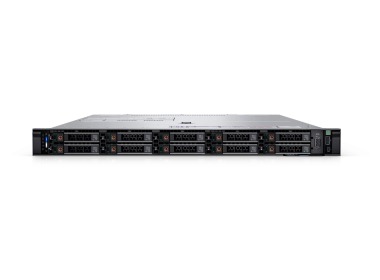
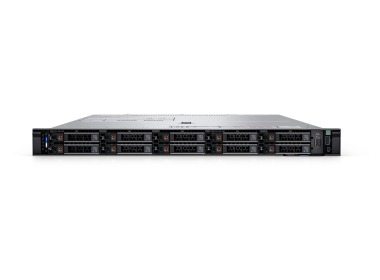
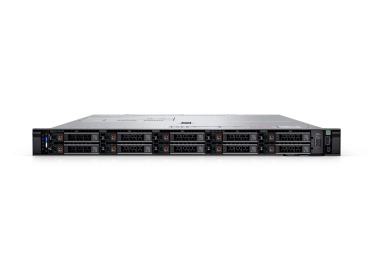
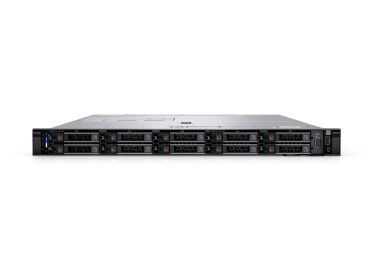
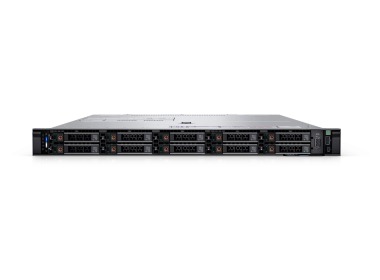
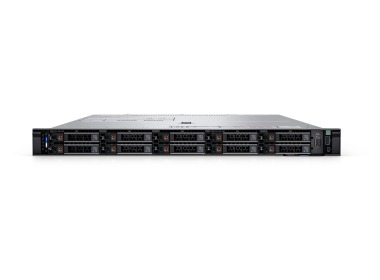
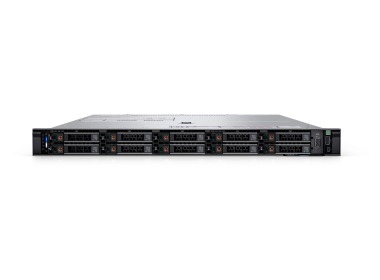
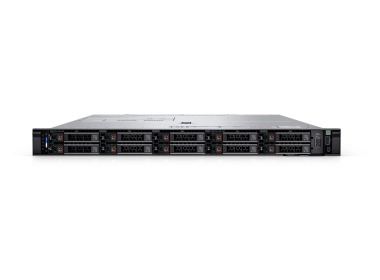
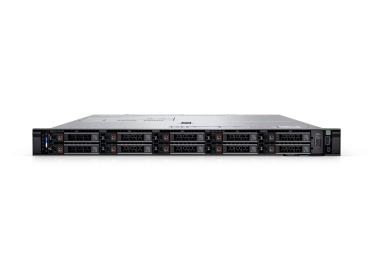
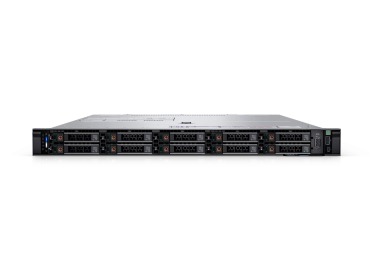
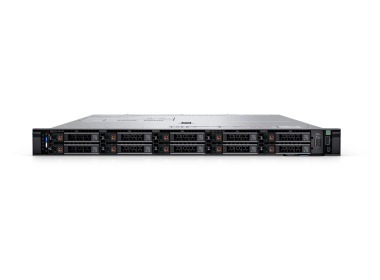
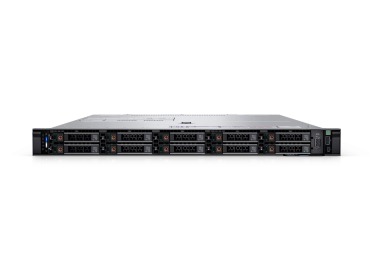
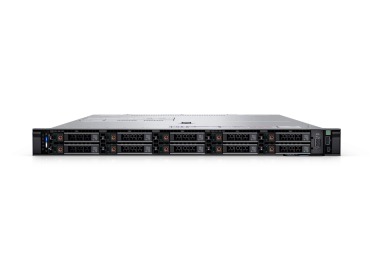
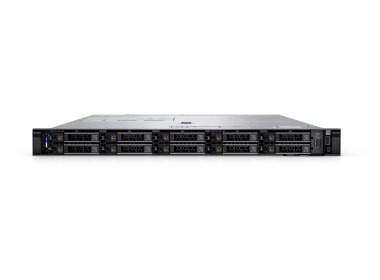
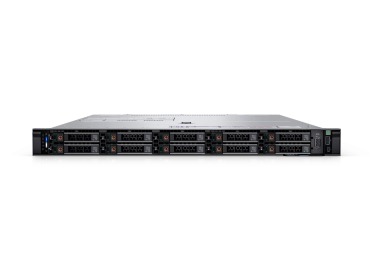
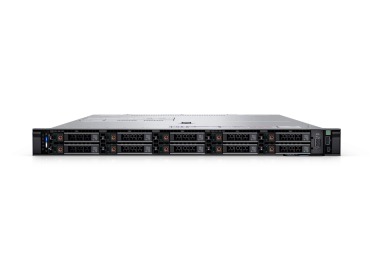
The Dell PowerEdge R6625 is a dual-processor 1U rack server based on AMD EPYC 9004 with 24 DDR5 slots and up to 6 TB of memory. It is purchased by companies that are running out of rack space but not out of cores: virtual machine consolidation, SQL, ERP, and HA cluster nodes. Below, we describe how to configure it to avoid overspending and throttling memory.
Dell PowerEdge R6625 – what kind of machine is it and who buys it?
The R6625 is a representative of Dell 16th generation servers in a rack chassis. It occupies a single rack unit (1U) and accommodates two AMD EPYC processors – that many cores in such a flat chassis is impressive even after years of working with servers. Its single-processor counterpart is the Dell PowerEdge R6615, and the 2U version is the Dell PowerEdge R7625.
We most commonly see the R6625 in three roles: as a virtualization host, a database server for ERP, and an HA or HCI cluster node. The common denominator is simple: the workload grows along with the core count, and rack cabinets do not stretch. If you are still deciding on the chassis format, start with the comparison rack server vs tower.
Dell R6625 rack servers at Hardware Direct – which configuration to choose?
In the category, you will find pre-configured options in three chassis layouts. The designations 4x3.5", 8x2.5", and 10x2.5" refer to the number and size of the front drive bays, and the full naming convention is explained in the article on Dell PowerEdge server naming.
|
Chassis (front) |
Processors |
RAM in the offering |
Controller and media |
Networking |
Use case |
|
4x3.5" |
2x EPYC 9124 (32 cores) |
64–512 GB |
H355, 2x 1.92 TB SATA SSD, NVIDIA L4 24 GB |
2x 10/25GbE SFP28 |
VDI, inference, virtualization with GPU |
|
8x2.5" |
2x EPYC 9124 |
64–512 GB |
H355, 2x 480 GB SATA SSD |
4x 1GbE |
VM consolidation, application servers |
|
10x2.5" with SAS SSD |
2x 9124 or 9534 (32 or 128 cores) |
32–256 GB |
H755, 4x 6.4 TB SAS SSD, BOSS-N1 or 2x 960 GB SATA |
4x 10GbE SFP+ |
SQL, ERP, HA cluster |
|
10x2.5" base |
2x 9124 or 9534 |
32 GB |
H355, 2x 960 GB SATA SSD |
no additional adapter |
platform for future expansion |
The processors are AMD EPYC in two variants: 9124 (16 cores, 3 GHz, 200 W) and 9534 (64 cores, 2.45 GHz, 280 W). Two units deliver 32 cores / 64 threads or 128 cores / 256 threads. Windows Server and virtualization licenses are counted per core, not per thread, so 2 × 16 cores means 32 cores to license – calculate this before placing an order.
Not sure which variant suits your workload? Configure the Dell PowerEdge R6625 with our advisor, and we will match the RAM, drives, and networking to what will actually run on it.
DDR5 RAM in the Dell R6625 – why are 4 modules not enough?
The R6625 has 24 DDR5 4800 MT/s slots and accepts up to 6 TB RDIMM. Here is a detail that saves money: each processor has 12 memory channels, and you achieve full throughput with 12 modules per processor, meaning 24 in total. The offering includes 4x16 GB and 4x32 GB kits – they work correctly, but occupy only 2 out of 12 channels per processor.
|
Total RAM modules (2 CPUs) |
Channels occupied per processor |
What it means |
|
4 |
2 out of 12 |
operational, approximately 1/6 of channels utilized |
|
8 |
4 out of 12 |
approximately 1/3 of channels |
|
16 |
8 out of 12 |
approximately 2/3 of channels |
|
24 |
12 out of 12 |
full throughput |
General guideline, approximate values. The population plan is confirmed with an engineer at the time of order.
This reveals something rarely seen in specifications: 8 modules of 32 GB is not the same as 4 modules of 64 GB, even though the total capacity is 256 GB in both cases. The first variant has twice as many active channels. Also keep in mind that Dell does not support mixing module capacities. DDR5 prices have risen considerably, so before adding memory, read how much RAM for a business server, and check available modules in the server RAM offering.
RAID, NVMe, and SSD drives in the Dell PowerEdge R6625 – what to deploy?
Data protection is handled by RAID controllers: PERC H355 in configurations with SATA drives, PERC H755 in the 10x2.5" variants with SAS SSDs, and H965i as an option for larger projects. It is advisable to place the operating system on separate media: the BOSS-N1 provides 2 M.2 NVMe drives in hardware RAID 1, so all front bays remain available for data.
For the four 6.4 TB SAS SSD drives in the offering, the calculation is as follows:
- RAID 10 – 12.8 TB, fast read and write for random writes, as required by SQL databases,
- RAID 5 – 19.2 TB, more space when reads predominate,
- RAID 6 – 12.8 TB, protection in the event of two simultaneous drive failures.
Raw capacity is 25.6 TB, and usable capacity depends on the RAID level. If you are planning to use NVMe drives, ask about the backplane: Dell offers an 8x2.5" NVMe variant. A common pitfall to be aware of: rear drive cages occupy PCIe slots, so adding drives at the rear means losing space for a network adapter or GPU.
A 1U server for virtualization, SQL Server, and ERP – is the Dell R6625 sufficient?
For VMware servers and Proxmox servers, cores and RAM are what count: 128 cores in 1U makes it possible to consolidate several older hosts into a single unit. If the environment is based on SQL, look at RAID 10 on SSDs and a separate system drive on the BOSS-N1. The offering also includes servers for Microsoft SQL Server.
For companies using ERP systems – Comarch Optima, Enova365, or SAP – our experience shows that performance is more often determined by memory and fast drives than by core count. Software licensed per core favors fewer but faster cores, so ask us whether a higher-clocked variant can be ordered.
Dell PowerEdge R6625 vs R6615, R7625, or R660 – which rack server to choose?
|
Platform |
Chassis |
Processors |
Choose when |
|
R6625 |
1U |
2x AMD EPYC 9004 |
dual-processor density in 1U is the priority |
|
R6615 |
1U |
1x AMD EPYC 9004 |
a single processor suffices and lower licensing costs are desired |
|
R7625 |
2U |
2x AMD EPYC 9004 |
you need more drives and larger GPU cards |
|
R660 |
1U |
Intel Xeon Scalable |
the environment is committed to Intel |
Details of each platform are available in the Dell PowerEdge R6615, Dell PowerEdge R7625, and Dell PowerEdge R660 categories. All are part of the Dell 16th generation rack servers lineup, and if you are deciding between brands, the article Dell PowerEdge vs HP ProLiant may help.
GPU card in the Dell R6625 – what can 1U handle?
The R6625 accepts GPU cards with a power draw of up to 75 W in single-width format. The offering includes a configuration with an NVIDIA L4 24 GB – a card for inference, VDI, and video transcoding. 300 W cards for model training will not fit in this chassis. For such tasks, refer to the AI servers category, and browse available options in the graphics cards offering.
iDRAC9, power supply, and warranty – what is included with the Dell R6625?
Every configuration in this category includes iDRAC9 Enterprise, 2 x 1400 W power supplies (redundant, hot-swap), rails, and a 36-month warranty. iDRAC provides a remote console and virtual media, allowing you to deploy the operating system without entering the server room. Connect the two power supplies to separate circuits, and for power distribution, consider UPS backup power.
Warranty options are described in the warranties section, and if you need a quote for a specific project, contact our advisors – we respond with specifics, not brochures.
FAQ
What is the difference between the Dell PowerEdge R6625 and the R6615?
The R6625 has two processor sockets, while the R6615 has one. Two processors mean more cores and memory channels in the same 1U chassis. Choose the R6615 when a single processor is sufficient and lower licensing costs are a priority.
How much RAM does the Dell PowerEdge R6625 support?
The R6625 has 24 DDR5 4800 MT/s slots and supports up to 6 TB of RDIMM memory. Each processor has 12 channels, so full throughput is achieved with 12 modules per processor. Mixing module capacities is not supported.
Which RAID controller should I choose for the Dell R6625: H355, H755, or H965i?
The H355 is sufficient for smaller environments with SATA drives. Choose the H755 for SAS SSDs and database workloads, and the H965i for larger projects. Installing the operating system on the BOSS-N1 leaves all front bays available for data.
Can a GPU card be installed in the Dell PowerEdge R6625?
Yes, but only cards up to 75 W in single-width format, such as the NVIDIA L4 24 GB. They are well suited for inference, VDI, and video transcoding. Model training requires a larger platform, such as the R7625.
Is the Dell R6625 suitable for VMware, Hyper-V, and Proxmox?
Dell supports Windows Server with Hyper-V, VMware ESXi, as well as Ubuntu, RHEL, and SUSE. Proxmox VE runs on standard x86 hardware, and Hardware Direct is an official Proxmox partner. For virtualization, the deciding factors are the core count, RAM, and fast drives.
Can the Dell R6625 be managed remotely?
Yes, through iDRAC9 Enterprise, which is included in every configuration in this category. It provides a remote console, virtual media, and Redfish API support. This allows you to perform system installation and diagnostics without visiting the server room.