 / PLN
/ PLN
- Workstation Dell Precision R7910 8x2.5" with 2xE5-2667v4, 64GB RAM, H730P, 2x480GB SSD SATA 2.5", 1xQuadro M2000, 2xPSU, rails, iDRAC 8 Enterprise, Windows 11 Pro1x Dell Precision Dell Precision R7910 8x2.5" workstation platform 2x Intel Xeon E5-2667 v4 8-core 3.2GHz 25MB 135W SR2P5 processor 4x RAM 16GB 2133MHz DDR4 RD...Calculating delivery time...In stock 1Warranty 36 monthsPLN 7,469.63 PLN 6,072.87
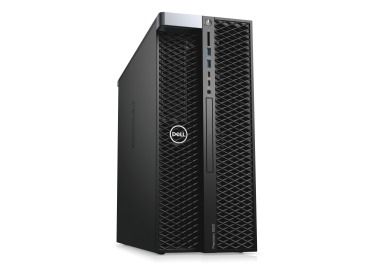
- Workstation Dell Precision T5820 4x3.5" with 1x W-2133, 64GB RAM, 2x 480GB SSD SATA 2.5", 2x10GbE RJ45, 1x PSUThis set contains: 1x Dell Precision T5820 4x3.5" workstation platform 1x Intel Xeon W-2133 6-Core 3.6GHz 8.25MB 140W SR3LL processor 4x RAM 16GB DDR4 2666MHz ...Calculating delivery time...In stock 3Warranty 36 monthsPLN 5,900.00 PLN 4,796.75

FAQ
What workstation should I choose for ANSYS?
Start with the type of analysis you run: structural (FEA), fluid dynamics (CFD), electromagnetic, or just geometry preparation. This determines the right balance between CPU, RAM, graphics card and storage. Also consider the size of your models and the number of cores your license supports. The configuration can be tailored to your needs, and if you are unsure, you can consult an advisor.
What matters more in ANSYS: more cores or a higher CPU clock speed?
It depends on the solver and the license. ANSYS scales across many cores, but the number of cores you can use is often limited by your license. If you have only a few cores available, high single-core performance is what counts. With extended HPC licenses, a high core count delivers a real speedup. Check your license before choosing a processor.
How much RAM should I plan for in a computer used for FEA and CFD calculations in Ansys?
Memory requirements grow with model complexity, for example the number of mesh elements, and depend on the type of analysis. When you run out of RAM, the solver starts using the disk, which slows calculations down considerably. It is a good idea to leave some memory headroom for larger models in the future. In CFD simulations, memory bandwidth also matters, that is, the number of populated memory channels.
What graphics card works well in an ANSYS workstation, and is a professional model worth it?
A good graphics card is useful for working with geometry and meshes and for visualizing results. Professional NVIDIA cards come with certified drivers, which usually translates into stable performance in engineering applications. Some solvers and modules, such as Ansys Discovery, also use the GPU for calculations. Check the manufacturer's documentation to confirm that a specific model is compatible with your version of the software.
What drive should I choose for an ANSYS workstation?
A fast NVMe SSD works best as the working drive, where the solver writes temporary files and results. It speeds up opening projects and calculations that do not fit entirely in RAM. Project files and archives can be kept on a separate, higher-capacity drive or in a storage array, depending on the amount of data.