 / PLN
/ PLN
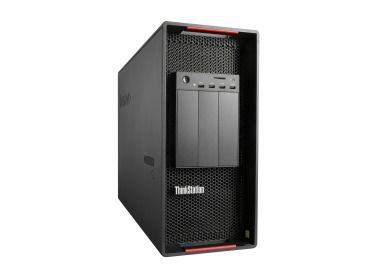
- Workstation Lenovo P920 with 2x Gold 6154, 128GB RAM, 1.6TB SSD NVMe HHHL, Nvidia Titan RTX 24GB vRAM, 1xPSU, Windows 11 ProThis set contains: 1x Lenovo ThinkStation P920 workstation platform 2x Intel Xeon Gold 6154 18-core 3GHz 24.75MB 200W SR3J5 processor 8x RAM 16GB DDR4 2666MHz ...Calculating delivery time...In stock 9Warranty 36 monthsPLN 19,798.62 PLN 16,096.44
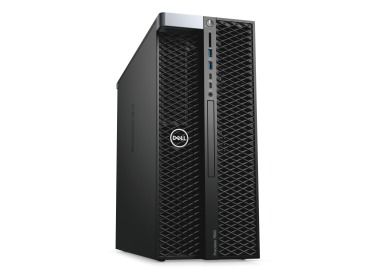
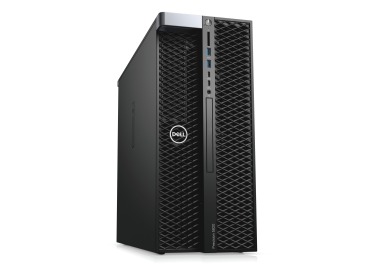
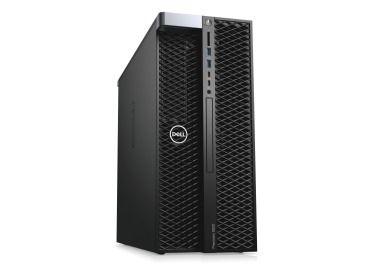
- Workstation Dell Precision T7820 4x3.5" with 1x Gold 6154, 64GB RAM, 1x 960GB SSD SATA 2.5", 1x Radeon Pro WX 4100 4GB, 1x PSU, Windows 11 ProThis set contains: 1x Dell Precision T7820 4x3.5" workstation platform 1x Intel Xeon Gold 6154 18-core 3GHz 24.75MB 200W SR3J5 processor 4x RAM 16GB DDR4 2666M...Calculating delivery time...In stock 12Warranty 36 monthsPLN 9,450.95 PLN 7,683.70
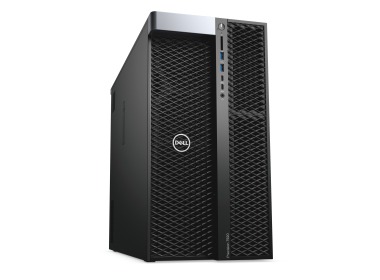
- Workstation Dell Precision T7920 4x3.5" with 2x Gold 5222, 128GB RAM, 1x 960GB SSD SATA 2.5", 1x PSU,This set contains: 1x Dell Precision T7920 4x3.5" workstation platform 2x Intel Xeon Gold 5222 4-core 3.8GHz 16.5MB 105W SRF8V processor 8x RAM 16GB DDR4 2666M...Calculating delivery time...In stock 18Warranty 36 monthsPLN 17,038.61 PLN 13,852.53
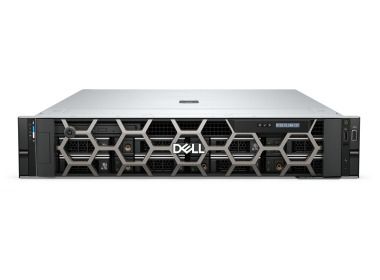
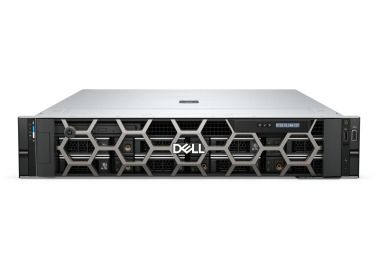
- Workstation Dell Precision R7920 8x3.5" with 1x Gold 6130, 64GB RAM, 1x 1.6TB SSD PCIe NVMe HHHL, Nvidia Quadro RTX 4000 8GB, 4x10GbE RJ45, 2x PSU, rails, bezel, Windows 11 Pro, iDRAC 9 EnterpriseThis set contains: 1x Dell Precision Dell Precision R7920 8x3.5" workstation platform 1x Intel Xeon Gold 6130 16-core 2.1GHz 22MB 125W SR3B9 processor 4x RAM 1...Calculating delivery time...In stock 14Warranty 36 monthsPLN 10,703.96 PLN 8,702.41
- Workstation Dell Precision R7960 8x3.5" with 1x Silver 4410Y, 64GB RAM, 2x 480GB SSD NVMe 2280 M.2, 2x10GbE BASE-T OCP 3.0, 2xPSU, rails, bezel, Windows 11 Pro, iDRAC9This set contains: 1x Dell Precision R7960 8x3.5" workstation platform 1x Processor Intel Xeon Silver 4410Y 12-core 2GHz 30MB 150W SRMGE 4x 16GB DDR5 RDIMM 480...Calculating delivery time...In stock 11Warranty 36 monthsPLN 49,682.69 PLN 40,392.43
- Workstation Dell Precision R7960 8x3.5" with 1x Silver 4416+, 128GB RAM, 2x 960GB SSD NVMe 2280 M.2, Nvidia RTX 4000 Ada 20GB, 2x10GbE BASE-T, 2x PSU, rails, bezel, Windows 11 Pro, iDRAC9This set contains: 1x Dell Precision R7960 8x3.5" workstation platform 1x Processor Intel Xeon Silver 4416+ 20-core 2GHz 37.5MB 165W SRMGG 4x 32GB 4800MHz DDR5...Calculating delivery time...In stock 10Warranty 36 monthsPLN 68,442.70 PLN 55,644.47
- Workstation Dell Precision R7910 8x2.5" with 2xE5-2667v4, 64GB RAM, H730P, 2x480GB SSD SATA 2.5", 1xQuadro M2000, 2xPSU, rails, iDRAC 8 Enterprise, Windows 11 Pro1x Dell Precision Dell Precision R7910 8x2.5" workstation platform 2x Intel Xeon E5-2667 v4 8-core 3.2GHz 25MB 135W SR2P5 processor 4x RAM 16GB 2133MHz DDR4 RD...Calculating delivery time...In stock 1Warranty 36 monthsPLN 7,469.63 PLN 6,072.87
- Workstation Dell Precision T5820 4x3.5" with 1x W-2145, 64GB RAM, 1x 960GB SSD SATA 2.5", 1x PSU,This set contains: 1x Dell Precision T5820 4x3.5" workstation platform 1x Intel Xeon W-2145 8-core 3.7GHz 11MB 140W SR3LQ processor 4x RAM 16GB DDR4 2666MHz RD...Calculating delivery time...In stock 1Warranty 36 monthsPLN 10,200.00 PLN 8,292.68
- Workstation Dell Precision T5820 4x3.5" with 1x W-2133, 64GB RAM, 2x 480GB SSD SATA 2.5", 1x PSU,This set contains: 1x Dell Precision T5820 4x3.5" 2xNVMe workstation platform 1x Intel Xeon W-2133 6-Core 3.6GHz 8.25MB 140W SR3LL processor 4x RAM 16GB DDR4 2...Calculating delivery time...In stock 1Warranty 36 monthsPLN 8,125.00 PLN 6,605.69


FAQ
What is the best workstation for 3ds Max?
It depends on your projects. For modeling and viewport work, high single-core CPU performance matters most. For rendering, the number of CPU cores or the power of the graphics card is more important, depending on the render engine you use. Complex scenes also benefit from extra RAM headroom. It's best to choose a configuration based on your typical scene size and how you render.
Which matters more for 3ds Max: the CPU or the graphics card?
It depends on the stage of your work. Modeling, animation and viewport handling rely mainly on the CPU, especially on core clock speed. Rendering can use the CPU (e.g. Arnold on the CPU) or the GPU (e.g. V-Ray GPU, Arnold GPU, Redshift). That's why you should first establish which render engine you use.
How much RAM does a 3ds Max workstation need?
For simpler scenes, a smaller amount of RAM is usually enough. Complex projects with heavy textures, simulations or a large number of objects need significantly more. Too little memory slows down both your work and rendering. It's a good idea to leave some headroom for more demanding future projects and for running other applications at the same time.
Does 3ds Max require a workstation graphics card, such as an NVIDIA RTX?
Not always for basic modeling. However, a professional graphics card is very useful for GPU rendering, working with large scenes and getting a smooth viewport. The amount of VRAM matters, because it determines how large a scene can fit in GPU rendering. Also check the card's certification and driver compatibility with the version of the software you use.
Can I configure a 3ds Max workstation to suit my own needs?
Yes, the configuration can be tailored to the type of projects you work on, your render engine and your budget. If you're not sure which components to choose, contact a Hardware Direct advisor and describe the software you use and how large your scenes are. This helps you avoid overpaying for unnecessary components or underestimating the performance you need.