/ PLN
/ PLN
Only two years ago the answer was: buy some spare, memory is cheap. In 2026 that advice costs a fortune – a 64 GB DDR5 RDIMM module went up from around 255 to over 870 dollars in six months, and forecasts point to 1,586 dollars by the end of the year. Suddenly every unnecessarily added gigabyte is real money, and every missing one – a server choking on itself. Below we show how to hit that range, based on market data, manufacturers' documentation and mechanisms that salespeople do not talk about.
Why has server RAM become so expensive?
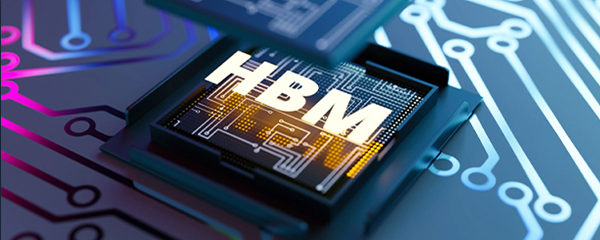
Because manufacturers switched their factories to a different product. Samsung, SK Hynix and Micron control over 95% of global DRAM production and deliberately redirected manufacturing capacity to HBM memory for AI accelerators. HBM's share of DRAM wafer usage grew from 8% in 2024 to 23% in 2026, and it is estimated that artificial intelligence will consume around 20% of all DRAM production this year.
The effect is unprecedented. TrendForce reported that contract prices for conventional DRAM rose by 93–98% quarter on quarter in Q1 2026, with a forecast of a further 58–63% in Q2. In October 2025 SK Hynix announced that its HBM, DRAM and NAND capacity was sold out for the whole of 2026, and Micron raised prices by 20–30% and stopped quoting on some products.
Prices of 64 GB DDR5 RDIMM. Data for Q3–Q4 2025: Counterpoint Research; Q1 and Q4 2026: Citi note from May 2026 (forecast).
Two things follow from this for purchase planning. First, none of the available forecasts predicts a fall in prices in 2026 – there is no economic case for waiting. Second, discipline in choosing capacity has stopped being a matter of engineering elegance and become a budget line. The difference between 256 and 384 GB can today exceed the price of an entire server from two years ago.
How much RAM does a server need – where to start the calculation
Memory requirements are not a single number but the sum of three layers: the operating system together with the hypervisor, the applications' actual needs, and headroom for growth. The last layer is the one where it is easiest either to overdo it or to economise too hard.
An indicative split of demand for typical applications. Specific values depend on the number of users and the nature of the workload.
It is worth noticing how unevenly these proportions fall. With a file server the system eats almost as much as the applications. With an SQL database under load the application is everything, and headroom has to be counted separately, because the database grows along with the company. That is why an identical hardware configuration can be oversized in one scenario and too weak in another.
Allocated versus used memory – the biggest trap in virtualisation
This is where most of the mistakes that cost money are made. Administrators add up the memory allocated to virtual machines and order a server on that basis. The problem is that a virtual machine almost never uses all of its allocated memory at once.
|
Active, allocated and consumed memoryIn vSphere terminology, active memory is the memory actually in use at a given moment, while consumed is the memory reserved by the machine. The difference can be dramatic: a database may hold 20 GB in memory but only reach for 2 GB during the measurement window. Adding up declarations instead of real usage is the simplest way to buy memory that will sit idle. |
Hypervisors have their own mechanisms for this. VMware uses transparent page sharing (deduplication of identical memory pages), ballooning (reclaiming unused memory from guest systems) and compression – all of which allow more memory to be allocated to machines than the host physically has, usually with no noticeable effect on performance.
There is, however, a hard limit. Overcommitment must not be pushed to the point where the host starts swapping active memory pages to disk – that is a last resort, after which performance can drop dramatically. The manufacturer gives a simple verification method: compare the consumed and active values for a machine. If consumed is significantly higher than active, the machine is oversized and can be slimmed down without consequences.
Overcommitment techniques work particularly well in VDI environments, where dozens of machines run the same system and have plenty of identical memory pages to deduplicate. With databases and latency-sensitive applications it is better to keep reservations and not count on the hypervisor reclaiming anything.
How much RAM for an SQL database and ERP systems?
By default SQL Server behaves greedily: it can take practically all available memory, because its data buffer works on the principle of “the more, the fewer reads from disk”. Microsoft recommends in all versions setting an upper limit via the max server memory parameter, so as not to starve the operating system.
A practical rule used by database administrators: on servers with up to 16 GB leave the system a minimum of 4 GB, and above 64 GB – at least 10% of the total. On top of that comes an indicator that says more than any calculator: Page Life Expectancy. If it stays above 300 seconds, there is enough memory. Regular drops below that value mean the database is choking on a shortage of RAM and more needs to be added.
|
Page Life Expectancy – what does it measure?PLE shows how long a data page stays in the cache on average before being evicted from it. A short lifetime means the database is constantly swapping data between memory and disk, because the buffer is too small. It is one of the simplest indicators for telling whether the problem lies in RAM or somewhere else – and it can be read without buying additional tools. |
With ERP systems of the Comarch or Optima class the same logic applies, with one caveat: demand grows not so much with the number of users as with the size of the database and the number of simultaneous operations. Twenty people issuing invoices generate a different load from five people running overnight reports across an entire financial year. Specific modules for a chosen server model can be found in the server RAM memory category – including the RDIMM modules most often used in dual-processor machines.
How to populate the memory slots so as not to lose performance
This is the most underrated part of the subject, because it concerns not the amount of memory but the way it is fitted. The same capacity in different slot populations gives different performance – and the difference is not cosmetic.
The effect of slot population on memory bandwidth. Data: Dell documentation on memory population rules in PowerEdge servers.
Dell states this outright in the guidelines for its servers: with an unbalanced or “near-balanced” configuration memory bandwidth can drop by as much as 33% against the maximum. The reason is architectural – the memory controller interleaves access across channels, and when one channel is left empty or populated differently from the rest, disjointed memory regions appear and performance becomes unpredictable.
Hence three rules worth imposing on yourself when ordering:
- populate all of the processor's memory channels, not just some of the slots,
- use identical modules – the same capacity, speed and number of ranks,
- in dual-processor machines keep an identical configuration on both processors.
Manufacturers are stricter here than you might think – on some AMD platforms the documentation explicitly forbids mixing modules, allowing only one combination of capacity, speed and type in the system. This is also an argument against buying memory “a piece at a time” over the years: four 32 GB modules bought in a single order will work better than eight different modules collected over three years.
How much RAM for specific applications – starting points
Below are the values from which we start the conversation with clients. These are not rigid standards, just the configurations that most often work for a given work profile.
|
Application |
Starting point |
What pushes this value up |
|
File, print, backup server |
32 GB |
deduplication, a large number of simultaneous sessions |
|
Domain controller (AD, DNS, DHCP) |
16–32 GB |
a low-demand role – not worth overpaying here |
|
ERP (Comarch, Optima, Enova) + small database |
64 GB |
database size, aggregate reports, number of simultaneous operations |
|
Virtualisation, 6–10 machines |
128 GB |
real VM usage, reserve for taking over the load after a failure |
|
SQL database under production load |
256 GB+ |
size of the working set, columnstore indexes, in-memory OLTP |
|
Analytics, computation, AI |
512 GB+ |
size of the datasets loaded into memory |
Before you order a specific figure, though, do one thing: measure your current memory usage over a full working week, not at a random moment. The peak usually falls at month-end close, stocktaking or overnight processing – and it is the peak that sets the required capacity, not the average from a Monday afternoon. If you would like to discuss it, just send us the list of applications and the number of users.
How not to overpay for server memory in 2026?
Since the prices of new DDR5 modules have gone up by several hundred per cent, sensible saving strategies look different today from a year ago.
- First: check whether you really need DDR5. Previous-generation platforms – Dell 14th and 15th generation, HPE Gen10 – run on DDR4 memory, which for capacity-dependent workloads performs identically and costs a fraction of the price of DDR5 per gigabyte. Refurbished DDR4 modules have gone up too, by 30–50%, but they started from a much lower level.
- Second: buy the target configuration straight away. With rising prices and the rules of balanced population, adding memory a year from now means a higher unit price and the risk that identical modules will no longer be available. Headroom is planned at the ordering stage, not later.
- Third: do not cut memory where it determines performance, and do not add it where it makes no difference. A domain controller with 128 GB is wasted money. An SQL database with 32 GB is a wasted server. The same amount spent sensibly across two machines gives a completely different result.
It is also worth remembering the availability context, not just price. Market analyses indicate that RDIMM modules have become one of the scarcest components in server builds – it happens that a machine arrives without its full complement of memory, because the module delivery has come apart from the hardware delivery. When planning a deployment it is worth treating memory as a separate schedule risk, not as an obvious add-on to the server. Proven modules for specific models – such as memory for the PowerEdge R740 or for the PowerEdge R640 – we keep in stock for exactly that reason.
Five mistakes that cost the most
- Adding up the memory allocated to VMs instead of the memory actually used. This leads to buying capacity that sits idle.
- Populating only some of the memory channels. The same capacity, up to 33% lower bandwidth – a loss with no price benefit whatsoever.
- No max server memory limit in SQL Server. The database starves the operating system, which shows up as “the server is slow”, even though nominally there is no shortage of RAM.
- Buying memory a piece at a time over the years. Mixed modules mean worse performance, and on some platforms a configuration the manufacturer does not support.
- No reserve for taking over the load in a cluster. If you are building high availability, some of the memory has to stay free so that a node can take over the machines after a neighbour fails.
There is one common denominator: all of these mistakes come from treating RAM as a number in a configurator rather than as a parameter that follows from the workload. How to choose the rest of the configuration around that decision we break down in the guide “Which server should you choose?”, and if you are considering a refurbished machine – in the article on new and recertified servers. Models with spare slots can be found in the Dell PowerEdge servers category – we will choose the memory for the specific board, so that the configuration is balanced from day one.
FAQ
How much RAM does a server for a small company need?
For a file, print and backup server 32 GB is usually enough. With an ERP system and a small database the starting point is 64 GB. The final figure depends on the size of the database and the number of simultaneous operations, not on the number of employees alone.
Is it worth buying RAM with headroom?
Yes, but the headroom is planned at the ordering stage, not later. At current prices and with the rules of balanced slot population, adding modules a year later means a higher unit price and the risk that identical modules are unavailable. Headroom should be considered, not maximal.
Why did server memory become so expensive in 2026?
DRAM manufacturers redirected production capacity to HBM memory for AI accelerators. HBM's share of DRAM wafer usage grew from 8% in 2024 to 23% in 2026, which caused a structural shortage of ordinary memory and a step change in contract prices.
Does DDR4 still make sense in a server?
It does, for capacity-dependent workloads on previous-generation platforms such as Dell 14G and 15G or HPE Gen10. DDR4 memory performs identically there, and per gigabyte costs a fraction of the price of DDR5.
Can virtual machines be allocated more memory than the server has?
They can – hypervisors use page deduplication, ballooning and compression, usually with no noticeable effect on performance. The limit is the moment when the host starts swapping active pages to disk; performance then drops sharply.
How do you check whether a server is short of memory?
With SQL databases the simplest indicator is Page Life Expectancy – values staying above 300 seconds mean a healthy state. In a virtual environment, compare consumed memory with active memory and check whether the host is swapping pages to disk.
Does the way slots are populated really matter?
It does, and a great deal. According to the manufacturer's guidelines, an unbalanced configuration can lower memory bandwidth by as much as 33% at identical capacity. It is worth populating all channels with identical modules.
Bibliography
- Network World – Server memory prices could double by 2026 as AI demand strains supply (after Counterpoint Research) – https://www.networkworld.com/article/4093752/server-memory-prices-could-double-by-2026-as-ai-demand-strains-supply.html
- Tech-Insider – RAM Prices 2026: DRAM Crisis (TrendForce data and Citi forecast) – https://tech-insider.org/dram-ram-price-crisis-2026/
- DatacenterDisk Research – The 2026 Memory Chip Shortage: Why Server RAM Prices Have Doubled – https://datacenterdisk.com/news/memory-chip-shortage-2026-server-ram-prices
- Fusion Worldwide – RDIMM Shortage 2026: What Buyers Need to Know – https://info.fusionww.com/blog/rdimm-shortages-and-the-shift-in-server-shipments
- PC Server & Parts – Refurbished DDR4 Server Memory: The 2026 RAM Price Fix – https://pcserverandparts.com/news/refurbished-ddr4-server-memory-2026-server-ram-price-crisis/
- Dell – Balanced Memory with 2nd Generation AMD EPYC Processors for PowerEdge Servers – https://dl.dell.com/Manuals/Common/dellemc-balanced-memory-2ndgen-amd-epyc-poweredge.pdf
- Dell – Balancing Memory on 2nd Generation Intel Xeon Scalable Processors – https://dl.dell.com/manuals/common/balancing_memory_xeon_2nd_gen.pdf
- Dell Technologies Info Hub – Memory Population Rules for 3rd Generation Intel Xeon Scalable Processors – https://infohub.delltechnologies.com/en-us/l/memory-population-rules-for-3rd-generation-intel-xeon-scalable-processors-on-poweredge-servers-1/unbalanced-configurations/
- Broadcom / VMware TechDocs – Memory Overcommit Techniques – https://techdocs.broadcom.com/us/en/vmware-cis/vsphere/vsphere/6-5/performance-best-practices-for-vsphere-6-5/esxi-and-virtual-machines/esxi-memory-considerations/memory-overcommit-techniques.html
- Broadcom / VMware TechDocs – Memory Tiering Considerations and Best Practices – https://techdocs.broadcom.com/us/en/vmware-cis/vsphere/vsphere/9-1/vsphere-resource-management/memory-tiering-over-nvme/memory-tiering-considerations-and-best-practices.html
- Microsoft Learn – Server Memory Configuration Options (SQL Server) – https://learn.microsoft.com/en-us/sql/database-engine/configure-windows/server-memory-server-configuration-options
- Microsoft Learn – Memory Management Architecture Guide (SQL Server) – https://learn.microsoft.com/en-us/sql/relational-databases/memory-management-architecture-guide
- SQLskills (Jonathan Kehayias) – How much memory does my SQL Server actually need? – https://www.sqlskills.com/blogs/jonathan/how-much-memory-does-my-sql-server-actually-need/