 / PLN
/ PLN
- Workstation Dell Precision R7910 8x2.5" with 2xE5-2667v4, 64GB RAM, H730P, 2x480GB SSD SATA 2.5", 1xQuadro M2000, 2xPSU, rails, iDRAC 8 Enterprise, Windows 11 Pro1x Dell Precision Dell Precision R7910 8x2.5" workstation platform 2x Intel Xeon E5-2667 v4 8-core 3.2GHz 25MB 135W SR2P5 processor 4x RAM 16GB 2133MHz DDR4 RD...Calculating delivery time...In stock 1Warranty 36 monthsPLN 7,469.63 PLN 6,072.87
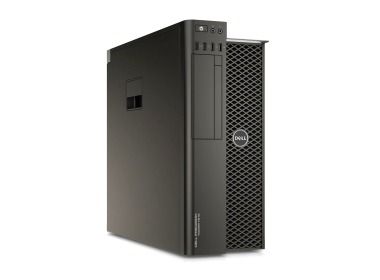
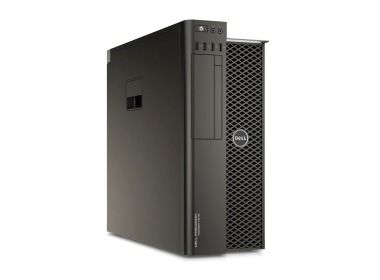
- Workstation Dell Precision T7810 2x3.5" with 2x E5-2640v3, 32GB RAM, 1x 960GB SSD SATA 2.5", 1x Quadro K4200, 1xPSU1x Dell Precision T7810 2x3.5" workstation platform 2x Intel Xeon E5-2640 v3 8-core 2.6GHz 20MB 90W SR205 processor 2x RAM 16GB 2133MHz DDR4 RDIMM 1x Hard driv...Calculating delivery time...In stock 1Warranty 36 monthsPLN 4,475.00 PLN 3,638.21
- Workstation Dell Precision T7810 2x3.5" with 2x E5-2690v4, 64GB RAM, 1x 960GB SSD SATA 2.5", 1x Quadro M4000, 1x PSU1x Dell Precision T7810 2x3.5" workstation platform 2x Intel Xeon E5-2690 v4 14-core 2.6GHz 35MB 135W SR2N2 processor 4x RAM 16GB 2133MHz DDR4 RDIMM 1x Hard dr...Calculating delivery time...In stock 1Warranty 36 monthsPLN 5,900.00 PLN 4,796.75

FAQ
How is a workstation different from a regular computer?
A workstation is built for long, intensive professional work such as 3D rendering, simulations or video editing. It typically has more powerful processors, more RAM and professional-grade components designed to ensure stability. This matters a great deal when rendering in V-Ray, which can put hardware under load for many hours.
Is V-Ray free, and how much does it cost?
V-Ray is commercial software, but its developer, Chaos, offers a trial version you can test. The price depends on the product you choose (for example, a plugin for a specific 3D application or a Chaos bundle), the license model and the subscription period. You can check current pricing and educational license terms on the Chaos website.
What matters more in V-Ray: the CPU or the graphics card?
It depends on the rendering mode. V-Ray can render on the CPU, where a powerful processor with many cores and the amount of RAM are what count. It can also render on the GPU, where the key component is an NVIDIA graphics card with enough VRAM. It's best to configure your system for the mode you use day to day.
How much RAM does a workstation need for V-Ray rendering?
It depends on scene complexity: the number of objects, texture resolution and the proxies used. Large architectural visualizations or animations need considerably more memory than simple projects. With GPU rendering, the graphics card's VRAM is also a limit, because the scene has to fit in it.
Is a mobile workstation suitable for working with V-Ray?
Yes. A mobile workstation, meaning a powerful laptop with professional-grade components, works well for modeling, previewing scenes and working away from the office. For long, final renders, however, it usually delivers lower performance than a desktop workstation, mainly due to cooling and power limitations. The choice depends on how much you need mobility.