 / PLN
/ PLN
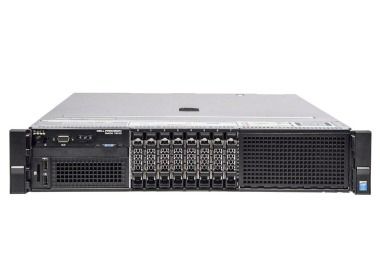
- Workstation Dell Precision R7910 8x2.5" with 2xE5-2667v4, 64GB RAM, H730P, 2x480GB SSD SATA 2.5", 1xQuadro M2000, 2xPSU, rails, iDRAC 8 Enterprise, Windows 11 Pro1x Dell Precision Dell Precision R7910 8x2.5" workstation platform 2x Intel Xeon E5-2667 v4 8-core 3.2GHz 25MB 135W SR2P5 processor 4x RAM 16GB 2133MHz DDR4 RD...Calculating delivery time...In stock 1Warranty 36 monthsPLN 7,469.63 PLN 6,072.87
- Workstation Dell Precision R7910 8x2.5" with 2xE5-2687Wv3, 32GB RAM, H730P, 2x 480GB SSD SATA 2.5", 4x1GbE, 1xQuadro K2200, 2xPSU, Rails, iDRAC 8 Enterprise1x Dell Precision Dell Precision R7910 8x2.5" workstation platform 2x Intel Xeon E5-2687W v3 10-core 3.1GHz 25MB 160W SR1Y6 processor 2x RAM 16GB 2133MHz DDR4 ...Calculating delivery time...In stock 1Warranty 36 monthsPLN 5,985.33 PLN 4,866.12
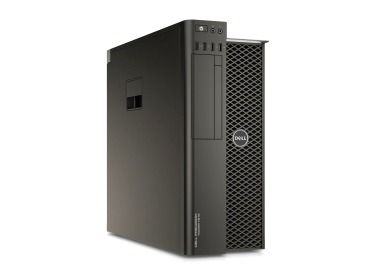
- Workstation Dell Precision T7810 2x3.5" with 1x E5-2667v3, 32GB RAM, 1x 480GB SSD SATA 2.5", 1x Quadro M4000, 1x PSU1x Dell Precision T7810 2x3.5" workstation platform 1x Intel Xeon E5-2667 v3 8-core 3.2GHz 20MB 135W SR203 processor 2x RAM 16GB 2133MHz DDR4 RDIMM 1x 480GB SS...Calculating delivery time...In stock 1Warranty 36 monthsPLN 4,100.00 PLN 3,333.33
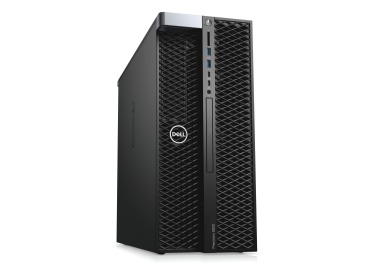
- Workstation Dell Precision T5820 4x3.5" with 1x W-2125, 96GB RAM, 1x 480GB SSD SATA 2.5", 1x PSU,This set contains: 1x Dell Precision T5820 4x3.5" workstation platform 1x Intel Xeon W-2125 4-core 4.00GHz 8.25MB 120W SR3LM processor 6x RAM 16GB 2400MHz DDR4...Calculating delivery time...In stock 1Warranty 36 monthsPLN 5,850.00 PLN 4,756.10

FAQ
What kind of workstation is suitable for AutoCAD?
The most important factor is a processor with a high single-core clock speed, since most AutoCAD operations rely on it. An SSD, enough RAM and a compatible graphics card also matter. The right choice depends on whether you work mainly in 2D or with complex 3D models. If in doubt, check Autodesk's current system requirements.
How much RAM do I need for AutoCAD?
Simple 2D drawings usually need less memory. For large files, 3D models and running several applications at once, more RAM will help, and 16 GB is a reasonable starting point. If you plan to take on bigger projects in the future, choose a workstation with upgradeable memory.
Which graphics card should I choose for AutoCAD – a standard one or a workstation card?
For basic 2D work, a capable integrated GPU or an entry-level dedicated card is often enough. For 3D modeling and visualization, a professional card is a better fit, such as one from the NVIDIA RTX line (formerly Quadro) or AMD Radeon Pro. These cards come with drivers certified for CAD applications, which usually translates into more stable performance.
Is a refurbished workstation a good choice for AutoCAD?
It can be a sensible option if you want powerful hardware at a lower price. Workstations are designed for continuous operation, so they are well suited to CAD use. Before buying, check the specifications, the condition of the equipment and the warranty terms in the product description. If you prefer brand-new hardware, new models are also available.
Can a workstation for AutoCAD also handle Revit or 3ds Max?
It depends on the configuration. Revit, 3ds Max and rendering typically require more CPU cores, more RAM and a more powerful graphics card than working in AutoCAD alone. If you use several Autodesk programs, choose a workstation with some headroom above the requirements of the most demanding one.