 / PLN
/ PLN
- Workstation Dell Precision R7910 8x2.5" with 2xE5-2667v4, 64GB RAM, H730P, 2x480GB SSD SATA 2.5", 1xQuadro M2000, 2xPSU, rails, iDRAC 8 Enterprise, Windows 11 Pro1x Dell Precision Dell Precision R7910 8x2.5" workstation platform 2x Intel Xeon E5-2667 v4 8-core 3.2GHz 25MB 135W SR2P5 processor 4x RAM 16GB 2133MHz DDR4 RD...Calculating delivery time...In stock 1Warranty 36 monthsPLN 7,469.63 PLN 6,072.87
- Workstation Dell Precision R7920 8x3.5" with 2x Silver 4208, 128GB RAM, H730P, 2x 480GB SSD SATA 2.5", 1x Quadro K620, 2xPSU, Rails, iDRAC 9 EnterpriseThis set contains: 1x Dell Precision Dell Precision R7920 8x3.5" workstation platform 2x Intel Xeon Silver 4208 8-core 2.1GHz 11MB 85W SRFBM processor 4x RAM 3...Calculating delivery time...In stock 1Warranty 36 monthsPLN 11,111.97 PLN 9,034.12
- Workstation Dell Precision R7910 8x2.5" with 2xE5-2667v4, 64GB RAM, H730P, 2x 480GB SSD SATA 2.5", 1xQuadro M2000, 2xPSU, Rails, iDRAC 8 Enterprise1x Dell Precision Dell Precision R7910 8x2.5" workstation platform 2x Intel Xeon E5-2667 v4 8-core 3.2GHz 25MB 135W SR2P5 processor 4x RAM 16GB 2133MHz DDR4 RD...Calculating delivery time...In stock 1Warranty 36 monthsPLN 7,130.99 PLN 5,797.55
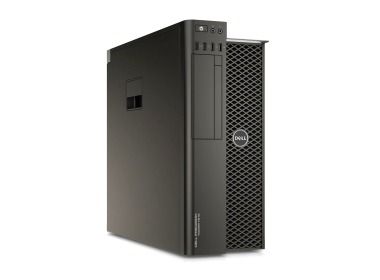
- Workstation Dell Precision T7810 2x3.5" with 2x E5-2640v3, 32GB RAM, 1x 960GB SSD SATA 2.5", 1x Quadro K4200, 1xPSU1x Dell Precision T7810 2x3.5" workstation platform 2x Intel Xeon E5-2640 v3 8-core 2.6GHz 20MB 90W SR205 processor 2x RAM 16GB 2133MHz DDR4 RDIMM 1x Hard driv...Calculating delivery time...In stock 1Warranty 36 monthsPLN 4,475.00 PLN 3,638.21
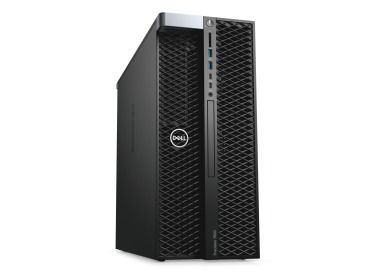
- Workstation Dell Precision T7820 4x3.5" with 2x Gold 6134, 64GB RAM, 1x 960GB SSD SATA 2.5", 1x Quadro P2000, 1x PSUThis set contains: 1x Dell Precision T7820 4x3.5" workstation platform 2x Intel Xeon Gold 6134 8-core 3.2GHz 24.75MB 130W SR3AR processor 4x RAM 16GB DDR4 2666...Calculating delivery time...In stock 1Warranty 36 monthsPLN 9,863.03 PLN 8,018.72


FAQ
What kind of workstation works well with GEOVIA?
GEOVIA software (such as Surpac, GEMS and Whittle) processes large geological and mining models. That makes a powerful processor, plenty of RAM, a fast SSD and a professional graphics card important. The exact configuration depends on the module, the software version and the size of your projects. Compare it against the manufacturer's official requirements.
How much RAM do I need for GEOVIA?
It depends on the size of your block models and the amount of data you work with. On large projects, more RAM helps you avoid slowdowns and software freezes. You can find the minimum and recommended values for your GEOVIA version in the manufacturer's documentation. It's a good idea to leave some headroom for larger projects in the future.
Do I need a professional graphics card for GEOVIA?
Professional-grade graphics cards, such as those from the NVIDIA RTX family (formerly Quadro), are recommended for 3D visualization of geological models and excavations. They are designed for stable performance in engineering applications, and their drivers are certified for such use. Check the list of supported cards in the requirements for your GEOVIA version.
Is a refurbished workstation suitable for GEOVIA?
Yes, as long as its specifications meet the requirements of the GEOVIA module you use. Refurbished professional-grade workstations are often a sensible way to lower the purchase cost. However, check the processor, amount of RAM, drive type, graphics card and whether the hardware is covered by a warranty. Choose a new model if you need the latest components.
How do I choose a workstation for my version of GEOVIA?
Start with the manufacturer's system requirements for the specific module and software version. Then consider how large your typical projects are and how many users will be working on the machine. If you have any doubts, contact the store's advisor before you buy. They can help you compare the available configurations.