 / PLN
/ PLN
Server Configurators


Server Dell PowerEdge R660 8x2.5" NVMe with 2x Gold 5416S, 64GB RAM, H755N, BOSS-N1 z 2x Dell 480GB SSD NVMe M.2, 2x 1.92TB SSD NVMe U.2 2.5", 4x10GbE SFP+, 2x PSU 1400W, rails, bezel, iDRAC9 Enterprise
This set contains: 1x Dell PowerEdge R660 8x2.5" server platform 2x Processor Intel Xeon Gold 5416S 16-core 2GHz 30MB 150W SRMH2 2x 32GB 4800MHz DDR5 RDIMM RAM...Calculating delivery time...In stock 7Warranty 36 monthsPLN 96,612.34 PLN 78,546.62Server Dell PowerEdge R660 8x2.5" with 1x Silver 4509Y, 64GB RAM, H755, 2x 480GB SSD SATA 6G RI 2.5", 2x1GbE RJ45, 2x PSU, rails, iDRAC 9
This set includes: 1x Dell PowerEdge R660 8x2.5" server platform 1x Processor Intel Xeon Silver 4509Y 8-core 2.6GHz 22.5MB 125W SRN61 4x 16GB DDR5 RDIMM 5600M...Calculating delivery time...In stock 2Warranty 36 monthsPLN 40,600.00 PLN 33,008.13Server Dell PowerEdge R660 8x2.5" NVMe with 2x Gold 6526Y, 768GB RAM, 2x Dell 960GB SSD NVMe U.2 2.5", 4x 3.84TB SSD NVMe U.2 2.5", 4x10GbE SFP+, 2x PSU 1400W, rails, bezel, iDRAC9 Enterprise
This set contains: 1x Dell PowerEdge R660 8x2.5" server platform 2x Processor Intel Xeon Gold 6526Y 16-core 2.8GHz 37.5MB 195W SRN6N 12x RAM 64GB 4800MHz DDR5 ...Calculating delivery time...In stock 5Warranty 36 monthsPLN 241,926.50 PLN 196,688.21Server Dell PowerEdge R660 8x2.5" NVMe with 2x Gold 6526Y, 256GB RAM, 2x Dell 960GB SSD NVMe U.2 2.5", 4x 3.84TB SSD NVMe U.2 2.5", 4x10GbE SFP+, 2x PSU 1400W, rails, bezel, iDRAC9 Enterprise
This set contains: 1x Dell PowerEdge R660 8x2.5" server platform 2x Processor Intel Xeon Gold 6526Y 16-core 2.8GHz 37.5MB 195W SRN6N 4x RAM 64GB 4800MHz DDR5 R...Calculating delivery time...In stock 5Warranty 36 monthsPLN 141,926.50 PLN 115,387.40Server Dell PowerEdge R660 8x2.5" NVMe with 2x Gold 6526Y, 512GB RAM, 4x 3.84TB SSD NVMe U.2 2.5", 4x10GbE SFP+, 2x PSU 1400W, rails, bezel, iDRAC9 Enterprise
This set contains: 1x Dell PowerEdge R660 8x2.5" server platform 2x Processor Intel Xeon Gold 6526Y 16-core 2.8GHz 37.5MB 195W SRN6N 8x RAM 64GB 4800MHz DDR5 R...Calculating delivery time...In stock 5Warranty 36 monthsPLN 187,526.50 PLN 152,460.57Server Dell PowerEdge R660 8x2.5" NVMe with 2x Gold 6526Y, 256GB RAM, 4x 3.84TB SSD NVMe U.2 2.5", 4x10GbE SFP+, 2x PSU 1400W, rails, bezel, iDRAC9 Enterprise
This set contains: 1x Dell PowerEdge R660 8x2.5" server platform 2x Processor Intel Xeon Gold 6526Y 16-core 2.8GHz 37.5MB 195W SRN6N 4x RAM 64GB 4800MHz DDR5 R...Calculating delivery time...In stock 5Warranty 36 monthsPLN 137,526.51 PLN 111,810.17Server Dell PowerEdge R660 8x2.5" NVMe with 2x Gold 6526Y, 64GB RAM, 2x Dell 960GB SSD NVMe U.2 2.5", 4x 3.84TB SSD NVMe U.2 2.5", 4x10GbE SFP+, 2x PSU 1400W, rails, bezel, iDRAC9 Enterprise
This set contains: 1x Dell PowerEdge R660 8x2.5" server platform 2x Processor Intel Xeon Gold 6526Y 16-core 2.8GHz 37.5MB 195W SRN6N 2x 32GB 4800MHz DDR5 RDIMM...Calculating delivery time...In stock 5Warranty 36 monthsPLN 106,526.50 PLN 86,606.91Server Dell PowerEdge R660 8x2.5" NVMe with 2x Gold 6526Y, 128GB RAM, 4x 3.84TB SSD NVMe U.2 2.5", 4x10GbE SFP+, 2x PSU 1400W, rails, bezel, iDRAC9 Enterprise
This set contains: 1x Dell PowerEdge R660 8x2.5" server platform 2x Processor Intel Xeon Gold 6526Y 16-core 2.8GHz 37.5MB 195W SRN6N 2x RAM 64GB 4800MHz DDR5 R...Calculating delivery time...In stock 5Warranty 36 monthsPLN 114,066.50 PLN 92,736.99Server Dell PowerEdge R660 8x2.5" NVMe with 2x Gold 6526Y, 64GB RAM, 4x 3.84TB SSD NVMe U.2 2.5", 4x10GbE SFP+, 2x PSU 1400W, rails, bezel, iDRAC9 Enterprise
This set contains: 1x Dell PowerEdge R660 8x2.5" server platform 2x Processor Intel Xeon Gold 6526Y 16-core 2.8GHz 37.5MB 195W SRN6N 2x 32GB 4800MHz DDR5 RDIMM...Calculating delivery time...In stock 5Warranty 36 monthsPLN 102,126.51 PLN 83,029.68Server Dell PowerEdge R660 8x2.5" NVMe with 2x Gold 6526Y, 768GB RAM, 4x Dell 7.68TB SSD NVMe U.2 2.5", 4x10GbE SFP+, 2x PSU 1400W, rails, bezel, iDRAC9 Enterprise
This set contains: 1x Dell PowerEdge R660 8x2.5" server platform 2x Processor Intel Xeon Gold 6526Y 16-core 2.8GHz 37.5MB 195W SRN6N 12x RAM 64GB 4800MHz DDR5 ...Calculating delivery time...In stock 5Warranty 36 monthsPLN 244,726.51 PLN 198,964.64Server Dell PowerEdge R660 8x2.5" NVMe with 2x Gold 6526Y, 512GB RAM, 4x Dell 7.68TB SSD NVMe U.2 2.5", 4x10GbE SFP+, 2x PSU 1400W, rails, bezel, iDRAC9 Enterprise
This set contains: 1x Dell PowerEdge R660 8x2.5" server platform 2x Processor Intel Xeon Gold 6526Y 16-core 2.8GHz 37.5MB 195W SRN6N 8x RAM 64GB 4800MHz DDR5 R...Calculating delivery time...In stock 5Warranty 36 monthsPLN 194,726.50 PLN 158,314.23Server Dell PowerEdge R660 8x2.5" NVMe with 2x Gold 6526Y, 256GB RAM, 4x Dell 7.68TB SSD NVMe U.2 2.5", 4x10GbE SFP+, 2x PSU 1400W, rails, bezel, iDRAC9 Enterprise
This set contains: 1x Dell PowerEdge R660 8x2.5" server platform 2x Processor Intel Xeon Gold 6526Y 16-core 2.8GHz 37.5MB 195W SRN6N 4x RAM 64GB 4800MHz DDR5 R...Calculating delivery time...In stock 5Warranty 36 monthsPLN 144,726.50 PLN 117,663.82Server Dell PowerEdge R660 8x2.5" NVMe with 2x Gold 6526Y, 128GB RAM, 4x Dell 7.68TB SSD NVMe U.2 2.5", 4x10GbE SFP+, 2x PSU 1400W, rails, bezel, iDRAC9 Enterprise
This set contains: 1x Dell PowerEdge R660 8x2.5" server platform 2x Processor Intel Xeon Gold 6526Y 16-core 2.8GHz 37.5MB 195W SRN6N 2x RAM 64GB 4800MHz DDR5 R...Calculating delivery time...In stock 5Warranty 36 monthsPLN 119,726.50 PLN 97,338.62Server Dell PowerEdge R660 8x2.5" NVMe with 2x Gold 6526Y, 64GB RAM, 4x Dell 7.68TB SSD NVMe U.2 2.5", 4x10GbE SFP+, 2x PSU 1400W, rails, bezel, iDRAC9 Enterprise
This set contains: 1x Dell PowerEdge R660 8x2.5" server platform 2x Processor Intel Xeon Gold 6526Y 16-core 2.8GHz 37.5MB 195W SRN6N 2x 32GB 4800MHz DDR5 RDIMM...Calculating delivery time...In stock 5Warranty 36 monthsPLN 109,326.51 PLN 88,883.34Server Dell PowerEdge R660 8x2.5" NVMe with 2x Gold 6526Y, 512GB RAM, 2x Dell 960GB SSD NVMe U.2 2.5", 4x Dell 7.68TB SSD NVMe U.2 2.5", 4x10GbE SFP+, 2x PSU 1400W, rails, bezel, iDRAC9 Enterprise
This set contains: 1x Dell PowerEdge R660 8x2.5" server platform 2x Processor Intel Xeon Gold 6526Y 16-core 2.8GHz 37.5MB 195W SRN6N 8x RAM 64GB 4800MHz DDR5 R...Calculating delivery time...In stock 5Warranty 36 monthsPLN 199,126.51 PLN 161,891.47Server Dell PowerEdge R660 8x2.5" NVMe with 2x Gold 6526Y, 768GB RAM, 2x Dell 960GB SSD NVMe U.2 2.5", 4x Dell 7.68TB SSD NVMe U.2 2.5", 4x10GbE SFP+, 2x PSU 1400W, rails, bezel, iDRAC9 Enterprise
This set contains: 1x Dell PowerEdge R660 8x2.5" server platform 2x Processor Intel Xeon Gold 6526Y 16-core 2.8GHz 37.5MB 195W SRN6N 12x RAM 64GB 4800MHz DDR5 ...Calculating delivery time...In stock 5Warranty 36 monthsPLN 249,126.50 PLN 202,541.87Server Dell PowerEdge R660 8x2.5" NVMe with 2x Gold 6526Y, 256GB RAM, 2x Dell 960GB SSD NVMe U.2 2.5", 4x Dell 7.68TB SSD NVMe U.2 2.5", 4x10GbE SFP+, 2x PSU 1400W, rails, bezel, iDRAC9 Enterprise
This set contains: 1x Dell PowerEdge R660 8x2.5" server platform 2x Processor Intel Xeon Gold 6526Y 16-core 2.8GHz 37.5MB 195W SRN6N 4x RAM 64GB 4800MHz DDR5 R...Calculating delivery time...In stock 5Warranty 36 monthsPLN 149,126.50 PLN 121,241.06Server Dell PowerEdge R660 8x2.5" NVMe with 2x Gold 6526Y, 128GB RAM, 2x Dell 960GB SSD NVMe U.2 2.5", 4x Dell 7.68TB SSD NVMe U.2 2.5", 4x10GbE SFP+, 2x PSU 1400W, rails, bezel, iDRAC9 Enterprise
This set contains: 1x Dell PowerEdge R660 8x2.5" server platform 2x Processor Intel Xeon Gold 6526Y 16-core 2.8GHz 37.5MB 195W SRN6N 2x RAM 64GB 4800MHz DDR5 R...Calculating delivery time...In stock 5Warranty 36 monthsPLN 124,126.51 PLN 100,915.86Server Dell PowerEdge R660 8x2.5" NVMe with 2x Gold 6526Y, 64GB RAM, 2x Dell 960GB SSD NVMe U.2 2.5", 4x Dell 7.68TB SSD NVMe U.2 2.5", 4x10GbE SFP+, 2x PSU 1400W, rails, bezel, iDRAC9 Enterprise
This set contains: 1x Dell PowerEdge R660 8x2.5" server platform 2x Processor Intel Xeon Gold 6526Y 16-core 2.8GHz 37.5MB 195W SRN6N 2x 32GB 4800MHz DDR5 RDIMM...Calculating delivery time...In stock 5Warranty 36 monthsPLN 113,726.50 PLN 92,460.57Server Dell PowerEdge R660 8x2.5" NVMe with 2x Silver 4410Y, 64GB RAM, 5x 1.92TB SSD NVMe U.2 2.5", 4x10GbE SFP+, 2x PSU 1400W, rails, bezel, iDRAC9 Enterprise
This set includes: 1x Dell PowerEdge R660 8x2.5" server platform 2x Processor Intel Xeon Silver 4410Y 12-core 2GHz 30MB 150W SRMGE 2x 32GB 4800MHz DDR5 RDIMM R...Calculating delivery time...In stock 4Warranty 36 monthsPLN 75,026.51 PLN 60,997.16Server Dell PowerEdge R660 8x2.5" NVMe with 2x Silver 4410Y, 768GB RAM, BOSS-N1 z 2x Dell 480GB SSD NVMe M.2, 2x 1.92TB SSD NVMe U.2 2.5", 4x10GbE SFP+, 2x PSU 1400W, rails, bezel, iDRAC9 Enterprise
This set includes: 1x Dell PowerEdge R660 8x2.5" server platform 2x Processor Intel Xeon Silver 4410Y 12-core 2GHz 30MB 150W SRMGE 12x RAM 64GB 4800MHz DDR5 RD...Calculating delivery time...In stock 4Warranty 36 monthsPLN 214,633.94 PLN 174,499.14Server Dell PowerEdge R660 8x2.5" NVMe with 2x Silver 4410Y, 512GB RAM, BOSS-N1 z 2x Dell 480GB SSD NVMe M.2, 2x 1.92TB SSD NVMe U.2 2.5", 4x10GbE SFP+, 2x PSU 1400W, rails, bezel, iDRAC9 Enterprise
This set includes: 1x Dell PowerEdge R660 8x2.5" server platform 2x Processor Intel Xeon Silver 4410Y 12-core 2GHz 30MB 150W SRMGE 8x RAM 64GB 4800MHz DDR5 RDI...Calculating delivery time...In stock 4Warranty 36 monthsPLN 164,633.94 PLN 133,848.73Server Dell PowerEdge R660 8x2.5" NVMe with 2x Silver 4410Y, 256GB RAM, BOSS-N1 z 2x Dell 480GB SSD NVMe M.2, 2x 1.92TB SSD NVMe U.2 2.5", 4x10GbE SFP+, 2x PSU 1400W, rails, bezel, iDRAC9 Enterprise
This set includes: 1x Dell PowerEdge R660 8x2.5" server platform 2x Processor Intel Xeon Silver 4410Y 12-core 2GHz 30MB 150W SRMGE 4x RAM 64GB 4800MHz DDR5 RDI...Calculating delivery time...In stock 4Warranty 36 monthsPLN 114,633.95 PLN 93,198.33Server Dell PowerEdge R660 8x2.5" NVMe with 2x Silver 4410Y, 128GB RAM, BOSS-N1 z 2x Dell 480GB SSD NVMe M.2, 2x 1.92TB SSD NVMe U.2 2.5", 4x10GbE SFP+, 2x PSU 1400W, rails, bezel, iDRAC9 Enterprise
This set includes: 1x Dell PowerEdge R660 8x2.5" server platform 2x Processor Intel Xeon Silver 4410Y 12-core 2GHz 30MB 150W SRMGE 2x RAM 64GB 4800MHz DDR5 RDI...Calculating delivery time...In stock 4Warranty 36 monthsPLN 90,827.01 PLN 73,843.10Server Dell PowerEdge R660 8x2.5" NVMe with 2x Silver 4410Y, 64GB RAM, BOSS-N1 z 2x Dell 480GB SSD NVMe M.2, 2x 1.92TB SSD NVMe U.2 2.5", 4x10GbE SFP+, 2x PSU 1400W, rails, bezel, iDRAC9 Enterprise
This set includes: 1x Dell PowerEdge R660 8x2.5" server platform 2x Processor Intel Xeon Silver 4410Y 12-core 2GHz 30MB 150W SRMGE 2x 32GB 4800MHz DDR5 RDIMM R...Calculating delivery time...In stock 4Warranty 36 monthsPLN 79,233.94 PLN 64,417.84Server Dell PowerEdge R660 8x2.5" NVMe with 2x Silver 4410Y, 768GB RAM, 2x Dell 960GB SSD NVMe U.2 2.5", 2x 1.92TB SSD NVMe U.2 2.5", 4x10GbE SFP+, 2x PSU 1400W, rails, bezel, iDRAC9 Enterprise
This set includes: 1x Dell PowerEdge R660 8x2.5" server platform 2x Processor Intel Xeon Silver 4410Y 12-core 2GHz 30MB 150W SRMGE 12x RAM 64GB 4800MHz DDR5 RD...Calculating delivery time...In stock 4Warranty 36 monthsPLN 206,726.51 PLN 168,070.33Server Dell PowerEdge R660 8x2.5" NVMe with 2x Silver 4410Y, 512GB RAM, 2x Dell 960GB SSD NVMe U.2 2.5", 2x 1.92TB SSD NVMe U.2 2.5", 4x10GbE SFP+, 2x PSU 1400W, rails, bezel, iDRAC9 Enterprise
This set includes: 1x Dell PowerEdge R660 8x2.5" server platform 2x Processor Intel Xeon Silver 4410Y 12-core 2GHz 30MB 150W SRMGE 8x RAM 64GB 4800MHz DDR5 RDI...Calculating delivery time...In stock 4Warranty 36 monthsPLN 156,726.50 PLN 127,419.92Server Dell PowerEdge R660 8x2.5" NVMe with 2x Silver 4410Y, 256GB RAM, 2x Dell 960GB SSD NVMe U.2 2.5", 2x 1.92TB SSD NVMe U.2 2.5", 4x10GbE SFP+, 2x PSU 1400W, rails, bezel, iDRAC9 Enterprise
This set includes: 1x Dell PowerEdge R660 8x2.5" server platform 2x Processor Intel Xeon Silver 4410Y 12-core 2GHz 30MB 150W SRMGE 4x RAM 64GB 4800MHz DDR5 RDI...Calculating delivery time...In stock 4Warranty 36 monthsPLN 106,726.51 PLN 86,769.52Server Dell PowerEdge R660 8x2.5" NVMe with 2x Silver 4410Y, 128GB RAM, 2x Dell 960GB SSD NVMe U.2 2.5", 2x 1.92TB SSD NVMe U.2 2.5", 4x10GbE SFP+, 2x PSU 1400W, rails, bezel, iDRAC9 Enterprise
This set includes: 1x Dell PowerEdge R660 8x2.5" server platform 2x Processor Intel Xeon Silver 4410Y 12-core 2GHz 30MB 150W SRMGE 2x RAM 64GB 4800MHz DDR5 RDI...Calculating delivery time...In stock 4Warranty 36 monthsPLN 81,726.50 PLN 66,444.31Server Dell PowerEdge R660 8x2.5" NVMe with 2x Silver 4410Y, 64GB RAM, 2x Dell 960GB SSD NVMe U.2 2.5", 2x 1.92TB SSD NVMe U.2 2.5", 4x10GbE SFP+, 2x PSU 1400W, rails, bezel, iDRAC9 Enterprise
This set includes: 1x Dell PowerEdge R660 8x2.5" server platform 2x Processor Intel Xeon Silver 4410Y 12-core 2GHz 30MB 150W SRMGE 2x 32GB 4800MHz DDR5 RDIMM R...Calculating delivery time...In stock 4Warranty 36 monthsPLN 71,326.51 PLN 57,989.03Server Dell PowerEdge R660 8x2.5" NVMe with 2x Silver 4410Y, 128GB RAM, 5x 1.92TB SSD NVMe U.2 2.5", 4x10GbE SFP+, 2x PSU 1400W, rails, bezel, iDRAC9 Enterprise
This set includes: 1x Dell PowerEdge R660 8x2.5" server platform 2x Processor Intel Xeon Silver 4410Y 12-core 2GHz 30MB 150W SRMGE 2x RAM 64GB 4800MHz DDR5 RDI...Calculating delivery time...In stock 4Warranty 36 monthsPLN 86,572.44 PLN 70,384.10Server Dell PowerEdge R660 8x2.5" NVMe with 2x Silver 4410Y, 768GB RAM, 5x 1.92TB SSD NVMe U.2 2.5", 4x10GbE SFP+, 2x PSU 1400W, rails, bezel, iDRAC9 Enterprise
This set includes: 1x Dell PowerEdge R660 8x2.5" server platform 2x Processor Intel Xeon Silver 4410Y 12-core 2GHz 30MB 150W SRMGE 12x RAM 64GB 4800MHz DDR5 RD...Calculating delivery time...In stock 4Warranty 36 monthsPLN 210,426.51 PLN 171,078.46Server Dell PowerEdge R660 8x2.5" NVMe with 2x Silver 4410Y, 512GB RAM, 5x 1.92TB SSD NVMe U.2 2.5", 4x10GbE SFP+, 2x PSU 1400W, rails, bezel, iDRAC9 Enterprise
This set includes: 1x Dell PowerEdge R660 8x2.5" server platform 2x Processor Intel Xeon Silver 4410Y 12-core 2GHz 30MB 150W SRMGE 8x RAM 64GB 4800MHz DDR5 RDI...Calculating delivery time...In stock 4Warranty 36 monthsPLN 160,426.50 PLN 130,428.05Server Dell PowerEdge R660 8x2.5" NVMe with 2x Silver 4410Y, 256GB RAM, 5x 1.92TB SSD NVMe U.2 2.5", 4x10GbE SFP+, 2x PSU 1400W, rails, bezel, iDRAC9 Enterprise
This set includes: 1x Dell PowerEdge R660 8x2.5" server platform 2x Processor Intel Xeon Silver 4410Y 12-core 2GHz 30MB 150W SRMGE 4x RAM 64GB 4800MHz DDR5 RDI...Calculating delivery time...In stock 4Warranty 36 monthsPLN 110,426.51 PLN 89,777.65Server Dell PowerEdge R660 8x2.5" NVMe with 2x Silver 4410Y, 768GB RAM, 2x Dell 960GB SSD NVMe U.2 2.5", 5x 1.92TB SSD NVMe U.2 2.5", 4x10GbE SFP+, 2x PSU 1400W, rails, bezel, iDRAC9 Enterprise
This set includes: 1x Dell PowerEdge R660 8x2.5" server platform 2x Processor Intel Xeon Silver 4410Y 12-core 2GHz 30MB 150W SRMGE 12x RAM 64GB 4800MHz DDR5 RD...Calculating delivery time...In stock 6Warranty 36 monthsPLN 214,826.50 PLN 174,655.69Server Dell PowerEdge R660 8x2.5" NVMe with 2x Silver 4410Y, 512GB RAM, 2x Dell 960GB SSD NVMe U.2 2.5", 5x 1.92TB SSD NVMe U.2 2.5", 4x10GbE SFP+, 2x PSU 1400W, rails, bezel, iDRAC9 Enterprise
This set includes: 1x Dell PowerEdge R660 8x2.5" server platform 2x Processor Intel Xeon Silver 4410Y 12-core 2GHz 30MB 150W SRMGE 8x RAM 64GB 4800MHz DDR5 RDI...Calculating delivery time...In stock 6Warranty 36 monthsPLN 164,826.51 PLN 134,005.29Server Dell PowerEdge R660 8x2.5" NVMe with 2x Silver 4410Y, 256GB RAM, 2x Dell 960GB SSD NVMe U.2 2.5", 5x 1.92TB SSD NVMe U.2 2.5", 4x10GbE SFP+, 2x PSU 1400W, rails, bezel, iDRAC9 Enterprise
This set includes: 1x Dell PowerEdge R660 8x2.5" server platform 2x Processor Intel Xeon Silver 4410Y 12-core 2GHz 30MB 150W SRMGE 4x RAM 64GB 4800MHz DDR5 RDI...Calculating delivery time...In stock 6Warranty 36 monthsPLN 114,826.50 PLN 93,354.88Server Dell PowerEdge R660 8x2.5" NVMe with 2x Silver 4410Y, 128GB RAM, 2x Dell 960GB SSD NVMe U.2 2.5", 5x 1.92TB SSD NVMe U.2 2.5", 4x10GbE SFP+, 2x PSU 1400W, rails, bezel, iDRAC9 Enterprise
This set includes: 1x Dell PowerEdge R660 8x2.5" server platform 2x Processor Intel Xeon Silver 4410Y 12-core 2GHz 30MB 150W SRMGE 2x RAM 64GB 4800MHz DDR5 RDI...Calculating delivery time...In stock 6Warranty 36 monthsPLN 91,010.58 PLN 73,992.34Server Dell PowerEdge R660 8x2.5" NVMe with 2x Silver 4410Y, 64GB RAM, 2x Dell 960GB SSD NVMe U.2 2.5", 5x 1.92TB SSD NVMe U.2 2.5", 4x10GbE SFP+, 2x PSU 1400W, rails, bezel, iDRAC9 Enterprise
This set includes: 1x Dell PowerEdge R660 8x2.5" server platform 2x Processor Intel Xeon Silver 4410Y 12-core 2GHz 30MB 150W SRMGE 2x 32GB 4800MHz DDR5 RDIMM R...Calculating delivery time...In stock 6Warranty 36 monthsPLN 79,426.50 PLN 64,574.39Server Dell PowerEdge R660 8x2.5" NVMe with 2x Silver 4410Y, 768GB RAM, 8x 1.92TB SSD NVMe U.2 2.5", 4x10GbE SFP+, 2x PSU 1400W, rails, bezel, iDRAC9 Enterprise
This set includes: 1x Dell PowerEdge R660 8x2.5" server platform 2x Processor Intel Xeon Silver 4410Y 12-core 2GHz 30MB 150W SRMGE 12x RAM 64GB 4800MHz DDR5 RD...Calculating delivery time...In stock 6Warranty 36 monthsPLN 218,526.50 PLN 177,663.82Server Dell PowerEdge R660 8x2.5" NVMe with 2x Silver 4410Y, 512GB RAM, 8x 1.92TB SSD NVMe U.2 2.5", 4x10GbE SFP+, 2x PSU 1400W, rails, bezel, iDRAC9 Enterprise
This set includes: 1x Dell PowerEdge R660 8x2.5" server platform 2x Processor Intel Xeon Silver 4410Y 12-core 2GHz 30MB 150W SRMGE 8x RAM 64GB 4800MHz DDR5 RDI...Calculating delivery time...In stock 6Warranty 36 monthsPLN 168,526.51 PLN 137,013.42Server Dell PowerEdge R660 8x2.5" NVMe with 2x Silver 4410Y, 256GB RAM, 8x 1.92TB SSD NVMe U.2 2.5", 4x10GbE SFP+, 2x PSU 1400W, rails, bezel, iDRAC9 Enterprise
This set includes: 1x Dell PowerEdge R660 8x2.5" server platform 2x Processor Intel Xeon Silver 4410Y 12-core 2GHz 30MB 150W SRMGE 4x RAM 64GB 4800MHz DDR5 RDI...Calculating delivery time...In stock 6Warranty 36 monthsPLN 118,526.50 PLN 96,363.01Server Dell PowerEdge R660 8x2.5" NVMe with 2x Silver 4410Y, 128GB RAM, 8x 1.92TB SSD NVMe U.2 2.5", 4x10GbE SFP+, 2x PSU 1400W, rails, bezel, iDRAC9 Enterprise
This set includes: 1x Dell PowerEdge R660 8x2.5" server platform 2x Processor Intel Xeon Silver 4410Y 12-core 2GHz 30MB 150W SRMGE 2x RAM 64GB 4800MHz DDR5 RDI...Calculating delivery time...In stock 6Warranty 36 monthsPLN 93,526.51 PLN 76,037.81Server Dell PowerEdge R660 8x2.5" NVMe with 2x Silver 4410Y, 64GB RAM, 8x 1.92TB SSD NVMe U.2 2.5", 4x10GbE SFP+, 2x PSU 1400W, rails, bezel, iDRAC9 Enterprise
This set includes: 1x Dell PowerEdge R660 8x2.5" server platform 2x Processor Intel Xeon Silver 4410Y 12-core 2GHz 30MB 150W SRMGE 2x 32GB 4800MHz DDR5 RDIMM R...Calculating delivery time...In stock 6Warranty 36 monthsPLN 83,126.50 PLN 67,582.52Server Dell PowerEdge R660 8x2.5" NVMe with 2x Silver 4410Y, 768GB RAM, 2x Dell 960GB SSD NVMe U.2 2.5", 4x 3.84TB SSD NVMe U.2 2.5", 4x10GbE SFP+, 2x PSU 1400W, rails, bezel, iDRAC9 Enterprise
This set includes: 1x Dell PowerEdge R660 8x2.5" server platform 2x Processor Intel Xeon Silver 4410Y 12-core 2GHz 30MB 150W SRMGE 12x RAM 64GB 4800MHz DDR5 RD...Calculating delivery time...In stock 6Warranty 36 monthsPLN 220,926.50 PLN 179,615.04Server Dell PowerEdge R660 8x2.5" NVMe with 2x Silver 4410Y, 512GB RAM, 2x Dell 960GB SSD NVMe U.2 2.5", 4x 3.84TB SSD NVMe U.2 2.5", 4x10GbE SFP+, 2x PSU 1400W, rails, bezel, iDRAC9 Enterprise
This set includes: 1x Dell PowerEdge R660 8x2.5" server platform 2x Processor Intel Xeon Silver 4410Y 12-core 2GHz 30MB 150W SRMGE 8x RAM 64GB 4800MHz DDR5 RDI...Calculating delivery time...In stock 6Warranty 36 monthsPLN 170,926.51 PLN 138,964.64Server Dell PowerEdge R660 8x2.5" NVMe with 2x Silver 4410Y, 256GB RAM, 2x Dell 960GB SSD NVMe U.2 2.5", 4x 3.84TB SSD NVMe U.2 2.5", 4x10GbE SFP+, 2x PSU 1400W, rails, bezel, iDRAC9 Enterprise
This set includes: 1x Dell PowerEdge R660 8x2.5" server platform 2x Processor Intel Xeon Silver 4410Y 12-core 2GHz 30MB 150W SRMGE 4x RAM 64GB 4800MHz DDR5 RDI...Calculating delivery time...In stock 6Warranty 36 monthsPLN 122,326.67 PLN 99,452.58Server Dell PowerEdge R660 8x2.5" NVMe with 2x Silver 4410Y, 128GB RAM, 2x Dell 960GB SSD NVMe U.2 2.5", 4x 3.84TB SSD NVMe U.2 2.5", 4x10GbE SFP+, 2x PSU 1400W, rails, bezel, iDRAC9 Enterprise
This set includes: 1x Dell PowerEdge R660 8x2.5" server platform 2x Processor Intel Xeon Silver 4410Y 12-core 2GHz 30MB 150W SRMGE 2x RAM 64GB 4800MHz DDR5 RDI...Calculating delivery time...In stock 6Warranty 36 monthsPLN 95,926.51 PLN 77,989.03Server Dell PowerEdge R660 8x2.5" NVMe with 2x Silver 4410Y, 64GB RAM, 2x Dell 960GB SSD NVMe U.2 2.5", 4x 3.84TB SSD NVMe U.2 2.5", 4x10GbE SFP+, 2x PSU 1400W, rails, bezel, iDRAC9 Enterprise
This set includes: 1x Dell PowerEdge R660 8x2.5" server platform 2x Processor Intel Xeon Silver 4410Y 12-core 2GHz 30MB 150W SRMGE 2x 32GB 4800MHz DDR5 RDIMM R...Calculating delivery time...In stock 6Warranty 36 monthsPLN 85,526.50 PLN 69,533.74Server Dell PowerEdge R660 8x2.5" NVMe with 2x Silver 4410Y, 768GB RAM, 6x 3.84TB SSD NVMe U.2 2.5", 4x10GbE SFP+, 2x PSU 1400W, rails, bezel, iDRAC9 Enterprise
This set includes: 1x Dell PowerEdge R660 8x2.5" server platform 2x Processor Intel Xeon Silver 4410Y 12-core 2GHz 30MB 150W SRMGE 12x RAM 64GB 4800MHz DDR5 RD...Calculating delivery time...In stock 6Warranty 36 monthsPLN 226,326.51 PLN 184,005.29Server Dell PowerEdge R660 8x2.5" NVMe with 2x Silver 4410Y, 512GB RAM, 6x 3.84TB SSD NVMe U.2 2.5", 4x10GbE SFP+, 2x PSU 1400W, rails, bezel, iDRAC9 Enterprise
This set includes: 1x Dell PowerEdge R660 8x2.5" server platform 2x Processor Intel Xeon Silver 4410Y 12-core 2GHz 30MB 150W SRMGE 8x RAM 64GB 4800MHz DDR5 RDI...Calculating delivery time...In stock 6Warranty 36 monthsPLN 176,326.50 PLN 143,354.88Server Dell PowerEdge R660 8x2.5" NVMe with 2x Silver 4410Y, 256GB RAM, 6x 3.84TB SSD NVMe U.2 2.5", 4x10GbE SFP+, 2x PSU 1400W, rails, bezel, iDRAC9 Enterprise
This set includes: 1x Dell PowerEdge R660 8x2.5" server platform 2x Processor Intel Xeon Silver 4410Y 12-core 2GHz 30MB 150W SRMGE 4x RAM 64GB 4800MHz DDR5 RDI...Calculating delivery time...In stock 6Warranty 36 monthsPLN 126,326.50 PLN 102,704.47Server Dell PowerEdge R660 8x2.5" NVMe with 2x Silver 4410Y, 128GB RAM, 6x 3.84TB SSD NVMe U.2 2.5", 4x10GbE SFP+, 2x PSU 1400W, rails, bezel, iDRAC9 Enterprise
This set includes: 1x Dell PowerEdge R660 8x2.5" server platform 2x Processor Intel Xeon Silver 4410Y 12-core 2GHz 30MB 150W SRMGE 2x RAM 64GB 4800MHz DDR5 RDI...Calculating delivery time...In stock 6Warranty 36 monthsPLN 101,326.50 PLN 82,379.27Server Dell PowerEdge R660 8x2.5" NVMe with 2x Silver 4410Y, 64GB RAM, 6x 3.84TB SSD NVMe U.2 2.5", 4x10GbE SFP+, 2x PSU 1400W, rails, bezel, iDRAC9 Enterprise
This set includes: 1x Dell PowerEdge R660 8x2.5" server platform 2x Processor Intel Xeon Silver 4410Y 12-core 2GHz 30MB 150W SRMGE 2x 32GB 4800MHz DDR5 RDIMM R...Calculating delivery time...In stock 6Warranty 36 monthsPLN 92,170.96 PLN 74,935.74Server Dell PowerEdge R660 8x2.5" NVMe with 2x Silver 4410Y, 768GB RAM, 4x Dell 7.68TB SSD NVMe U.2 2.5", 4x10GbE SFP+, 2x PSU 1400W, rails, bezel, iDRAC9 Enterprise
This set includes: 1x Dell PowerEdge R660 8x2.5" server platform 2x Processor Intel Xeon Silver 4410Y 12-core 2GHz 30MB 150W SRMGE 12x RAM 64GB 4800MHz DDR5 RD...Calculating delivery time...In stock 6Warranty 36 monthsPLN 225,952.92 PLN 183,701.56Server Dell PowerEdge R660 8x2.5" NVMe with 2x Silver 4410Y, 512GB RAM, 4x Dell 7.68TB SSD NVMe U.2 2.5", 4x10GbE SFP+, 2x PSU 1400W, rails, bezel, iDRAC9 Enterprise
This set includes: 1x Dell PowerEdge R660 8x2.5" server platform 2x Processor Intel Xeon Silver 4410Y 12-core 2GHz 30MB 150W SRMGE 8x RAM 64GB 4800MHz DDR5 RDI...Calculating delivery time...In stock 6Warranty 36 monthsPLN 173,726.50 PLN 141,241.06Server Dell PowerEdge R660 8x2.5" NVMe with 2x Silver 4410Y, 256GB RAM, 4x Dell 7.68TB SSD NVMe U.2 2.5", 4x10GbE SFP+, 2x PSU 1400W, rails, bezel, iDRAC9 Enterprise
This set includes: 1x Dell PowerEdge R660 8x2.5" server platform 2x Processor Intel Xeon Silver 4410Y 12-core 2GHz 30MB 150W SRMGE 4x RAM 64GB 4800MHz DDR5 RDI...Calculating delivery time...In stock 6Warranty 36 monthsPLN 123,726.50 PLN 100,590.65Server Dell PowerEdge R660 8x2.5" NVMe with 2x Silver 4410Y, 128GB RAM, 4x Dell 7.68TB SSD NVMe U.2 2.5", 4x10GbE SFP+, 2x PSU 1400W, rails, bezel, iDRAC9 Enterprise
This set includes: 1x Dell PowerEdge R660 8x2.5" server platform 2x Processor Intel Xeon Silver 4410Y 12-core 2GHz 30MB 150W SRMGE 2x RAM 64GB 4800MHz DDR5 RDI...Calculating delivery time...In stock 6Warranty 36 monthsPLN 98,726.50 PLN 80,265.45Server Dell PowerEdge R660 8x2.5" NVMe with 2x Silver 4410Y, 64GB RAM, 4x Dell 7.68TB SSD NVMe U.2 2.5", 4x10GbE SFP+, 2x PSU 1400W, rails, bezel, iDRAC9 Enterprise
This set includes: 1x Dell PowerEdge R660 8x2.5" server platform 2x Processor Intel Xeon Silver 4410Y 12-core 2GHz 30MB 150W SRMGE 2x 32GB 4800MHz DDR5 RDIMM R...Calculating delivery time...In stock 6Warranty 36 monthsPLN 88,326.51 PLN 71,810.17Server Dell PowerEdge R660 8x2.5" NVMe with 2x Silver 4410Y, 768GB RAM, 2x Dell 960GB SSD NVMe U.2 2.5", 4x Dell 7.68TB SSD NVMe U.2 2.5", 4x10GbE SFP+, 2x PSU 1400W, rails, bezel, iDRAC9 Enterprise
This set includes: 1x Dell PowerEdge R660 8x2.5" server platform 2x Processor Intel Xeon Silver 4410Y 12-core 2GHz 30MB 150W SRMGE 12x RAM 64GB 4800MHz DDR5 RD...Calculating delivery time...In stock 6Warranty 36 monthsPLN 228,126.50 PLN 185,468.70
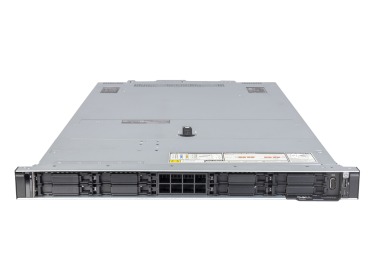

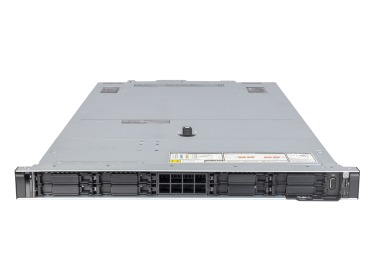
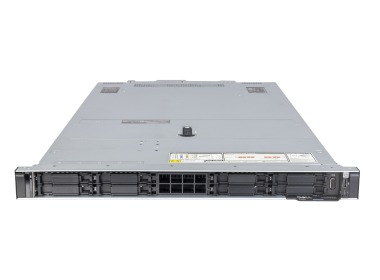
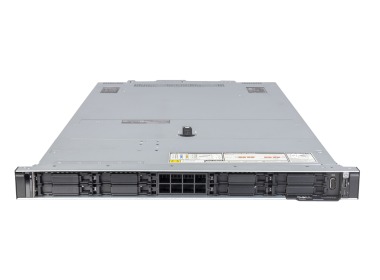
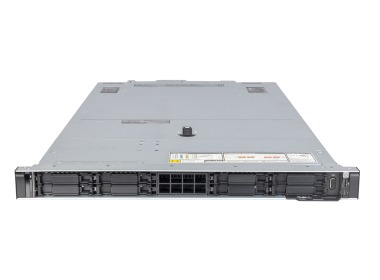
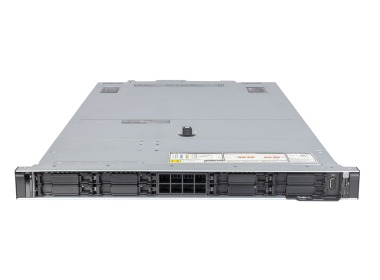
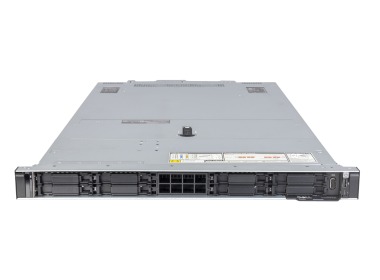
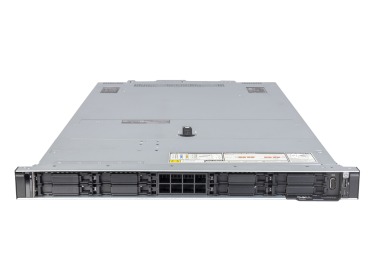
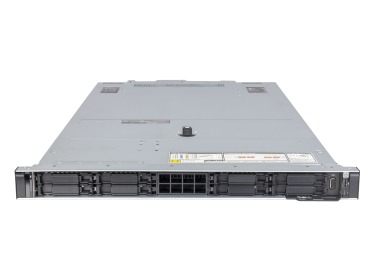
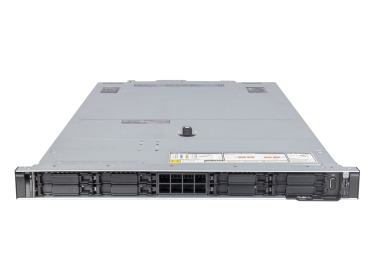
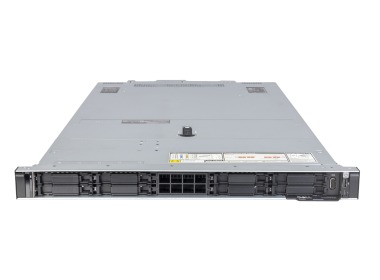
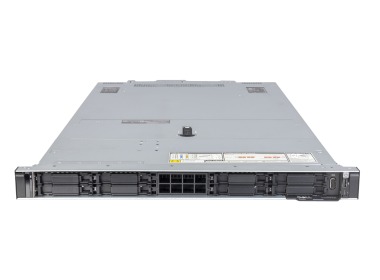
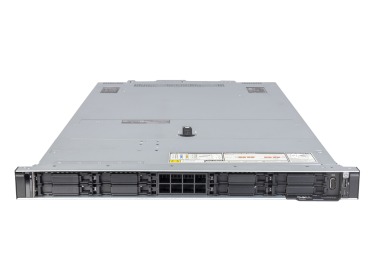
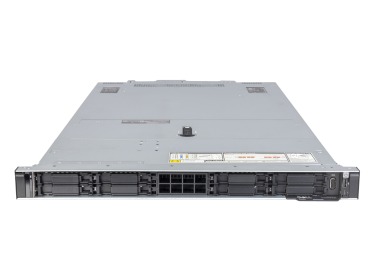
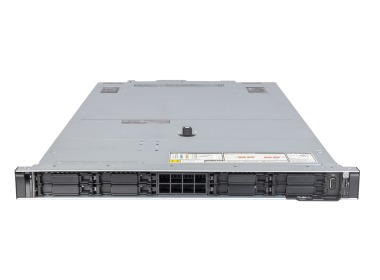
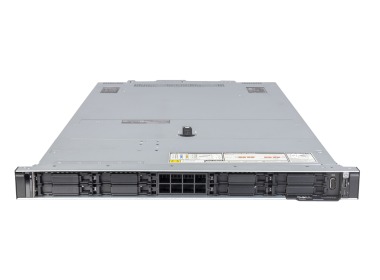
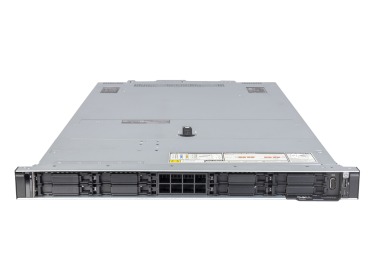
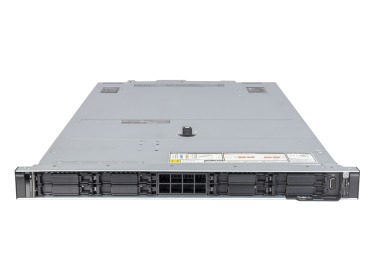
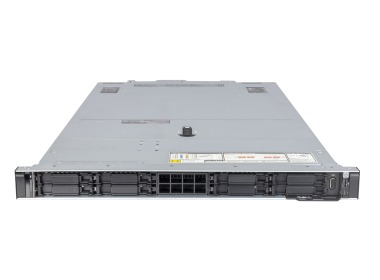
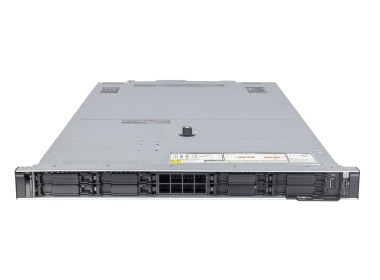
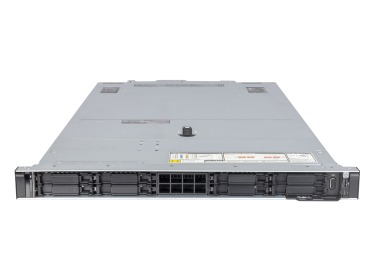
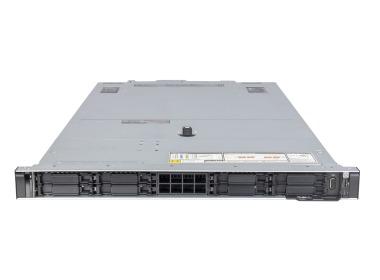
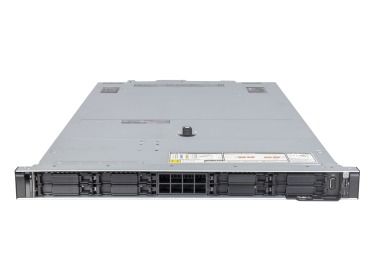
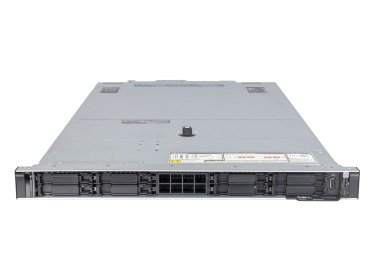
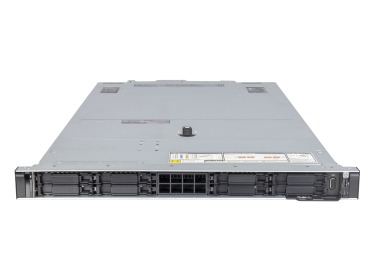
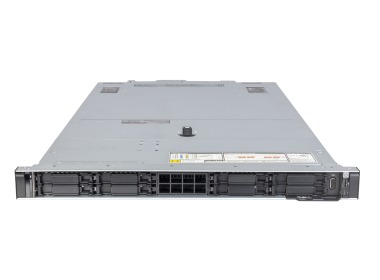
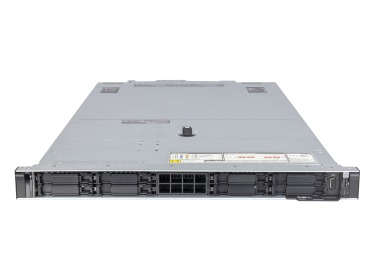
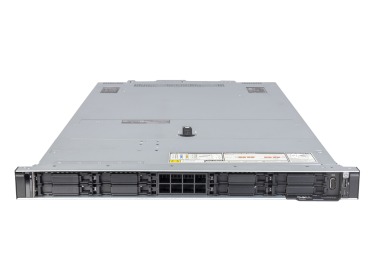
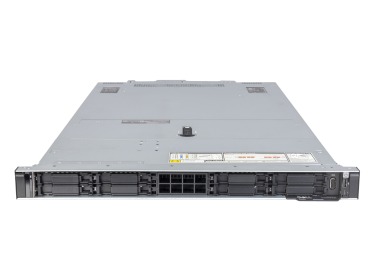
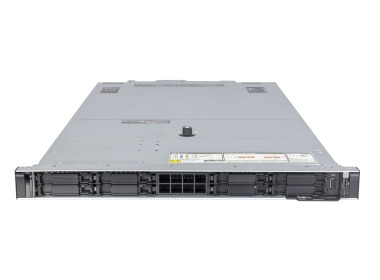
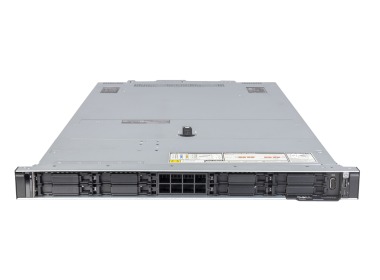
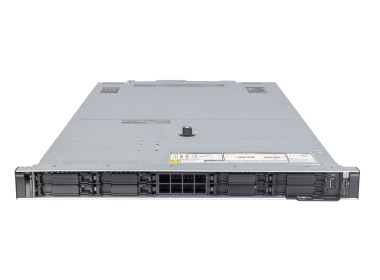
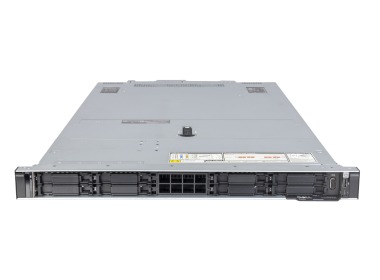
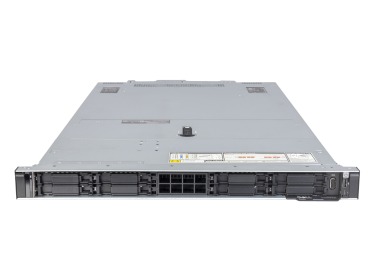
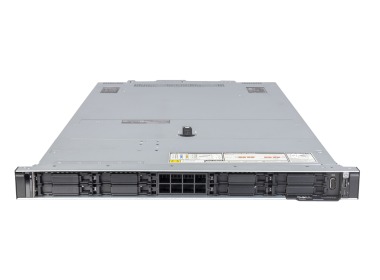
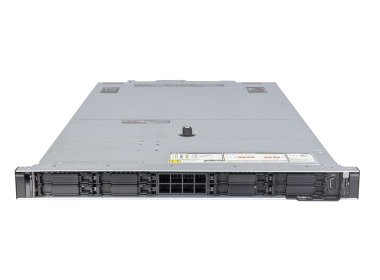
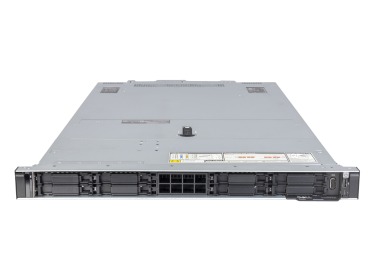
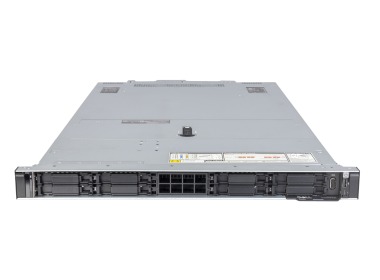
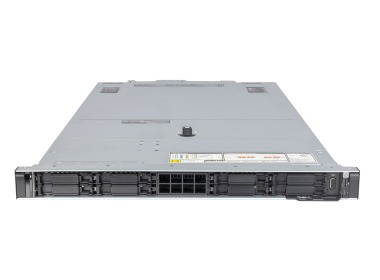
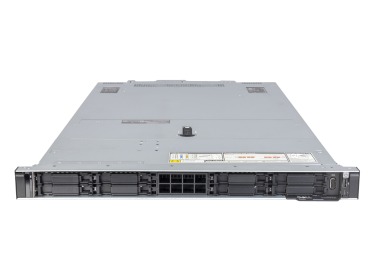
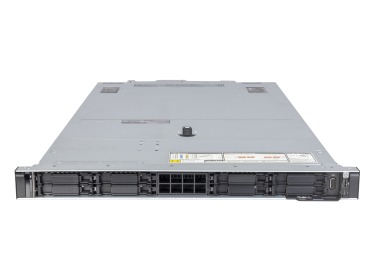
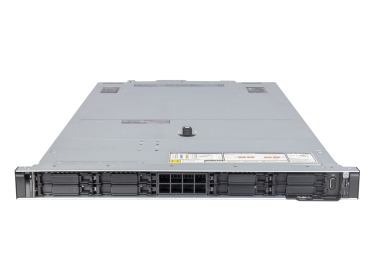
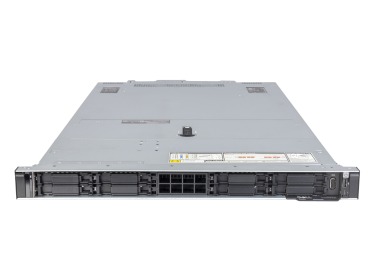
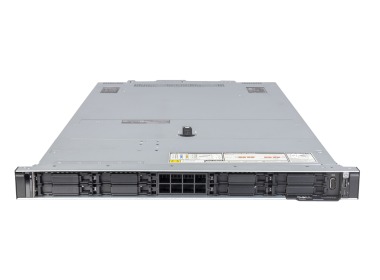
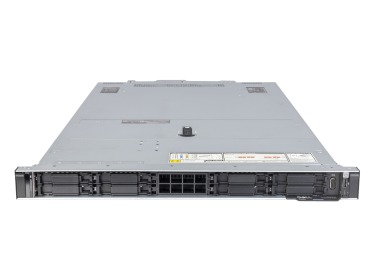
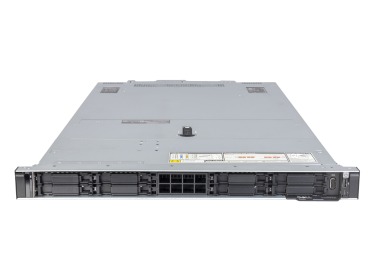
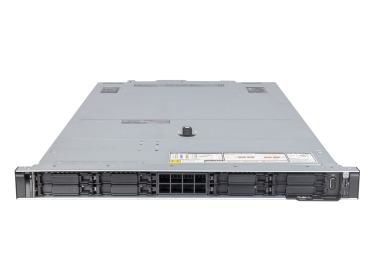
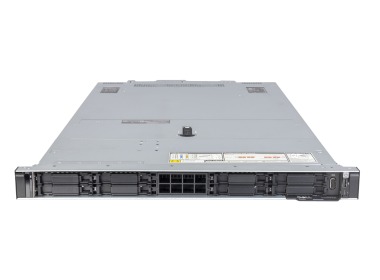
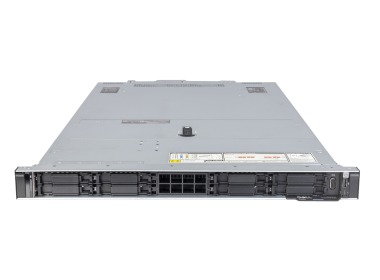
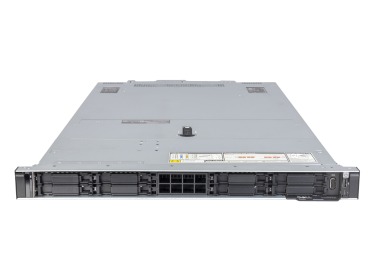
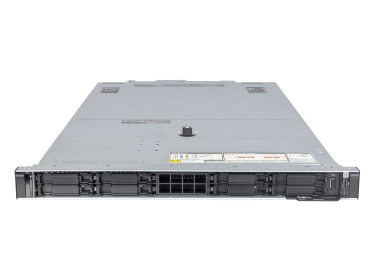
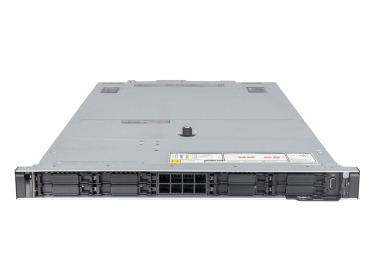
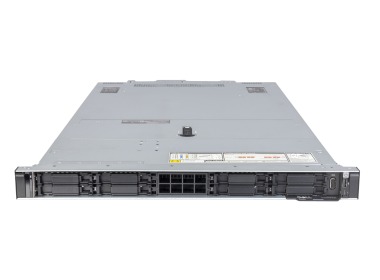
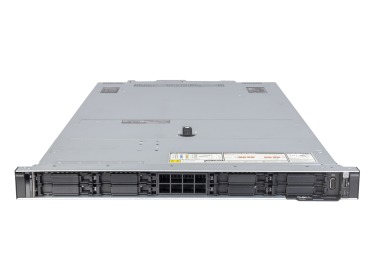
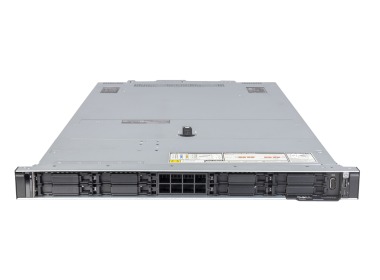
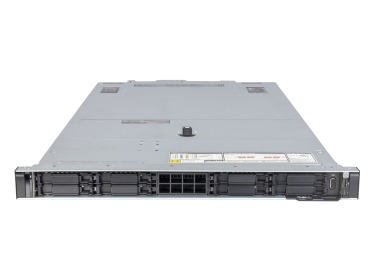
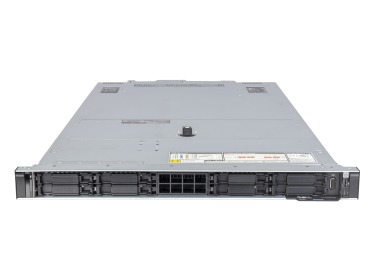
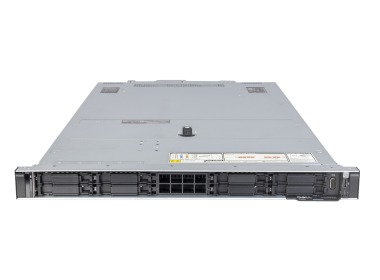
The Dell PowerEdge R660 is a dual-processor 1U rack server featuring Intel Xeon Scalable 4th and 5th generation processors, DDR5 memory, NVMe drives, and iDRAC9 remote management. It accommodates up to 32 RAM modules and up to 10 2.5" drives, so a single unit in the rack can support ERP, an SQL database, or a virtual environment for several, and with lighter services even a dozen or more machines. Below, we show how to configure it to avoid overspending and running out of capacity within a year.
What is the Dell R660 and who is this server for?
The R660 is a representative of Dell 16th generation servers in a 1U chassis, a flat „pizza box” occupying one unit in the rack. It has two processor sockets, 32 memory slots, and redundant power supply, so in the space of one basic server you get a fully capable production node. If every U in the rack counts, and the company runs ERP, a database, or several virtual machines, rack servers of this class are a natural choice. For companies replacing 5–7-year-old R640 or R630 units, this is a straightforward successor: the same chassis philosophy, but with DDR5, faster NVMe, and newer processors. It is worth noting that 1U is a trade-off: less room for 3.5" drives and large expansion cards than in a 2U chassis. In a small office without a rack, consider tower servers instead.
Dell PowerEdge R660 for ERP and SQL – what configuration is sufficient?
With servers for Microsoft SQL Server, performance is determined by drive speed, the amount of RAM, and processor clock speed, and only then by core count. A database whose active data fits in memory does not wait for the disk, which is why 128–256 GB RAM is a reasonable starting point for a typical ERP database in a small to medium-sized business. SQL licenses are counted per core, so a processor with fewer cores and higher clock speed can be less expensive in total cost than „more cores just in case”. If the environment is based on servers for Comarch Optima or servers for enova365, a single Xeon Silver or Gold processor usually suffices, leaving the second socket available for future expansion. Large SAP installations already require two processors and more memory. A sample layout for a database of approximately 500 GB (an example, not a standard) looks as follows.
- 256 GB RAM, so that active data fits in memory.
- NVMe drives in RAID 10 for the database and logs.
- A separate volume for backups.
More information in the database servers category.
Dell R660 for virtualization – how many virtual machines can you run?
Let us calculate this with an example. Assumptions:
- 2 processors with 16 cores each, meaning 32 physical cores,
- 20 machines with 4 vCPUs and 16 GB RAM each, totaling 80 vCPUs (approximately 2.5 vCPUs per core, typical for lightweight services),
- 320 GB RAM for the machines, and with the hypervisor and headroom for peaks, 512 GB RAM.
Such a setup can support a domain controller, a file server, ERP, web services, and a test environment. For heavy databases, the ratio should be reduced to 1:1. The R660 works with VMware, Hyper-V, and Proxmox, and two or three servers plus a disk array form an HA cluster in which the failure of a single node does not bring the company to a halt. On VMware servers, memory runs out faster than cores, so leave DIMM slots available.
How to configure RAM, NVMe drives, and RAID in the R660?
Memory. Each processor has 8 DDR5 channels, and the motherboard provides 16 slots per processor. Populate channels evenly, for example 16 modules of 32 GB each rather than 8 modules of 64 GB, as this delivers higher throughput at the same total capacity. 4th generation memory operates at up to 4800 MT/s, 5th generation at up to 5600 MT/s; check the RDIMM RAM offering and match it to Intel Xeon Scalable 4th generation processors.
Drives and RAID. NVMe drives are many times faster than SAS and SATA for small random reads, which is exactly how databases and virtual machines operate (the mechanism is described in our article on NVMe drives in servers). The array is managed by Dell RAID controllers, and the choice depends on the drives:
- PERC H755 for SAS and SATA,
- H755N for NVMe,
- H965i in newer configurations.
You can install the operating system on a BOSS-N1 with two M.2 drives in RAID 1, so all 2.5" bays remain available for data. RAID 10 is the recommended choice for databases and virtualization, RAID 5 or 6 for archives. RAID protects against drive failure but is not a backup, as we discuss in the article RAID: data protection or unnecessary expense. Keep backups separately, following the 3-2-1 principle.
R660, R650, R6625, or R760 – which server to choose?
| Model |
Generation and processor |
Memory | Best suited for |
|
R660 | 16G, 1U, Intel Xeon Scalable 4th and 5th gen. |
DDR5 | New ERP, SQL, and virtualization deployments |
|
15G, 1U, Intel Xeon Scalable 3rd gen. |
DDR4 | Legacy environments, lower budget | |
|
16G, 1U, AMD EPYC 4th gen. |
DDR5 | Dense virtualization, high core count | |
|
R760 | 16G, 2U, Intel Xeon Scalable |
DDR5 | More drives and PCIe slots, GPU |
The selection comes down to four scenarios.
- Choose the R660 when you want a 1U Intel-based server with DDR5.
- Choose the R650 when the budget is limited, as DDR4 is less expensive and still sufficient for many use cases.
- Choose the R6625 for the best cores-per-dollar ratio in virtualization.
- Choose the R760 when you need more drives or expansion cards.
A full comparison is available in the Dell G16 rack servers category, with additional guidance in the article how to choose a server.
Expansion, iDRAC9, and networking – what can be changed after purchase?
iDRAC9 allows you to access the server remotely and:
- view the console,
- mount a system image,
- check temperatures and drive status,
- power on a shut-down server, without traveling to the data center.
Keep its firmware updated, as vulnerabilities such as the regreSSHion vulnerability in iDRAC affect real machines. The standard OCP 3.0 card allows you to upgrade from 1 GbE to 10 or 25 GbE without replacing the server, and we can match network adapters to your switch. For lighter AI inference, you can add a low-profile graphics card, while heavier workloads require dedicated AI servers. Connect power supplies to two separate circuits; we discuss power management in the article on managing power in the data center.
New or refurbished Dell PowerEdge R660?
A new server provides a full lifecycle, while a pre-owned or recertified unit reduces cost while maintaining production-grade specifications. At Hardware Direct, every configuration is tested before shipment, and the warranty included in the offer is 36 months. We describe the differences in the article new vs. recertified server. Build your own configuration in the R660 configurator, and if you are unsure, contact our advisors: we will review your application requirements and recommend the right processor, RAM, and RAID.
FAQ
Is the Dell R660 sufficient for ERP, such as Comarch Optima or enova365?
Yes, a single Xeon Silver or Gold processor, 128–256 GB RAM, and NVMe drives in RAID 10 are usually sufficient. Match the memory to the size of the database, not to the number of users.
How many virtual machines can I run on the Dell R660?
With 32 cores and 512 GB RAM, approximately 20 lightweight machines with 4 vCPUs and 16 GB RAM each. For heavy databases, the number of machines should be reduced.
<strong>What RAID should I choose in the R660 for an SQL database?</strong>
Most commonly RAID 10 on NVMe drives: it combines speed with resilience against drive failure. RAID 5 or 6 is better suited for archives. RAID does not replace backup.
<strong>What is the difference between the Dell R660 and the R760?</strong>
The R660 is a 1U server with fewer drive bays and PCIe slots, while the R760 is a 2U server with greater drive capacity and room for expansion cards. The generation and DDR5 memory are the same.
<strong>Can a GPU card be added to the Dell R660?</strong>
Yes, but only a low-profile card, for example for lighter AI inference. Larger cards require a 2U chassis or a server designed for accelerators.