 / PLN
/ PLN
Server Configurators


- Server Dell PowerEdge R760 16x2.5"with 2x Silver 4410Y, 64GB RAM, H755, 2x 960GB SSD SATA 2.5", 2x1GbE, 2x PSU 1100W, rails, iDRAC9 EnterpriseThis set contains: 1x Dell PowerEdge R760 16x2.5" server platform 2x Processor Intel Xeon Silver 4410Y 12-core 2GHz 30MB 150W SRMGE 2x 32GB 4800MHz DDR5 RDIMM ...Calculating delivery time...In stock 3Warranty 36 monthsPLN 73,017.50 PLN 59,363.82
- Server Dell PowerEdge R760 16x2.5"with 1x Gold 6430, 128GB RAM, H755, 4x 960GB SSD SATA 2.5", 2x1GbE, 2x PSU 1100W, rails, iDRAC9 EnterpriseThis set contains: 1x Dell PowerEdge R760 16x2.5" server platform 1x Processor Intel Xeon Gold 6430 32-core 2.1GHz 60MB 270W SRM7A 2x RAM 64GB 4800MHz DDR5 RDI...Calculating delivery time...In stock 5Warranty 36 monthsPLN 83,448.38 PLN 67,844.21
- Server Dell PowerEdge R760 24x2.5" with 2x Gold 6526Y, 128GB RAM, H755, 2x 480GB SSD SATA 2.5", 12x 3.84TB SSD SAS 12G RI 2.5", 2x1GbE, 4x10/25GbE SFP28, 2x PSU 1400W, rails, bezel, iDRAC9 EnterpriseThis set contains: 1x Dell PowerEdge R760 24x2.5" server platform 2x Processor Intel Xeon Gold 6526Y 16-core 2.8GHz 37.5MB 195W SRN6N 8x 16GB DDR5 RDIMM 5600MH...Calculating delivery time...In stock 4Warranty 36 monthsPLN 159,196.50 PLN 129,428.05
- Server Dell PowerEdge R760 24x2.5" with 2x Gold 6526Y, 256GB RAM, H755, 2x 480GB SSD SATA 2.5", 4x 3.84TB SSD SAS 12G RI 2.5", 2x1GbE, 4x10/25GbE SFP28, 2x PSU 1400W, rails, bezel, iDRAC9 EnterpriseThis set contains: 1x Dell PowerEdge R760 24x2.5" server platform 2x Processor Intel Xeon Gold 6526Y 16-core 2.8GHz 37.5MB 195W SRN6N 16x 16GB DDR5 RDIMM 5600M...Calculating delivery time...In stock 4Warranty 36 monthsPLN 164,260.51 PLN 133,545.13
- Server Dell PowerEdge R760 16x2.5"with 2x Gold 5416S, 32GB RAM, H755, 4x 1.92TB SSD SAS 12G MU 2.5", 2x1GbE, 2x PSU 1100W, rails, bezel, iDRAC9 EnterpriseThis set contains: 1x Dell PowerEdge R760 16x2.5" server platform 2x Processor Intel Xeon Gold 5416S 16-core 2GHz 30MB 150W SRMH2 2x 16GB DDR5 RDIMM 4800MHz RA...Calculating delivery time...In stock 5Warranty 36 monthsPLN 87,944.77 PLN 71,499.81
- Server Dell PowerEdge R760 16x2.5"with 2x Gold 5416S, 64GB RAM, H755, 4x 1.92TB SSD SAS 12G MU 2.5", 2x1GbE, 2x PSU 1100W, rails, bezel, iDRAC9 EnterpriseThis set contains: 1x Dell PowerEdge R760 16x2.5" server platform 2x Processor Intel Xeon Gold 5416S 16-core 2GHz 30MB 150W SRMH2 2x 32GB 4800MHz DDR5 RDIMM RA...Calculating delivery time...In stock 5Warranty 36 monthsPLN 94,844.76 PLN 77,109.56
- Server Dell PowerEdge R760 16x2.5"with 2x Gold 5416S, 128GB RAM, H755, 4x 1.92TB SSD SAS 12G MU 2.5", 2x1GbE, 2x PSU 1100W, rails, bezel, iDRAC9 EnterpriseThis set contains: 1x Dell PowerEdge R760 16x2.5" server platform 2x Processor Intel Xeon Gold 5416S 16-core 2GHz 30MB 150W SRMH2 4x 32GB 4800MHz DDR5 RDIMM RA...Calculating delivery time...In stock 5Warranty 36 monthsPLN 109,444.76 PLN 88,979.48
- Server Dell PowerEdge R760 16x2.5"with 2x Gold 5416S, 256GB RAM, H755, 4x 1.92TB SSD SAS 12G MU 2.5", 2x1GbE, 2x PSU 1100W, rails, bezel, iDRAC9 EnterpriseThis set contains: 1x Dell PowerEdge R760 16x2.5" server platform 2x Processor Intel Xeon Gold 5416S 16-core 2GHz 30MB 150W SRMH2 8x 32GB 4800MHz DDR5 RDIMM RA...Calculating delivery time...In stock 5Warranty 36 monthsPLN 138,644.76 PLN 112,719.32
- Server Dell PowerEdge R760 16x2.5"with 2x Gold 5416S, 512GB RAM, H755, 4x 1.92TB SSD SAS 12G MU 2.5", 2x1GbE, 2x PSU 1100W, rails, bezel, iDRAC9 EnterpriseThis set contains: 1x Dell PowerEdge R760 16x2.5" server platform 2x Processor Intel Xeon Gold 5416S 16-core 2GHz 30MB 150W SRMH2 8x RAM 64GB 4800MHz DDR5 RDIM...Calculating delivery time...In stock 5Warranty 36 monthsPLN 180,244.77 PLN 146,540.46
- Server Dell PowerEdge R760 16x2.5"with 2x Gold 5416S, 1024GB RAM, H755, 4x 1.92TB SSD SAS 12G MU 2.5", 2x1GbE, 2x PSU 1100W, rails, bezel, iDRAC9 EnterpriseThis set contains: 1x Dell PowerEdge R760 16x2.5" server platform 2x Processor Intel Xeon Gold 5416S 16-core 2GHz 30MB 150W SRMH2 16x RAM 64GB 4800MHz DDR5 RDI...Calculating delivery time...In stock 5Warranty 36 monthsPLN 280,244.76 PLN 227,841.27
- Server Dell PowerEdge R760 16x2.5"with 2x Gold 5416S, 1536GB RAM, H755, 4x 1.92TB SSD SAS 12G MU 2.5", 2x1GbE, 2x PSU 1100W, rails, bezel, iDRAC9 EnterpriseThis set contains: 1x Dell PowerEdge R760 16x2.5" server platform 2x Processor Intel Xeon Gold 5416S 16-core 2GHz 30MB 150W SRMH2 24x RAM 64GB 4800MHz DDR5 RDI...Calculating delivery time...In stock 5Warranty 36 monthsPLN 380,244.76 PLN 309,142.08
- Server Dell PowerEdge R760 16x2.5"with 2x Silver 4410Y, 1536GB RAM, H755, 4x 1.92TB SSD SAS 12G MU 2.5", 2x1GbE, 2x PSU 1100W, rails, bezel, iDRAC9 EnterpriseThis set contains: 1x Dell PowerEdge R760 16x2.5" server platform 2x Processor Intel Xeon Silver 4410Y 12-core 2GHz 30MB 150W SRMGE 24x RAM 64GB 4800MHz DDR5 R...Calculating delivery time...In stock 4Warranty 36 monthsPLN 367,244.77 PLN 298,572.98
- Server Dell PowerEdge R760 16x2.5"with 2x Silver 4410Y, 1024GB RAM, H755, 4x 1.92TB SSD SAS 12G MU 2.5", 2x1GbE, 2x PSU 1100W, rails, bezel, iDRAC9 EnterpriseThis set contains: 1x Dell PowerEdge R760 16x2.5" server platform 2x Processor Intel Xeon Silver 4410Y 12-core 2GHz 30MB 150W SRMGE 16x RAM 64GB 4800MHz DDR5 R...Calculating delivery time...In stock 4Warranty 36 monthsPLN 267,244.77 PLN 217,272.17
- Server Dell PowerEdge R760 16x2.5"with 2x Silver 4410Y, 512GB RAM, H755, 4x 1.92TB SSD SAS 12G MU 2.5", 2x1GbE, 2x PSU 1100W, rails, bezel, iDRAC9 EnterpriseThis set contains: 1x Dell PowerEdge R760 16x2.5" server platform 2x Processor Intel Xeon Silver 4410Y 12-core 2GHz 30MB 150W SRMGE 16x 32GB 4800MHz DDR5 RDIMM...Calculating delivery time...In stock 4Warranty 36 monthsPLN 184,044.76 PLN 149,629.89
- Server Dell PowerEdge R760 16x2.5"with 2x Silver 4410Y, 256GB RAM, H755, 4x 1.92TB SSD SAS 12G MU 2.5", 2x1GbE, 2x PSU 1100W, rails, bezel, iDRAC9 EnterpriseThis set contains: 1x Dell PowerEdge R760 16x2.5" server platform 2x Processor Intel Xeon Silver 4410Y 12-core 2GHz 30MB 150W SRMGE 8x 32GB 4800MHz DDR5 RDIMM ...Calculating delivery time...In stock 4Warranty 36 monthsPLN 125,644.76 PLN 102,150.21
- Server Dell PowerEdge R760 16x2.5"with 2x Silver 4410Y, 128GB RAM, H755, 4x 1.92TB SSD SAS 12G MU 2.5", 2x1GbE, 2x PSU 1100W, rails, bezel, iDRAC9 EnterpriseThis set contains: 1x Dell PowerEdge R760 16x2.5" server platform 2x Processor Intel Xeon Silver 4410Y 12-core 2GHz 30MB 150W SRMGE 4x 32GB 4800MHz DDR5 RDIMM ...Calculating delivery time...In stock 4Warranty 36 monthsPLN 96,444.77 PLN 78,410.38
- Server Dell PowerEdge R760 16x2.5"with 2x Silver 4410Y, 64GB RAM, H755, 4x 1.92TB SSD SAS 12G MU 2.5", 2x1GbE, 2x PSU 1100W, rails, bezel, iDRAC9 EnterpriseThis set contains: 1x Dell PowerEdge R760 16x2.5" server platform 2x Processor Intel Xeon Silver 4410Y 12-core 2GHz 30MB 150W SRMGE 4x 16GB DDR5 RDIMM 4800MHz ...Calculating delivery time...In stock 4Warranty 36 monthsPLN 82,644.77 PLN 67,190.87
- Server Dell PowerEdge R760 16x2.5"with 2x Silver 4410Y, 32GB RAM, H755, 4x 1.92TB SSD SAS 12G MU 2.5", 2x1GbE, 2x PSU 1100W, rails, bezel, iDRAC9 EnterpriseThis set contains: 1x Dell PowerEdge R760 16x2.5" server platform 2x Processor Intel Xeon Silver 4410Y 12-core 2GHz 30MB 150W SRMGE 2x 16GB DDR5 RDIMM 4800MHz ...Calculating delivery time...In stock 4Warranty 36 monthsPLN 74,944.76 PLN 60,930.70
- Server Dell PowerEdge R760 16x2.5"with 2x Silver 4410Y, 1536GB RAM, H755, 2x 480GB SSD SAS 12G RI 2.5", 2x1GbE, 2x PSU 1100W, rails, bezel, iDRAC9 EnterpriseThis set contains: 1x Dell PowerEdge R760 16x2.5" server platform 2x Processor Intel Xeon Silver 4410Y 12-core 2GHz 30MB 150W SRMGE 24x RAM 64GB 4800MHz DDR5 R...Calculating delivery time...In stock 5Warranty 36 monthsPLN 358,810.77 PLN 291,716.07
- Server Dell PowerEdge R760 16x2.5"with 2x Silver 4410Y, 1024GB RAM, H755, 2x 480GB SSD SAS 12G RI 2.5", 2x1GbE, 2x PSU 1100W, rails, bezel, iDRAC9 EnterpriseThis set contains: 1x Dell PowerEdge R760 16x2.5" server platform 2x Processor Intel Xeon Silver 4410Y 12-core 2GHz 30MB 150W SRMGE 16x RAM 64GB 4800MHz DDR5 R...Calculating delivery time...In stock 5Warranty 36 monthsPLN 258,810.77 PLN 210,415.26
- Server Dell PowerEdge R760 16x2.5"with 2x Silver 4410Y, 512GB RAM, H755, 2x 480GB SSD SAS 12G RI 2.5", 2x1GbE, 2x PSU 1100W, rails, bezel, iDRAC9 EnterpriseThis set contains: 1x Dell PowerEdge R760 16x2.5" server platform 2x Processor Intel Xeon Silver 4410Y 12-core 2GHz 30MB 150W SRMGE 8x RAM 64GB 4800MHz DDR5 RD...Calculating delivery time...In stock 5Warranty 36 monthsPLN 158,810.76 PLN 129,114.44
- Server Dell PowerEdge R760 16x2.5"with 2x Silver 4410Y, 256GB RAM, H755, 2x 480GB SSD SAS 12G RI 2.5", 2x1GbE, 2x PSU 1100W, rails, bezel, iDRAC9 EnterpriseThis set contains: 1x Dell PowerEdge R760 16x2.5" server platform 2x Processor Intel Xeon Silver 4410Y 12-core 2GHz 30MB 150W SRMGE 8x 32GB 4800MHz DDR5 RDIMM ...Calculating delivery time...In stock 5Warranty 36 monthsPLN 117,210.76 PLN 95,293.30
- Server Dell PowerEdge R760 16x2.5"with 2x Silver 4410Y, 128GB RAM, H755, 2x 480GB SSD SAS 12G RI 2.5", 2x1GbE, 2x PSU 1100W, rails, bezel, iDRAC9 EnterpriseThis set contains: 1x Dell PowerEdge R760 16x2.5" server platform 2x Processor Intel Xeon Silver 4410Y 12-core 2GHz 30MB 150W SRMGE 4x 32GB 4800MHz DDR5 RDIMM ...Calculating delivery time...In stock 5Warranty 36 monthsPLN 88,010.77 PLN 71,553.47
- Server Dell PowerEdge R760 16x2.5"with 2x Silver 4410Y, 32GB RAM, H755, 2x 480GB SSD SAS 12G RI 2.5", 2x1GbE, 2x PSU 1100W, rails, bezel, iDRAC9 EnterpriseThis set contains: 1x Dell PowerEdge R760 16x2.5" server platform 2x Processor Intel Xeon Silver 4410Y 12-core 2GHz 30MB 150W SRMGE 2x 16GB DDR5 RDIMM 4800MHz ...Calculating delivery time...In stock 5Warranty 36 monthsPLN 66,510.76 PLN 54,073.79
- Server Dell PowerEdge R760 16x2.5"with 2x Silver 4410Y, 64GB RAM, H755, 2x 480GB SSD SAS 12G RI 2.5", 2x1GbE, 2x PSU 1100W, rails, bezel, iDRAC9 EnterpriseThis set contains: 1x Dell PowerEdge R760 16x2.5" server platform 2x Processor Intel Xeon Silver 4410Y 12-core 2GHz 30MB 150W SRMGE 4x 16GB DDR5 RDIMM 4800MHz ...Calculating delivery time...In stock 5Warranty 36 monthsPLN 74,210.77 PLN 60,333.96
- Server Dell PowerEdge R760 24x2.5" (8xNVMe)with 2x Gold 6426Y, 256GB RAM, H965i, 8x 1.8TB SAS 2.5", 8x 1.92TB SSD SAS 12G RI 2.5", 2x1GbE, 2x10GbE SFP+, 2x PSU 1100W, rails, iDRAC9 EnterpriseThis set contains: 1x Dell PowerEdge R760 24x2.5" server platform 2x Processor Intel Xeon Gold 6426Y 16-core 2.5GHz 37.5MB 185W SRMGF 8x 32GB DDR5 RDIMM 4800MH...Calculating delivery time...In stock 7Warranty 36 monthsPLN 142,029.99 PLN 115,471.54
- Server Dell PowerEdge R760 24x2.5" (8xNVMe)with 2x Gold 6426Y, 128GB RAM, H965i, 8x 1.8TB SAS 2.5", 8x 1.92TB SSD SAS 12G RI 2.5", 2x1GbE, 2x10GbE SFP+, 2x PSU 1100W, rails, iDRAC9 EnterpriseThis set contains: 1x Dell PowerEdge R760 24x2.5" server platform 2x Processor Intel Xeon Gold 6426Y 16-core 2.5GHz 37.5MB 185W SRMGF 4x 32GB DDR5 RDIMM 4800MH...Calculating delivery time...In stock 7Warranty 36 monthsPLN 112,830.00 PLN 91,731.71
- Server Dell PowerEdge R760 24x2.5" (8xNVMe)with 2x Gold 6426Y, 64GB RAM, H965i, 8x 1.8TB SAS 2.5", 8x 1.92TB SSD SAS 12G RI 2.5", 2x1GbE, 2x10GbE SFP+, 2x PSU 1100W, rails, iDRAC9 EnterpriseThis set contains: 1x Dell PowerEdge R760 24x2.5" server platform 2x Processor Intel Xeon Gold 6426Y 16-core 2.5GHz 37.5MB 185W SRMGF 4x 16GB DDR5 RDIMM 4800MH...Calculating delivery time...In stock 7Warranty 36 monthsPLN 99,029.99 PLN 80,512.19
- Server Dell PowerEdge R760 24x2.5" (8xNVMe)with 2x Gold 6426Y, 32GB RAM, H965i, 8x 1.8TB SAS 2.5", 8x 1.92TB SSD SAS 12G RI 2.5", 2x1GbE, 2x10GbE SFP+, 2x PSU 1100W, rails, iDRAC9 EnterpriseThis set contains: 1x Dell PowerEdge R760 24x2.5" server platform 2x Processor Intel Xeon Gold 6426Y 16-core 2.5GHz 37.5MB 185W SRMGF 2x 16GB DDR5 RDIMM 4800MH...Calculating delivery time...In stock 7Warranty 36 monthsPLN 91,330.00 PLN 74,252.03
- Server Dell PowerEdge R760 24x2.5" (8xNVMe)with 2x Gold 6426Y, 256GB RAM, H965i, BOSS-N1with 2x Dell 480GB SSD NVMe M.2, 12x 1.8TB SAS 2.5", 8x Dell 3.84TB SSD NVMe U.2 2.5", 2x1GbE, 2x PSU 1100W, rails, iDRAC9 EnterpriseThis set contains: 1x Dell PowerEdge R760 24x2.5" server platform 2x Processor Intel Xeon Gold 6426Y 16-core 2.5GHz 37.5MB 185W SRMGF 8x 32GB DDR5 RDIMM 4800MH...Calculating delivery time...In stock 7Warranty 36 monthsPLN 201,585.44 PLN 163,890.60
- Server Dell PowerEdge R760 24x2.5" (8xNVMe)with 2x Gold 6426Y, 128GB RAM, H965i, BOSS-N1with 2x Dell 480GB SSD NVMe M.2, 12x 1.8TB SAS 2.5", 8x Dell 3.84TB SSD NVMe U.2 2.5", 2x1GbE, 2x PSU 1100W, rails, iDRAC9 EnterpriseThis set contains: 1x Dell PowerEdge R760 24x2.5" server platform 2x Processor Intel Xeon Gold 6426Y 16-core 2.5GHz 37.5MB 185W SRMGF 4x 32GB DDR5 RDIMM 4800MH...Calculating delivery time...In stock 7Warranty 36 monthsPLN 172,385.43 PLN 140,150.76
- Server Dell PowerEdge R760 24x2.5" (8xNVMe)with 2x Gold 6426Y, 64GB RAM, H965i, BOSS-N1with 2x Dell 480GB SSD NVMe M.2, 12x 1.8TB SAS 2.5", 8x Dell 3.84TB SSD NVMe U.2 2.5", 2x1GbE, 2x PSU 1100W, rails, iDRAC9 EnterpriseThis set contains: 1x Dell PowerEdge R760 24x2.5" server platform 2x Processor Intel Xeon Gold 6426Y 16-core 2.5GHz 37.5MB 185W SRMGF 4x 16GB DDR5 RDIMM 4800MH...Calculating delivery time...In stock 7Warranty 36 monthsPLN 158,585.44 PLN 128,931.25
- Server Dell PowerEdge R760 24x2.5" (8xNVMe)with 2x Gold 6426Y, 32GB RAM, H965i, BOSS-N1with 2x Dell 480GB SSD NVMe M.2, 12x 1.8TB SAS 2.5", 8x Dell 3.84TB SSD NVMe U.2 2.5", 2x1GbE, 2x PSU 1100W, rails, iDRAC9 EnterpriseThis set contains: 1x Dell PowerEdge R760 24x2.5" server platform 2x Processor Intel Xeon Gold 6426Y 16-core 2.5GHz 37.5MB 185W SRMGF 2x 16GB DDR5 RDIMM 4800MH...Calculating delivery time...In stock 7Warranty 36 monthsPLN 150,885.44 PLN 122,671.09
- Server Dell PowerEdge R760 24x2.5" (8xNVMe)with 2x Gold 6426Y, 256GB RAM, H965i, 2x Dell 1.6TB SSD NVMe U.2 2.5", 2x1GbE, 2x PSU 1100W, rails, iDRAC9 EnterpriseThis set contains: 1x Dell PowerEdge R760 24x2.5" server platform 2x Processor Intel Xeon Gold 6426Y 16-core 2.5GHz 37.5MB 185W SRMGF 8x 32GB DDR5 RDIMM 4800MH...Calculating delivery time...In stock 7Warranty 36 monthsPLN 127,342.00 PLN 103,530.08
- Server Dell PowerEdge R760 24x2.5" (8xNVMe)with 2x Gold 6426Y, 128GB RAM, H965i, 2x Dell 1.6TB SSD NVMe U.2 2.5", 2x1GbE, 2x PSU 1100W, rails, iDRAC9 EnterpriseThis set contains: 1x Dell PowerEdge R760 24x2.5" server platform 2x Processor Intel Xeon Gold 6426Y 16-core 2.5GHz 37.5MB 185W SRMGF 4x 32GB DDR5 RDIMM 4800MH...Calculating delivery time...In stock 7Warranty 36 monthsPLN 100,273.86 PLN 81,523.46
- Server Dell PowerEdge R760 24x2.5" (8xNVMe)with 2x Gold 6426Y, 64GB RAM, H965i, 2x Dell 1.6TB SSD NVMe U.2 2.5", 2x1GbE, 2x PSU 1100W, rails, iDRAC9 EnterpriseThis set contains: 1x Dell PowerEdge R760 24x2.5" server platform 2x Processor Intel Xeon Gold 6426Y 16-core 2.5GHz 37.5MB 185W SRMGF 4x 16GB DDR5 RDIMM 4800MH...Calculating delivery time...In stock 7Warranty 36 monthsPLN 84,342.00 PLN 68,570.73
- Server Dell PowerEdge R760 24x2.5" (8xNVMe)with 2x Gold 6426Y, 32GB RAM, H965i, 2x Dell 1.6TB SSD NVMe U.2 2.5", 2x1GbE, 2x PSU 1100W, rails, iDRAC9 EnterpriseThis set contains: 1x Dell PowerEdge R760 24x2.5" server platform 2x Processor Intel Xeon Gold 6426Y 16-core 2.5GHz 37.5MB 185W SRMGF 2x 16GB DDR5 RDIMM 4800MH...Calculating delivery time...In stock 7Warranty 36 monthsPLN 76,642.00 PLN 62,310.57
- Server Dell PowerEdge R760 24x2.5" (8xNVMe)with 2x Gold 6426Y, 256GB RAM, H965i, BOSS-N1with 2x Dell 480GB SSD NVMe M.2, 4x Dell 3.84TB SSD NVMe U.2 2.5", 2x1GbE, 2x PSU 1100W, rails, iDRAC9 EnterpriseThis set contains: 1x Dell PowerEdge R760 24x2.5" server platform 2x Processor Intel Xeon Gold 6426Y 16-core 2.5GHz 37.5MB 185W SRMGF 8x 32GB DDR5 RDIMM 4800MH...Calculating delivery time...In stock 7Warranty 36 monthsPLN 165,147.44 PLN 134,266.21
- Server Dell PowerEdge R760 24x2.5" (8xNVMe)with 2x Gold 6426Y, 128GB RAM, H965i, BOSS-N1with 2x Dell 480GB SSD NVMe M.2, 4x Dell 3.84TB SSD NVMe U.2 2.5", 2x1GbE, 2x PSU 1100W, rails, iDRAC9 EnterpriseThis set contains: 1x Dell PowerEdge R760 24x2.5" server platform 2x Processor Intel Xeon Gold 6426Y 16-core 2.5GHz 37.5MB 185W SRMGF 4x 32GB DDR5 RDIMM 4800MH...Calculating delivery time...In stock 7Warranty 36 monthsPLN 133,913.45 PLN 108,872.72
- Server Dell PowerEdge R760 24x2.5" (8xNVMe)with 2x Gold 6426Y, 256GB RAM, H965i, 8x 1.8TB SAS 2.5", 4x Dell 3.84TB SSD NVMe U.2 2.5", 2x1GbE, 2x PSU 1100W, rails, iDRAC9 EnterpriseThis set contains: 1x Dell PowerEdge R760 24x2.5" server platform 2x Processor Intel Xeon Gold 6426Y 16-core 2.5GHz 37.5MB 185W SRMGF 8x 32GB DDR5 RDIMM 4800MH...Calculating delivery time...In stock 7Warranty 36 monthsPLN 160,712.00 PLN 130,660.16
- Server Dell PowerEdge R760 24x2.5" (8xNVMe)with 2x Gold 6426Y, 64GB RAM, H965i, BOSS-N1with 2x Dell 480GB SSD NVMe M.2, 4x Dell 3.84TB SSD NVMe U.2 2.5", 2x1GbE, 2x PSU 1100W, rails, iDRAC9 EnterpriseThis set contains: 1x Dell PowerEdge R760 24x2.5" server platform 2x Processor Intel Xeon Gold 6426Y 16-core 2.5GHz 37.5MB 185W SRMGF 4x 16GB DDR5 RDIMM 4800MH...Calculating delivery time...In stock 7Warranty 36 monthsPLN 120,113.44 PLN 97,653.20
- Server Dell PowerEdge R760 24x2.5" (8xNVMe)with 2x Gold 6426Y, 32GB RAM, H965i, BOSS-N1with 2x Dell 480GB SSD NVMe M.2, 4x Dell 3.84TB SSD NVMe U.2 2.5", 2x1GbE, 2x PSU 1100W, rails, iDRAC9 EnterpriseThis set contains: 1x Dell PowerEdge R760 24x2.5" server platform 2x Processor Intel Xeon Gold 6426Y 16-core 2.5GHz 37.5MB 185W SRMGF 2x 16GB DDR5 RDIMM 4800MH...Calculating delivery time...In stock 7Warranty 36 monthsPLN 112,413.44 PLN 91,393.04
- Server Dell PowerEdge R760 24x2.5" (8xNVMe)with 2x Gold 6426Y, 128GB RAM, H965i, 8x 1.8TB SAS 2.5", 4x Dell 3.84TB SSD NVMe U.2 2.5", 2x1GbE, 2x PSU 1100W, rails, iDRAC9 EnterpriseThis set contains: 1x Dell PowerEdge R760 24x2.5" server platform 2x Processor Intel Xeon Gold 6426Y 16-core 2.5GHz 37.5MB 185W SRMGF 4x 32GB DDR5 RDIMM 4800MH...Calculating delivery time...In stock 7Warranty 36 monthsPLN 131,511.99 PLN 106,920.32
- Server Dell PowerEdge R760 24x2.5" (8xNVMe)with 2x Gold 6426Y, 64GB RAM, H965i, 8x 1.8TB SAS 2.5", 4x Dell 3.84TB SSD NVMe U.2 2.5", 2x1GbE, 2x PSU 1100W, rails, iDRAC9 EnterpriseThis set contains: 1x Dell PowerEdge R760 24x2.5" server platform 2x Processor Intel Xeon Gold 6426Y 16-core 2.5GHz 37.5MB 185W SRMGF 4x 16GB DDR5 RDIMM 4800MH...Calculating delivery time...In stock 7Warranty 36 monthsPLN 117,712.00 PLN 95,700.81
- Server Dell PowerEdge R760 24x2.5" (8xNVMe)with 2x Gold 6426Y, 32GB RAM, H965i, 8x 1.8TB SAS 2.5", 4x Dell 3.84TB SSD NVMe U.2 2.5", 2x1GbE, 2x PSU 1100W, rails, iDRAC9 EnterpriseThis set contains: 1x Dell PowerEdge R760 24x2.5" server platform 2x Processor Intel Xeon Gold 6426Y 16-core 2.5GHz 37.5MB 185W SRMGF 2x 16GB DDR5 RDIMM 4800MH...Calculating delivery time...In stock 7Warranty 36 monthsPLN 110,012.00 PLN 89,440.65
- Server Dell PowerEdge R760 16xE3.S NVMewith 2x Gold 6526Y, 256GB RAM, BOSS-N1with 2x Dell 480GB SSD NVMe M.2, 2x1GbE, 2x PSU 1400W, rails, iDRAC9 EnterpriseThis set contains: 1x Dell PowerEdge R760 16xE3.S server platform 2x Processor Intel Xeon Gold 6526Y 16-core 2.8GHz 37.5MB 195W SRN6N 8x 32GB DDR5 RDIMM 4800MH...Calculating delivery time...In stock 5Warranty 36 monthsPLN 141,720.44 PLN 115,219.87
- Server Dell PowerEdge R760 16xE3.S NVMewith 2x Gold 6526Y, 128GB RAM, BOSS-N1with 2x Dell 480GB SSD NVMe M.2, 2x1GbE, 2x PSU 1400W, rails, iDRAC9 EnterpriseThis set contains: 1x Dell PowerEdge R760 16xE3.S server platform 2x Processor Intel Xeon Gold 6526Y 16-core 2.8GHz 37.5MB 195W SRN6N 4x 32GB DDR5 RDIMM 4800MH...Calculating delivery time...In stock 5Warranty 36 monthsPLN 112,520.44 PLN 91,480.03
- Server Dell PowerEdge R760 16xE3.S NVMewith 2x Gold 6526Y, 64GB RAM, H755N, 4x 1.92TB NVMe E3.S, 2x1GbE, 2x25GbE SFP28, 2x PSU 1400W, rails, iDRAC9 EnterpriseThis set contains: 1x Dell PowerEdge R760 16xE3.S server platform 2x Processor Intel Xeon Gold 6526Y 16-core 2.8GHz 37.5MB 195W SRN6N 2x 32GB DDR5 RDIMM 4800MH...Calculating delivery time...In stock 5Warranty 36 monthsPLN 105,083.00 PLN 85,433.33
- Server Dell PowerEdge R760 16xE3.S NVMewith 2x Gold 6526Y, 256GB RAM, H755N, 4x 1.92TB NVMe E3.S, 2x1GbE, 2x25GbE SFP28, 2x PSU 1400W, rails, iDRAC9 EnterpriseThis set contains: 1x Dell PowerEdge R760 16xE3.S server platform 2x Processor Intel Xeon Gold 6526Y 16-core 2.8GHz 37.5MB 195W SRN6N 8x 32GB DDR5 RDIMM 4800MH...Calculating delivery time...In stock 5Warranty 36 monthsPLN 148,883.00 PLN 121,043.09
- Server Dell PowerEdge R760 16xE3.S NVMewith 2x Gold 6526Y, 128GB RAM, H755N, 4x 1.92TB NVMe E3.S, 2x1GbE, 2x25GbE SFP28, 2x PSU 1400W, rails, iDRAC9 EnterpriseThis set contains: 1x Dell PowerEdge R760 16xE3.S server platform 2x Processor Intel Xeon Gold 6526Y 16-core 2.8GHz 37.5MB 195W SRN6N 4x 32GB DDR5 RDIMM 4800MH...Calculating delivery time...In stock 5Warranty 36 monthsPLN 122,233.03 PLN 99,376.45
- Server Dell PowerEdge R760 16xE3.S NVMewith 2x Gold 6526Y, 64GB RAM, BOSS-N1with 2x Dell 480GB SSD NVMe M.2, 2x1GbE, 2x PSU 1400W, rails, iDRAC9 EnterpriseThis set contains: 1x Dell PowerEdge R760 16xE3.S server platform 2x Processor Intel Xeon Gold 6526Y 16-core 2.8GHz 37.5MB 195W SRN6N 2x 32GB DDR5 RDIMM 4800MH...Calculating delivery time...In stock 5Warranty 36 monthsPLN 97,920.44 PLN 79,610.11
- Server Dell PowerEdge R760 16xE3.S NVMewith 2x Silver 4410Y, 256GB RAM, BOSS-N1with 2x Dell 480GB SSD NVMe M.2, 2x1GbE, 4x10GbE SFP+, 2x PSU 1400W, rails, iDRAC9 EnterpriseThis set contains: 1x Dell PowerEdge R760 16xE3.S server platform 2x Processor Intel Xeon Silver 4410Y 12-core 2GHz 30MB 150W SRMGE 8x 32GB DDR5 RDIMM 4800MHz ...Calculating delivery time...In stock 5Warranty 36 monthsPLN 121,270.44 PLN 98,593.85
- Server Dell PowerEdge R760 16xE3.S NVMewith 2x Silver 4410Y, 64GB RAM, BOSS-N1with 2x Dell 480GB SSD NVMe M.2, 2x1GbE, 4x10GbE SFP+, 2x PSU 1400W, rails, iDRAC9 EnterpriseThis set contains: 1x Dell PowerEdge R760 16xE3.S server platform 2x Processor Intel Xeon Silver 4410Y 12-core 2GHz 30MB 150W SRMGE 2x 32GB DDR5 RDIMM 4800MHz ...Calculating delivery time...In stock 5Warranty 36 monthsPLN 77,470.44 PLN 62,984.10
- Server Dell PowerEdge R760 16x2.5"with 2x Gold 6526Y, 256GB RAM, H755, BOSS-N1with 2x Dell 480GB SSD NVMe M.2, 8x 1.6TB SSD SATA 2.5", 2x1GbE, 2x PSU 1400W, rails, iDRAC9 EnterpriseThis set contains: 1x Dell PowerEdge R760 16x2.5" server platform 2x Processor Intel Xeon Gold 6526Y 16-core 2.8GHz 37.5MB 195W SRN6N 8x 32GB DDR5 RDIMM 4800MH...Calculating delivery time...In stock 5Warranty 36 monthsPLN 159,608.44 PLN 129,762.96
- Server Dell PowerEdge R760 16x2.5"with 2x Gold 6526Y, 128GB RAM, H755, BOSS-N1with 2x Dell 480GB SSD NVMe M.2, 8x 1.6TB SSD SATA 2.5", 2x1GbE, 2x PSU 1400W, rails, iDRAC9 EnterpriseThis set contains: 1x Dell PowerEdge R760 16x2.5" server platform 2x Processor Intel Xeon Gold 6526Y 16-core 2.8GHz 37.5MB 195W SRN6N 4x 32GB DDR5 RDIMM 4800MH...Calculating delivery time...In stock 5Warranty 36 monthsPLN 130,408.44 PLN 106,023.12
- Server Dell PowerEdge R760 16x2.5" with 2x Gold 6526Y, 64GB RAM, H755, BOSS-N1 with 2x 480GB SSD NVMe M.2, 8x 1.6TB SSD SATA 2.5", 2x1GbE, 2x PSU 1400W, rails, iDRAC9 EnterpriseThis set contains: 1x Dell PowerEdge R760 16x2.5" server platform 2x Processor Intel Xeon Gold 6526Y 16-core 2.8GHz 37.5MB 195W SRN6N 2x 32GB 4800MHz DDR5 RDIM...Calculating delivery time...In stock 5Warranty 36 monthsPLN 115,808.44 PLN 94,153.20
- Server Dell PowerEdge R760 16x2.5"with 2x Silver 4410Y, 256GB RAM, H755, BOSS-N1with 2x Dell 480GB SSD NVMe M.2, 8x 1.92TB SSD SATA 2.5", 2x1GbE, 4x10GbE SFP+, 2x PSU 1400W, rails, iDRAC9 EnterpriseThis set contains: 1x Dell PowerEdge R760 16x2.5" server platform 2x Processor Intel Xeon Silver 4410Y 12-core 2GHz 30MB 150W SRMGE 8x 32GB DDR5 RDIMM 4800MHz ...Calculating delivery time...In stock 5Warranty 36 monthsPLN 135,158.44 PLN 109,884.91
- Server Dell PowerEdge R760 16x2.5"with 2x Silver 4410Y, 128GB RAM, H755, BOSS-N1with 2x Dell 480GB SSD NVMe M.2, 8x 1.92TB SSD SATA 2.5", 2x1GbE, 4x10GbE SFP+, 2x PSU 1400W, rails, iDRAC9 EnterpriseThis set contains: 1x Dell PowerEdge R760 16x2.5" server platform 2x Processor Intel Xeon Silver 4410Y 12-core 2GHz 30MB 150W SRMGE 4x 32GB DDR5 RDIMM 4800MHz ...Calculating delivery time...In stock 5Warranty 36 monthsPLN 105,958.44 PLN 86,145.07
- Server Dell PowerEdge R760 16x2.5"with 2x Silver 4410Y, 64GB RAM, H755, BOSS-N1with 2x Dell 480GB SSD NVMe M.2, 8x 1.92TB SSD SATA 2.5", 2x1GbE, 4x10GbE SFP+, 2x PSU 1400W, rails, iDRAC9 EnterpriseThis set contains: 1x Dell PowerEdge R760 16x2.5" server platform 2x Processor Intel Xeon Silver 4410Y 12-core 2GHz 30MB 150W SRMGE 2x 32GB DDR5 RDIMM 4800MHz ...Calculating delivery time...In stock 5Warranty 36 monthsPLN 91,358.43 PLN 74,275.15
- Server Dell PowerEdge R760 16x2.5" NVMewith 2x Silver 4410Y, 256GB RAM, H755N, BOSS-N1with 2x Dell 480GB SSD NVMe M.2, 8x Dell 1.6TB SSD NVMe U.2 2.5", 2x1GbE, 4x10GbE SFP+, 2x PSU 1400W, rails, iDRAC9 EnterpriseThis set contains: 1x Dell PowerEdge R760 16x2.5" server platform 2x Processor Intel Xeon Silver 4410Y 12-core 2GHz 30MB 150W SRMGE 8x 32GB DDR5 RDIMM 4800MHz ...Calculating delivery time...In stock 5Warranty 36 monthsPLN 134,501.43 PLN 109,350.76
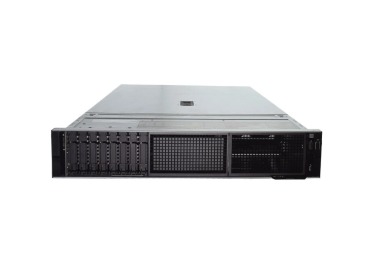
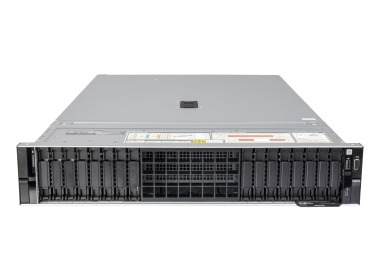
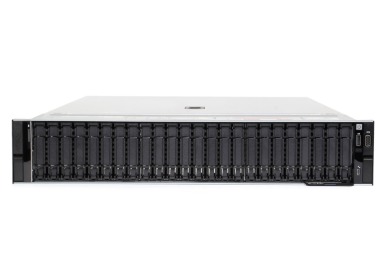
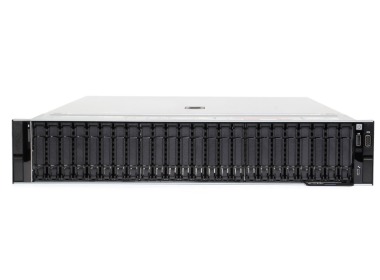
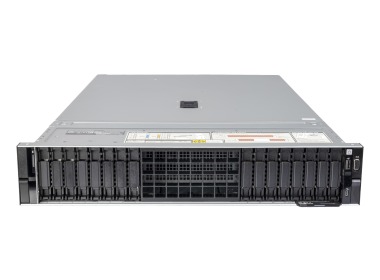
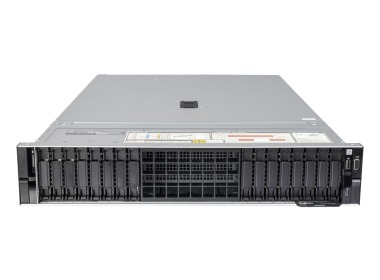
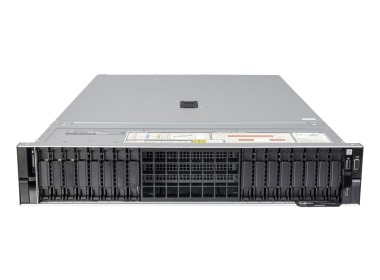
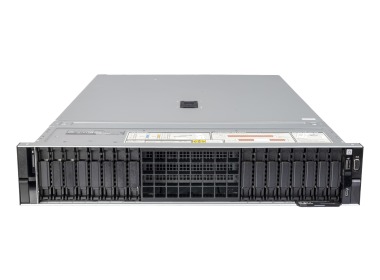
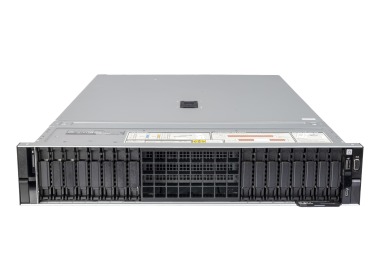
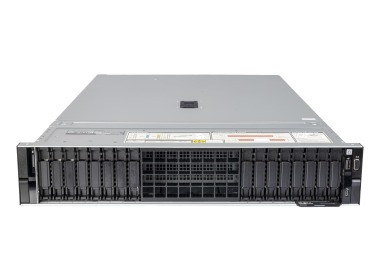
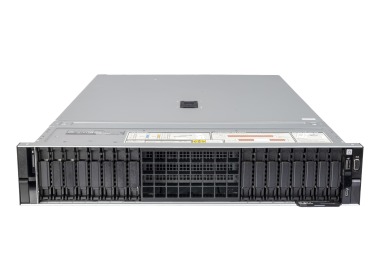
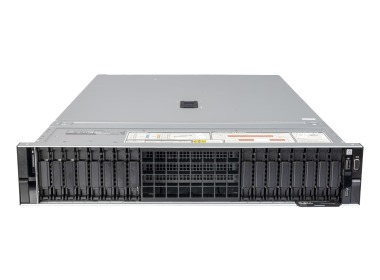
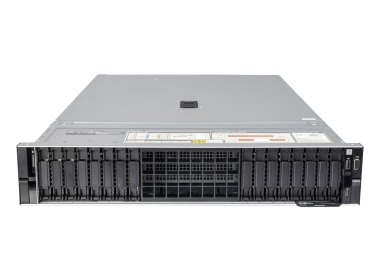
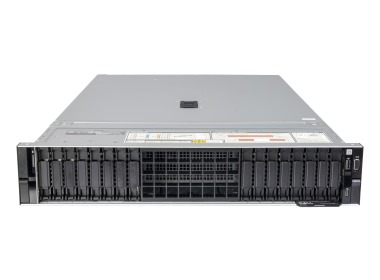
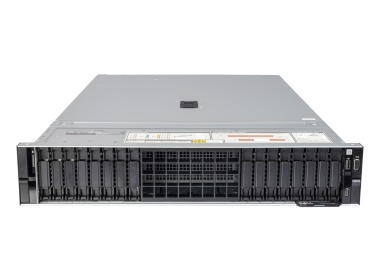
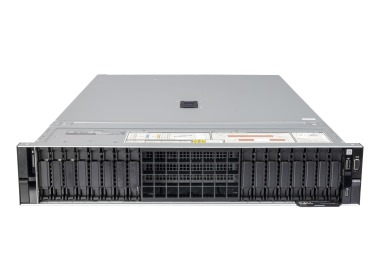
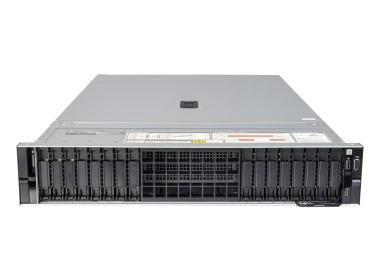
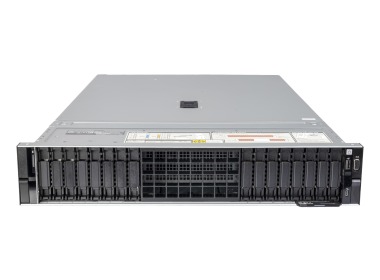
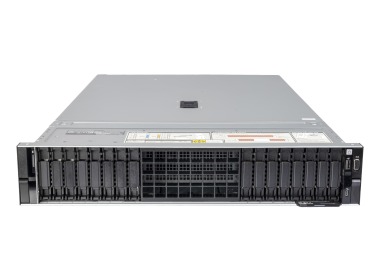
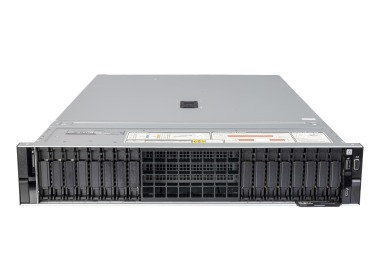
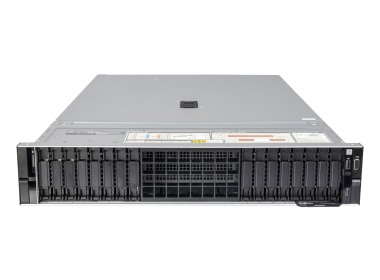
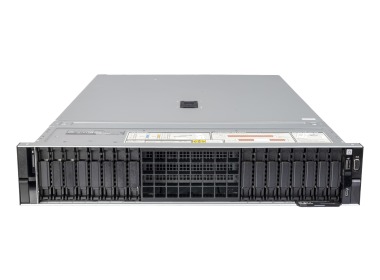
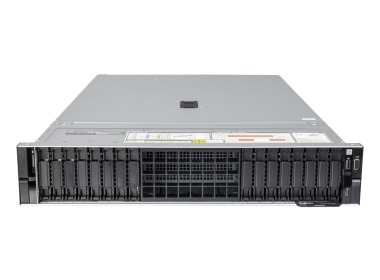
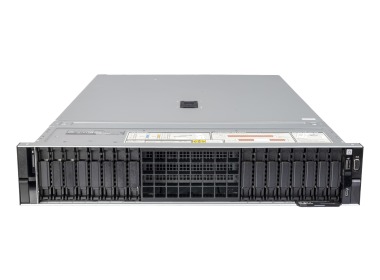
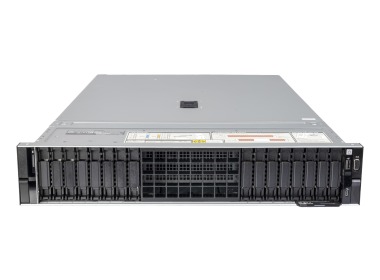
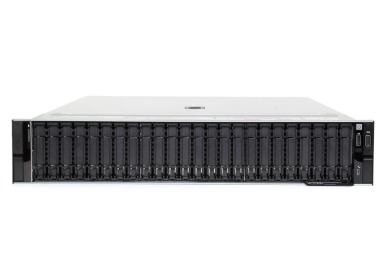
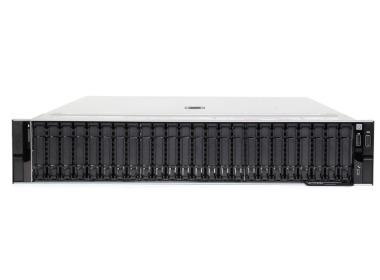
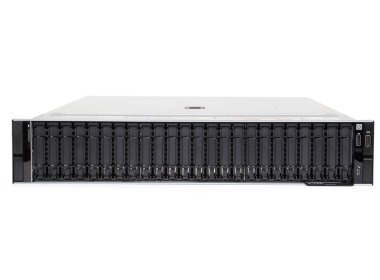
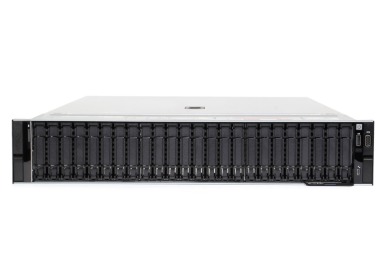
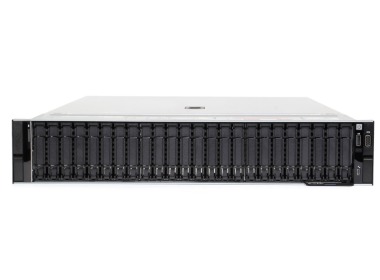
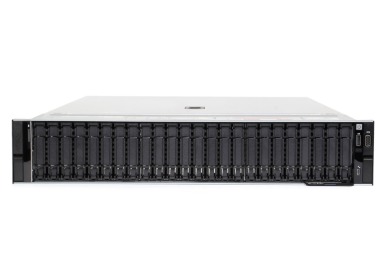
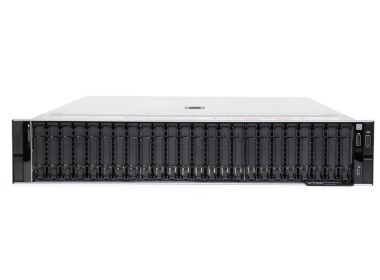
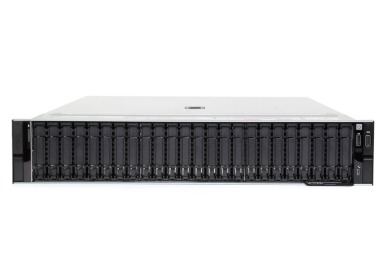
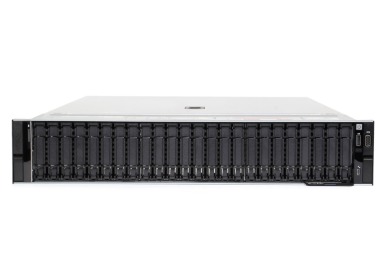
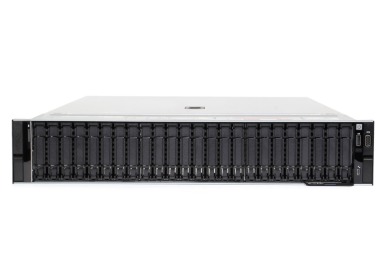
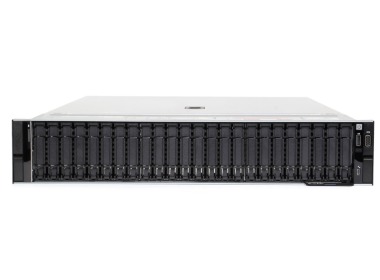

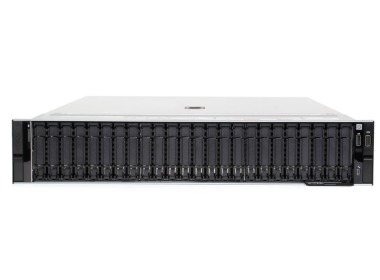
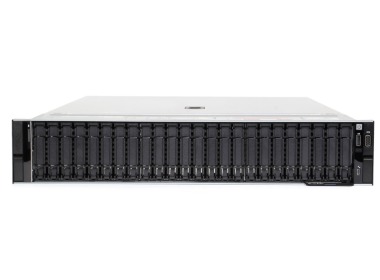
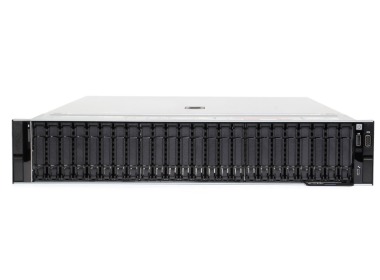
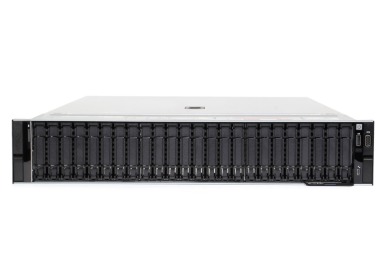
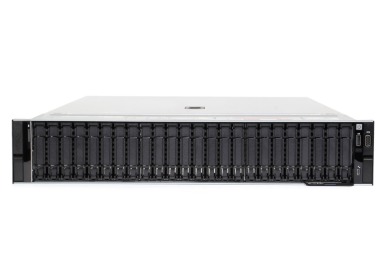
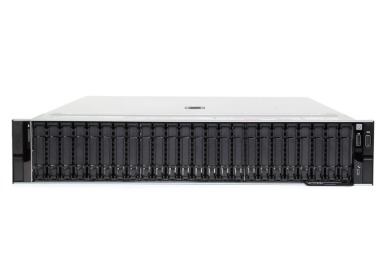
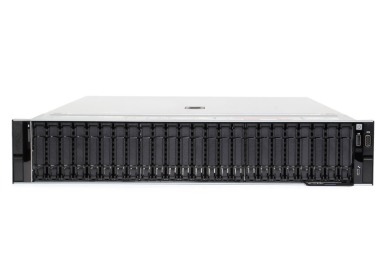
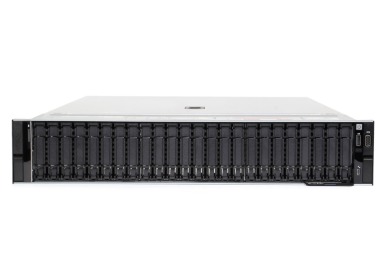
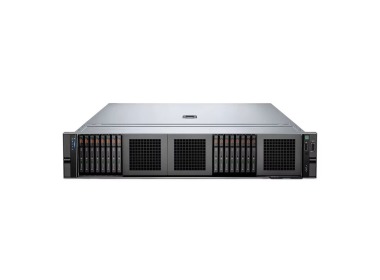
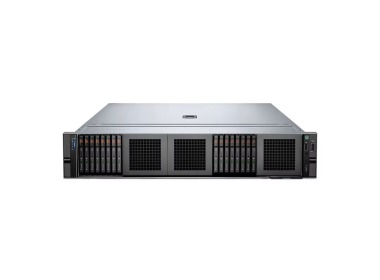
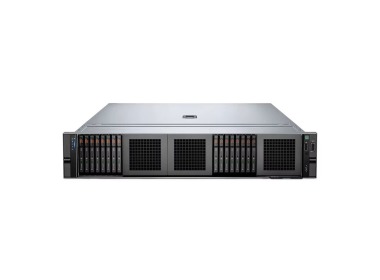
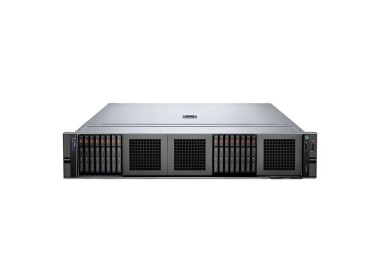
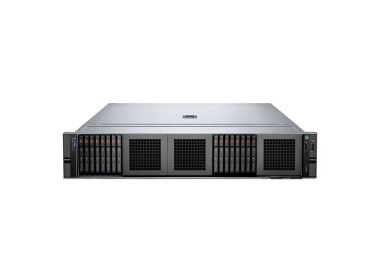

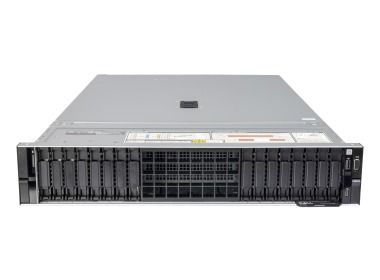
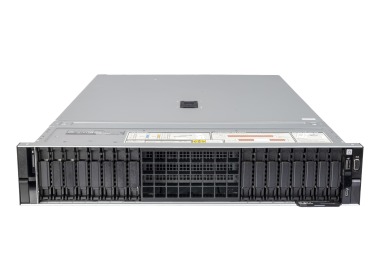
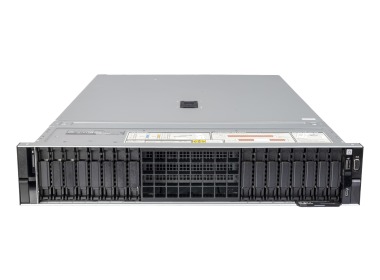
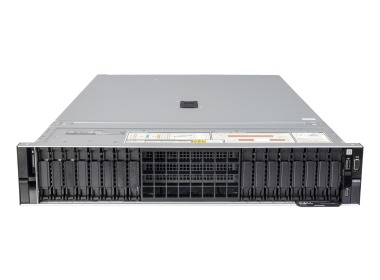
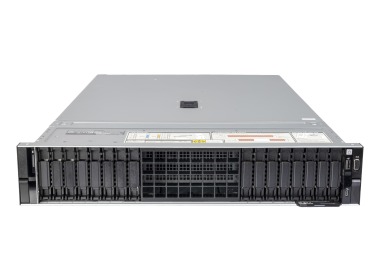
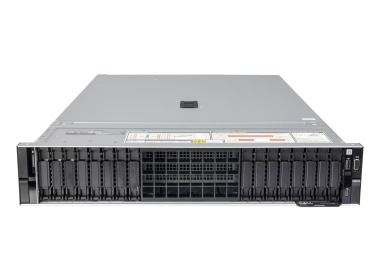
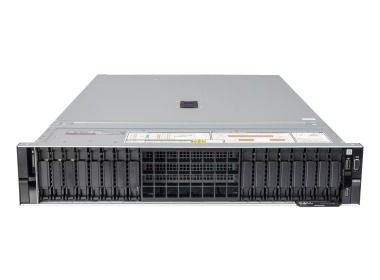
The Dell PowerEdge R760 is a dual-processor 2U rack server based on Intel Xeon Scalable with 32 DDR5 slots and up to 8 TB of memory. It is the go-to choice when a single machine needs to handle virtualization, an SQL database, and local storage simultaneously, and a 1U chassis starts to fall short. Below: how to configure it without paying for empty slots.
When 1U is not enough, but 4U is overkill?
The R760 sits in the middle of the ladder. It occupies 2U in the rack and accommodates what you cannot fit into a flat Dell PowerEdge R660: up to 24 front-mounted 2.5" drives, up to 8 PCIe slots, and GPU cards. It is a Dell 16th generation rack server, the successor to the Dell PowerEdge R750, which transitioned from DDR4 to DDR5.
If the primary decision is the form factor itself, refer to the comparison rack server vs tower. Keep the cabinet in mind: the R760 has a depth of approximately 758 mm, so check rack cabinets before placing an order.
Dell R760 and 32 DDR5 slots – why so many when 64 GB is enough?
Because slots are not about capacity, they are about throughput. Each processor has 8 memory channels, and you achieve full speed of 4800 MT/s with 8 modules per processor. With two modules per channel, the speed drops to 4400 MT/s, but you can reach 8 TB. A configuration with 2 modules of 32 GB will boot the system, but leaves 7 out of 8 channels empty, and you will not be utilizing what you paid for in the processors.
That is why we ask about the number of virtual machines before recommending the amount of RAM. How much is needed is described in the article how much RAM for a business server, and compatible modules are available in the server RAM category.
One processor or two – what does the math say?
Our offering includes four processor options, each with a different role. 2x Xeon Silver 4410Y provides 24 cores as a starting point. 2x Gold 5416S and 2x Gold 6526Y each deliver 32 cores, with the 6526Y (5th generation) offering a higher clock speed of 2.8 GHz, which benefits database workloads. The 1x Gold 6430 variant also provides 32 cores, but on a single socket: the second remains available for future expansion. Windows Server and virtualization are licensed per core, so it is the core count, not the number of sockets, that drives cost. How to interpret processor designations is explained in the Intel Xeon processor guide.
Drives in the Dell PowerEdge R760 – 24 bays and what to do with them
The front accommodates up to 24 x 2.5" drives (SAS, SATA, or NVMe) or 12 x 3.5" drives, and the rear holds an additional 2 or 4 x 2.5" drives. Our configurations feature 16x2.5" and 24x2.5" layouts, managed by the PERC H755 controller (described in the RAID controllers category).
An example with numbers: 12 SAS SSD drives at 3.84 TB each yields 46.08 TB raw. In RAID 10, this leaves 23.04 TB of usable space with high random write performance, which is exactly what SQL and virtual machines require. In RAID 6, you get 38.4 TB, but with slower writes. The choice depends on whether capacity or performance is the priority. Select your drives in the SSD drives and NVMe drives categories.
What do we use the R760 for? Five scenarios from our deployments
Virtualization: 16x2.5", 2x Gold 5416S, 256–512 GB, serving as the foundation for VMware servers or Proxmox servers. Database and ERP: 24x2.5", 2x Gold 6526Y, 256 GB, 12x 3.84 TB SAS SSD, for Microsoft SQL Server, Comarch Optima, Enova365, and SAP. Small starter environment: 2x Silver 4410Y, 64 GB, with room to add RAM and drives later.
Want to build your own variant? Use the Dell PowerEdge R760 configurator or contact us. Every server in this category comes with a 36-month warranty and undergoes testing before shipment.
GPU in the Dell R760 – two large cards or six small ones?
There are enough slots for 2 cards at 350 W (double-width) or 6 cards at 75 W (single-width). Smaller cards such as the NVIDIA L4 handle VDI and inference, while larger ones are suited for computation and rendering. If you are planning model training, start with the guide how to choose a GPU server for AI, and check pre-configured solutions in the AI servers category and among graphics cards.
R760, R750, R660, or R7625 – four sentences instead of a table
The R750 has the same 2U chassis but with DDR4 and older processors – choose it when budget matters more than platform. The R660 is 1U: fewer drives and slots, but it saves rack space. The Dell PowerEdge R7625 is a 2U server on AMD EPYC, for when the number of cores per socket is the priority. Choose the R760 when you need Intel, 24 drives, and GPU in a single machine. Other models are available in the Dell PowerEdge servers category.
FAQ
What is the difference between the Dell PowerEdge R760 and the R750?
The R760 features Intel Xeon Scalable 4th and 5th generation processors and DDR5 memory, while the R750 runs on 3rd generation processors with DDR4. Both machines have a 2U chassis. The R760 also offers more GPU options and faster memory.
How much RAM does the Dell PowerEdge R760 support?
The R760 has 32 DDR5 slots and supports up to 8 TB. With one module per channel, the memory operates at 4800 MT/s; with two modules per channel, at 4400 MT/s. Full throughput is achieved with 8 modules per processor.
How many drives does the Dell PowerEdge R760 hold?
The front holds up to 24 x 2.5" drives or 12 x 3.5" drives, and the rear accommodates an additional 2 or 4 x 2.5" drives. The 2.5" versions support SAS, SATA, and NVMe. Our offering includes 16x2.5" and 24x2.5" configurations.
Can a GPU card be installed in the Dell PowerEdge R760?
Yes: up to 2 cards at 350 W (double-width) or up to 6 cards at 75 W (single-width). Smaller cards are well suited for VDI and inference, while larger ones are designed for computation and rendering. For model training, select a configuration using the GPU server guide.