 / PLN
/ PLN
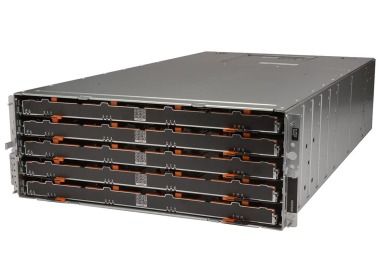
- Storage Array Dell PowerVault MD3060e 60x3.5" 2xController SAS, 4x6TB SAS 3.5", 2xPSU, Rails4x Dell 6TB 7.2K SAS 3.5" hard drive 4x 3.5" hard drive tray 1x Rail kit...Calculating delivery time...In stock 2Warranty 36 monthsPLN 10,399.99 PLN 8,455.28
FAQ
What is the MD3060e enclosure used for, and what is its main purpose?
The Dell PowerVault MD3060e is an expansion enclosure (JBOD) from the MD3 family. It is used to increase the capacity of Dell PowerVault storage arrays. The 4U rack enclosure holds up to 60 drives, which makes it a good fit where data volumes grow quickly: archiving, backup and storing large file collections.
Can the MD3060e operate on its own?
No. The MD3060e has no RAID controllers of its own, so it works as an expansion of a compatible MD3 series array, connected via SAS. The controller of the base array manages the drives, volumes and RAID levels. Before buying, check whether your array model supports this enclosure and which firmware version it requires.
Which drive types are compatible with the MD3060e?
The enclosure works with hot-swap drives mounted in dedicated Dell caddies. These are most often SAS and NL-SAS drives and, depending on the configuration, SSDs as well. Before ordering drives, check the exact list of compatible models, capacities and firmware versions in the Dell documentation, or ask an advisor.
What are the best uses for the MD3060e?
The MD3060e works best where high capacity relative to the rack space it occupies is what matters. Typical uses include backup repositories, document archives, surveillance recordings, file storage and data for virtualization environments. If an application requires very low latency, the choice of drives and configuration becomes especially important.
How can I check whether the MD3060e fits my infrastructure?
Start with the model of your base array (controller) and its firmware version, as these determine the enclosure's compatibility. Also check the available rack space (4U), the power supply and the SAS cables needed for the connection. If you have any doubts, send us your array model and we will help you choose a compatible configuration.