/ PLN
/ PLN
If you're thinking about AI on-premise, server choice doesn't start with Dell or HPE model, but with what you really want to do on it. Because hardware for inference, development and training large models are three completely different worlds. Below you have ranking for 2026 – divided by applications. So you know what makes sense in your case and where you can easily burn budget.
First use-case, then hardware – otherwise you'll burn budget
If we had to point one mistake that repeats most often – it's buying server "just in case" without defining exactly what it should do. In AI this backfires faster than in classic environments (SQL, ERP, VM) because here every component must work together.
Worth breaking this into three scenarios:
- development / R&D – experiments, fine-tuning, model testing,
- production inference – APIs, chatbots, recommendation systems,
- heavy training – model training, CV, LLM, multimodal.
Each has different requirements and different investment value.
And here's the thing: if you're only doing inference, investing in A100 or L40S often doesn't make sense – those cards will be bored. On other hand with training 30B+ models GPU class T4 or L4 simply won't cut it because VRAM and throughput will run out.
How to approach this? First define workload, then match GPU, only then select rest (CPU, RAM, storage). Reversing this order is straight path to mismatched configuration.
Development and lab – where V100 and T4 still make sense?
For team work, testing and building pipelines you don't need top-tier hardware right away. And here many companies burn budget – buying latest GPUs barely used most of the time.
Configurations like these work very well:
- Dell PowerEdge C4140 with 4× Tesla V100 32 GB,
- Dell PowerEdge R750xa with 4× Tesla T4.
First option gives 128 GB VRAM in one server, allowing comfortable work with 7B-13B models, CV or HPC environments. This is level where you do real experiments, not just "dry" testing.
Second configuration (T4) is more flexible approach. Less VRAM per card, but ability to run multiple processes in parallel – often more important in development than single GPU power.
And important thing: platforms like R750xa are designed for GPUs. You have proper cooling, power and PCIe slots. This means:
- you can replace GPU in future (e.g. to A40 / L40S),
- you don't need to change entire server as project evolves,
- you have stability working 24/7 even under bigger load
This is moment when hardware becomes investment, not one-time cost.
Production AI – when L4 does better job than "bigger" GPU
In production environments more matters than raw power. Here come into play: energy cost, stability, scaling ability and operational predictability.
That's why often win configurations like:
- Dell PowerEdge R7425 with 2-3× NVIDIA L4 24 GB,
- Dell PowerEdge R760xa with 2-3× L4 (newer platform)
L4 is card designed for inference and video processing. Doesn't have "wow marketing effect" like A100, but does job where needed:
- running multiple models simultaneously,
- APIs (chatbots, recommendations, search),
- image and video analysis.
Instead of one very expensive server, you set up several inference nodes. This way:
- easier environment scaling,
- better failure resilience,
- better cost control.
And importantly – such configurations often run non-stop, so key are things not "in spotlight":
- redundant power supplies (1100-2000 W),
- stable cooling for GPU,
- 10/25 GbE network that won't be bottleneck.
These are things that determine whether system works months without problems or keeps "falling apart".
Heavy training and LLM – real cost begins here
If you enter model training, it stops being "whether it works" and becomes "how fast and stable".
Here come configurations like:
- Dell PowerEdge R750xa with 3× NVIDIA A40 48 GB,
- Dell PowerEdge R750xa with 3× A100 40 GB,
- Dell PowerEdge R750xa / R760xa with 3× L40S 48 GB.
In practice means: 120-144 GB VRAM in one server, ability to train 13B-30B and larger models, stable operation on long jobs (days, not hours).
But here appears other side of coin – cost. And not just GPU.
In such configurations standard becomes:
- 2× CPU (Xeon Gold / Platinum or AMD EPYC),
- 128-512 GB RAM (often more),
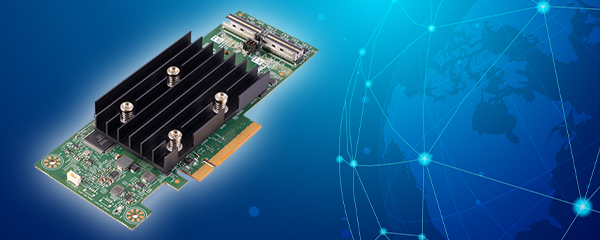
- NVMe + RAID (e.g. on H740P / H755 controllers),
- 10/25 GbE network so data doesn't block GPU.
And here many people make mistake – buy powerful GPU but save on RAM or storage. Result? GPU waits for data.
If doing big training, better have slightly weaker GPU but more RAM and faster storage than opposite. Because data is often bottleneck, not the card itself.
How to translate ranking into specific choice?
If after all this you have few options in head and no certainty – that's normal. Choosing AI server comes down to few concrete decisions, not browsing 20 configurations.
First answer yourself three questions:
- do you mainly do inference (APIs, chatbots, data analysis) or model training,
- do you need one powerful server or rather several smaller nodes,
- how many models and datasets will run simultaneously
And now translation to hardware:
- if inference dominates → configurations with L4 (2-3 GPUs) will be most profitable,
- if you do development / R&D → T4 or V100 in multi-GPU give great flexibility without big cost,
- if entering training and larger models (13B+) → aim for A40 / A100 / L40S and minimum 128-256 GB RAM.
In practice many companies go mixed model: one server for training, another for inference. And this usually works better than one "universal" hardware for everything.
On-premise AI servers. See ready configurations – no assembly from scratch on hardwaredirect.pl
If you don't want to assemble server from scratch and verify GPU compatibility, power or controllers – more sensible to start with ready AI servers from Hardware Direct.
You'll find there servers prepared for specific applications – from inference to training. In practice this means:
- RAM, RAID and storage are already matched for AI (NVMe / SSD, not random disks),
- you have iDRAC / iLO configured so remote management works right away,
- server goes through testing under GPU load before shipment,
- you get equipment with redundant power and ready for 24/7 work.
This saves lot of time – especially if server is to be working tool, not assembly and debugging project.
FAQ
Do I always need multiple GPUs for AI?
No. For development and inference often single GPU suffices. Multi-GPU makes sense with larger models or parallel work.
How much VRAM is "safe" to start?
For smaller models 16-24 GB suffices, but working with larger models really starts at 40-48 GB per GPU.
How much RAM should AI server have?
Minimum 128 GB, but with several GPUs and larger datasets better aim for 256 GB or more.
Does RAID matter for AI?
Yes. Most often RAID 1 for system and RAID 10 for data, combining performance with safety.
NVMe or SSD SAS – what to choose?
If working with large data, NVMe gives clearly better performance. SSD SAS works as supplementary storage.
Does tower make sense for AI?
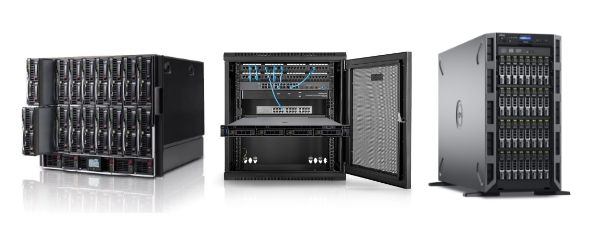
Only for very basic applications (1 GPU). With larger configurations rack is practically necessity.
Worth buying most powerful server right away?
No. Better match hardware to current needs and leave expansion possibility – otherwise easy to burn budget.