/ PLN
/ PLN
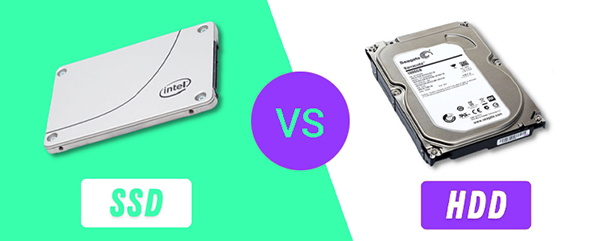
When a customer asks us about drives for an array, nine times out of ten we hear the same sentence: "SSD, because it's faster". And we understand that instinct – except "faster" answers a question no one should really be asking. An array isn't meant to be abstractly fast. It's meant to handle specific traffic – a database, backup, files, virtualization – each with a different character. And it turns out that for some of these tasks, a stack of ordinary HDDs can actually put flash to shame.
So instead of settling "which is better," we'll show what SSDs and HDDs actually differ on in a server array and how to match the media to what you're actually doing. Because – as you'll soon see – the best answer is often neither one nor the other alone.
Where SSDs win, and win big
Let's start honestly: there are areas where flash has no competition. That's everything made up of small, random I/O operations – meaning lots of small reads and writes at unpredictable locations. That's how a database behaves, and an environment with many virtual machines. The numbers from server benchmarks speak for themselves:
On a Dell PowerEdge R720 under SQL workload with 200 users, HDDs achieved an average response time of 222 ms, while enterprise SAS SSDs delivered ~83,700 IOPS (8x better); a single PCIe SSD reached 107,500 IOPS – 10.5x more than HDD. At a queue depth of 8, high-performance SSDs can be up to 60 times faster than HDDs, and their cost per IOPS is a fraction of what spinning disks cost. Then there's energy: in one test, three SSDs used ~59% less power than 24 HDDs and delivered up to 623% higher performance per watt. So if you're building a tier-0 system, an OLTP database, or dense virtualization – the conversation starts and ends with SSD drives, ideally in NVMe form.
Why spinning disks still hold their ground
Now for the other side, which the industry doesn't love to talk about. For large, continuous transfers (sequential I/O) and when it comes to the cost of capacity, HDDs can actually win. In a Toshiba test, 24 10K HDDs delivered roughly three times the net capacity of eight enterprise SSDs at a comparable price – and with large blocks, those 24 spinning disks working in parallel achieved higher sequential throughput than flash. In other words: for streaming, archives, and backups, "cheap TB" still make sense.
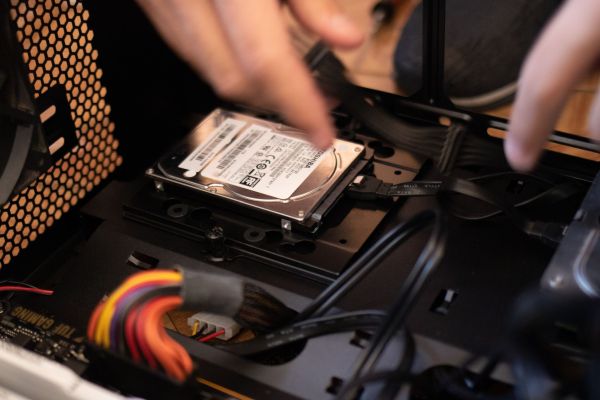
It's also worth knowing that HDD isn't a single category of drive. SAS 15K drives spin faster and offer up to 2x better access times than NL-SAS/SATA 7.2K drives, which in turn are the cheapest per gigabyte. This distinction often resolves the dilemma without reaching for flash at all. You'll find the full selection among our HDD drives – from fast SAS models to capacity-focused SATA drives for backup and archiving.
The myth we correct most often: SSD isn't "by definition" more durable
This is one of the most persistent misconceptions, so let's be direct: having no moving parts doesn't mean "indestructible". Flash memory wears out from writes. Each cell has a finite number of program/erase (P/E) cycles – in the SSD models analyzed by Backblaze, the limit was 3,000 cycles. What's more, the same data shows that SSDs and HDDs have similar failure rates (AFR of around ~1.4% annually in real-world data centers). Large-scale studies across hundreds of thousands of drives at Facebook, Google, and Microsoft confirmed that SSD failures correlate mainly with cell wear from writes.
This is where a parameter that matters more than capacity or even price when choosing SSDs for an array comes in: DWPD (Drive Writes Per Day). It indicates how many times per day you can overwrite the entire drive over its warranty period. For active enterprise workloads, a reasonable minimum recommendation is 3 DWPD. Buying a cheap, low-DWPD SSD for a database with heavy write activity is a quick path to replacing the drive within a year or so. This isn't a place to cut corners – and it's the most common mistake we see.
There is a bright side to flash when it comes to failures, though: rebuilding an array after replacing an SSD is usually faster than for an HDD – because SSDs are faster and often lower-capacity. A shorter rebuild means a narrower window during which another drive failure could put your data at risk.
SSD vs. HDD – side by side
|
Feature |
SSD |
HDD |
|
Random I/O (databases, VMs) |
up to 60x faster, lower latency |
weak – a bottleneck |
|
Sequential I/O (streaming, backup) |
at least 2x faster per drive |
many drives in parallel can be efficient |
|
Cost per TB |
high |
lowest – "cheap TB" |
|
Cost per IOPS |
about 1/3 the cost of HDD |
high |
|
Energy |
up to ~59% less, 623% IOPS/W |
higher draw |
|
Durability / wear |
write limit (P/E, DWPD) |
mechanical wear; similar AFR |
|
Array rebuild |
usually faster |
longer with large drives |
The best answer is often: both
This brings us to the point that resolves most real-world situations. Since SSDs win on performance and HDDs win on cost per capacity, why choose at all? Modern arrays use tiering: hot, frequently accessed data is kept on flash, cold data on spinning disks, and the system automatically moves data between tiers. Mechanisms like Data Progression achieve a target IOPS level using the cheapest possible mix of media. In practice, you get performance close to all-flash while paying for capacity like you would with HDD.
For truly demanding workloads, there's also the extreme end – all-flash on NVMe. The NVMe interface alone can deliver 1 million IOPS at 70% lower power draw than a stack of SATA SSDs with separate HBAs, and Data Center NVMe latency drops below 0.75 ms (compared to >2.75 ms for SATA SSD). This is the direction all-flash arrays are heading. Regardless of the media mix, the whole thing is tied together by the RAID controller – and it's often the controller, not the drives themselves, that determines final performance.
What fits what – our quick selection guide
Here's how we usually break it down when selecting drives for arrays for our customers:
|
Task |
Media |
Why |
|
Databases, OLTP, tier-0, dense VMs |
SSD / NVMe |
Random I/O and low latency – flash is unbeatable here. Make sure DWPD is ≥ 3. |
|
Backup, archive, large files, streaming |
HDD (SATA/NL-SAS 7.2K) |
What matters here is cost per TB and sequential throughput, not IOPS. |
|
Mixed environment (files + databases + VDI) |
hybrid + tiering |
Hot data on SSD, cold data on HDD, automatic movement – the best TCO. |
|
Boot drive / hypervisor media |
small SSD |
Low capacity needed, priority is a fast, stable boot. |
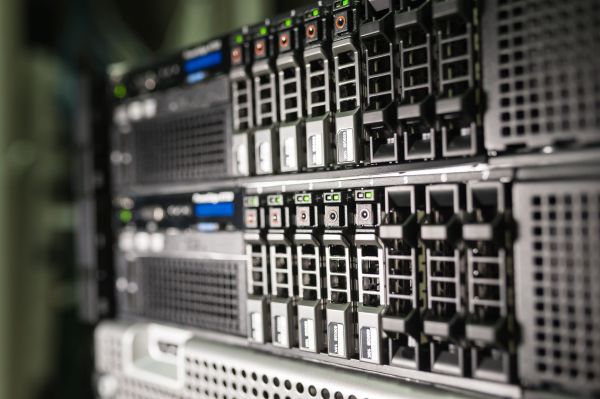
Specific media – from budget SATA SSDs and small boot drives, through fast SAS 15K HDDs, to capacity-focused SATA for archiving – are available in our hard drive range, and ready-made systems in our disk arrays section.
Back to that first question: SSD or HDD?
"SSD, because it's faster" isn't a wrong answer – it's an answer to a question that was never actually asked. The right question is: what traffic does this array need to handle, how much data flows through it, and how heavily do you write to it? Once you know that, choosing the media becomes straightforward – and it often turns out that the cheapest route to good performance is a smart mix, not the most expensive flash.
If you'd rather not work this out yourself – describe your workload to us: what runs on the array, how much write activity, how much capacity you'll need over 3 years – and we'll select the media, RAID level, and controller so your money goes into performance where you actually need it, not into specs you'll never use. You get hardware that's tested, fitted with enterprise-class drives, and covered by a 12–36 month warranty.
FAQ
SSD or HDD for an array – which to choose?
It depends on the traffic. For random I/O (databases, virtualization) – SSD. For capacity and sequential transfers (backup, archive) – HDD. For mixed environments, hybrid tiering is best.
Is SSD more durable than HDD?
Not necessarily. SSDs have no moving parts, but they wear out from writes (P/E limit). Real-world data shows similar failure rates for SSDs and HDDs.
What is DWPD and why does it matter?
DWPD is the number of full drive overwrites per day over the warranty period. For active enterprise workloads, a minimum of 3 DWPD is recommended. It's a key criterion when selecting SSDs for an array.
What's the difference between SAS 15K and SATA 7.2K HDDs?
SAS 15K spins faster and offers up to 2x better access times, while SATA/NL-SAS 7.2K is the cheapest per gigabyte. SAS is for performance, SATA is for affordable capacity.
Is it worth combining SSD and HDD in one array?
Yes – that's the whole point of tiering. Hot data lands on SSD, cold data on HDD, and the system moves it automatically. This delivers performance close to flash at a cost close to HDD capacity pricing.
Is an all-flash array always worth it?
Not always. It makes sense for intensive random I/O and low latency needs. For large volumes of "cold" data, a hybrid setup or HDDs work out significantly cheaper.