/ PLN
/ PLN
Three letters, and so much confusion. RAID has been with us since the late 1980s, when a group of researchers realized that instead of one expensive drive, it's better to combine several cheaper ones and cleverly spread data across them. That simple idea grew into an entire family of solutions – and along with it, a question that comes up with every server configuration: "okay, but which RAID should I choose?"
The problem is there's no single right answer – there are as many right answers as there are workload types. RAID isn't a ranking where a higher number means "better." It's a set of trade-offs between three things: data safety, performance, and how much capacity is actually left usable. So let's walk through the most important levels so that by the end you'll know not just how they differ, but why one fits a database and another fits an archive.
RAID levels: it all comes down to three tricks
Before we get into specific levels, it's worth understanding the three mechanisms that all of them are built from. This is really the entire theory you need to know.
- Striping – data is split into chunks spread across multiple drives working in parallel. Result: higher performance, since several drives read and write at the same time.
- Mirroring – the same data is written to two drives simultaneously. Result: if one fails, the other has a complete copy. Safety at the cost of capacity.
- Parity – alongside the data, a mathematical "checksum" is stored, which can be used to reconstruct the contents of a missing drive. A trade-off: a bit of capacity spent on protection, without doubling everything.
And that's it. Every RAID level is a different combination of these three – sometimes one technique, sometimes two at once. Once you know this, the rest stops being magic.
RAID 0 and RAID 1 – two extreme characters
RAID 0 is pure striping, with no protection at all. It delivers maximum performance and full use of capacity, but has a fatal flaw: the failure of a single drive destroys the entire array, and the risk grows with every additional drive. This is a choice only for non-critical or regularly backed-up data – cache, temporary files, rendering scratch space. Not for anything production-related.
At the opposite end sits RAID 1 – mirroring, the classic mirror copy across two drives. It provides 100% redundancy: if one drive fails, the data lives on the other. The price? You pay for double the capacity, since two drives hold the same data – the cost per megabyte is twice as high. In exchange, it's remarkably simple and reliable, making it the natural choice for system drives and small servers. On reads, data can be pulled from either of the two drives, which can be a nice performance bonus.
RAID 5 and RAID 6 – parity, the sweet spot (with a caveat)
RAID 5 is striping with distributed parity. For years, it was considered the best compromise: good performance, decent resilience, and high capacity efficiency (you only lose the capacity of one drive). It survives the failure of a single drive – data is reconstructed from parity – but until the drive is replaced and rebuilt, the entire array operates at reduced performance.
There is a catch worth knowing, though, especially under heavy write loads – the write penalty. In RAID 5, every single write actually requires 4 underlying operations (read data, read parity, write data, write parity). That's why RAID 5 handles reads very well but struggles with random writes – it suits applications without heavy continuous writing.
RAID 6 is RAID 5 with double parity – it can survive two simultaneous drive failures. Its performance is similar to RAID 5 (random writes are somewhat slower due to extra calculations), and it works well where capacity and high availability matter. This brings us to something that's talked about too rarely, yet often decides the choice between RAID 5 and 6 today.
Why does RAID 5 get risky with large drives?
When a drive fails in an array, during the rebuild the controller has to read the entire contents of the remaining drives – down to the bit. And the larger the drives, the greater the chance of hitting an unrecoverable read error (URE) somewhere along the way. The numbers can be sobering: for a RAID 6 (8+2) configuration with 1 TB drives, the probability of an error-free read after two failures was only around 52.76%. And that's with 1 TB drives – with today's drives, many times larger, the risk is even higher.
Hence the simple rule we apply in practice: the larger the drives, the stronger the argument for RAID 6 over RAID 5. In RAID 6, a single URE encountered during rebuild after one failure can still be corrected using the second parity set – the problem only starts if another drive fails during the rebuild itself. That's a margin RAID 5 simply doesn't have.
RAID 10, 50, 60 – when levels are combined
RAID 10 is mirrors combined into a stripe (minimum 4 drives) – it takes the best of both worlds: the redundancy of mirroring and the performance of striping, without the parity overhead. There's no write penalty, so it shines with random writes – which is why it's the default choice for databases and mission-critical applications. You pay for it in capacity: typically only 50% of raw space remains usable, since half goes toward the mirrors.
As arrays grow larger, nested levels come into play:
- RAID 50 (5+0) – striping across several RAID 5 groups. Survives one drive failure per group and improves write performance compared to plain RAID 5.
- RAID 60 (6+0) – the same idea, but on RAID 6 groups: tolerates two failures per group. A choice for large, high-capacity arrays where both performance and resilience matter.
An interesting detail from practice: there's even a three-level RAID 10+0 – it exists because a single hardware controller can't address that many drives at once. So RAID 10 is built in hardware, and those groups are then combined into RAID 0 in software. This is a good moment to mention a distinction that's often overlooked.
Software or hardware RAID?
These are two different schools of thought, each with its own logic.
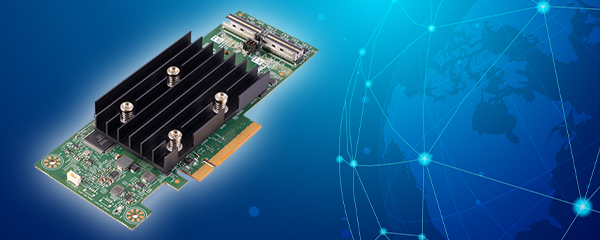
- Hardware RAID – calculations are handled by a dedicated controller (e.g., Dell PERC, HPE Smart Array). It offloads the server's CPU, has cache backed by a battery or flash, and handles rebuilds better. It's more expensive and ties you to a specific controller, but it's the standard in production environments.
- Software RAID – runs within the operating system (mdadm, ZFS, Storage Spaces). Cheaper and more flexible, but loads the CPU and depends on the OS.
In business servers, we generally go with hardware RAID and a properly matched RAID controller – either Dell PERC or HPE Smart Array. It's the controller that calculates parity and often determines the real-world performance of the whole system – the drives are only part of the equation.
RAID levels side by side
|
RAID |
Min. drives |
Fault tolerance |
Usable capacity |
Typical use |
|
0 |
2 |
none |
100% |
temporary data, cache, scratch space – never production |
|
1 |
2 |
1 drive |
50% |
system drives, small servers |
|
5 |
3 |
1 drive |
high |
random reads, applications without heavy writing (WP=4) |
|
6 |
4 |
2 drives |
high |
large drives, capacity + high availability |
|
10 |
4 |
1 per mirror |
50% |
databases, mission-critical applications (no WP) |
|
50 |
6 |
1 / group |
high |
large arrays, better write performance than RAID 5 |
|
60 |
8 |
2 / group |
high |
large, high-capacity arrays, maximum resilience |
WP = write penalty (write operation multiplier).
So which one should you choose?
As you can see, there's no "best RAID" – only the best one for your workload. In short, as we most often advise: RAID 1 for system drives, RAID 10 for databases and virtualization, RAID 6 (or 60) for large, high-capacity volumes, and RAID 5 with growing caution, generally reserved for smaller drives only. And one thing that applies no matter which level you choose:
even the best RAID is not a backup. It protects against drive failure, not against a deleted file or ransomware. If you'd like to move from theory to a concrete setup, we can select the RAID level, controller, and drives for your use case – just tell us what needs to run on the server. We put it all together using hard drives and SSDs, ready-made disk arrays, and proven controllers – tested and backed by a 12–36 month warranty. We covered the broader case for redundancy itself in our article "RAID – data protection or an unnecessary expense?".
FAQ
Which RAID level is best?
There's no single best one – it depends on the workload. RAID 1 for system drives, RAID 10 for databases and virtualization, RAID 6/60 for large, high-capacity arrays, RAID 5 generally only for smaller drives.
RAID 5 or RAID 6?
With large drives – RAID 6. It tolerates the failure of two drives and can correct a read error (URE) during rebuild, which with today's capacities can genuinely save your data.
What is write penalty?
It's the write-operation multiplier resulting from parity calculations. In RAID 5, a single write actually requires 4 underlying operations, which is why RAID 5/6 handle intensive random writes worse than RAID 10.
Why is RAID 10 recommended for databases?
Because it combines the redundancy of mirroring with the performance of striping and has no parity overhead (write penalty). It handles the random writes typical of databases very well – at the cost of 50% of capacity.
Hardware or software RAID?
In production environments, usually hardware RAID – it offloads the CPU, has battery-backed cache, and rebuilds the array more effectively. Software RAID is cheaper and more flexible, but loads the processor and depends on the operating system.
Does RAID replace a backup?
No. RAID protects against drive failure, but it won't undo a deletion, an overwrite, or ransomware damage. Backup is a separate, essential layer of protection.