/ PLN
/ PLN
The number of servers depends on three things: the acceptable amount of downtime, the nature of the workload and legal requirements. In short: one powerful server is enough for a company with up to ~25 users, a predictable workload and downtime measured in hours still being acceptable; three nodes give real resilience against failure; two is the worst choice – it carries the cost of a cluster without its benefits, unless you add a third vote. Below we show the numerical thresholds, the hidden licensing costs and the honest drawbacks of each option.
Before we go any further, one distinction that puts the whole subject in order. Three different questions get mixed up here: how many physical servers, how many virtual machines and how many HA cluster nodes. These are not the same thing – a single physical server will run a dozen or so virtual machines, but it will not provide high availability, which requires a minimum of three nodes.
|
Situation |
Recommendation |
Why |
|
Up to 25 users, static workload, downtime of a few hours acceptable |
1 server |
simplicity and low cost; Windows Server Essentials covers up to 25 users |
|
Business-critical systems (ERP, SQL), downtime costs real money |
3 nodes (HA) |
resilience to the failure of one node without stopping the company |
|
You want HA, but the budget covers 2 machines |
2 nodes + witness |
without a third vote, the failure of one node can halt the whole cluster |
|
Entity covered by NIS2 |
redundancy required |
a business continuity plan and an appropriate level of redundancy are mandatory |
Scale-up and scale-out – what is the difference?
This distinction determines whether it is worth going for one large machine at all. Scale-up means processors connected by cache-coherence buses (SMP), running under a single operating system – one large machine seen as a whole.
Scale-out means many independent servers, each with its own operating system, without coherence links. Watch out for a common mistake: scale-up is not the same as adding RAM – it is a structurally more demanding multiprocessor architecture, not a simple expansion. For some tasks (scale-out workloads) a large machine can even be oversized, because it wastes a memory hierarchy that those workloads do not use.
It is also worth separating two concepts that are constantly confused: redundancy is the ability to keep working after a component fails, whereas backup is the ability to restore data. One does not replace the other – RAID or a second node will not bring back a deleted file, and a backup will not keep the company running at the moment of a failure.
When is one server enough?
One server is a sensible choice when three conditions are met at once: the company has up to ~25 users, the workload is predictable, and a few hours of downtime does not stop the business. In licensing terms this corresponds to Windows Server Essentials – it covers up to 10 cores and one virtual machine, exclusively on a single-processor server, for companies with up to 25 users and 50 devices.
Energy consumption also argues in favour of this, and strongly. An idle server draws more than 70% of its peak power, because only the processor has effective power-saving modes – memory, drives and networking barely reduce their draw at all. In the more recent Google Cloud approach (2024), idle power alone accounts for around 60% of a server's average energy consumption.
Most of a server's energy is consumed by readiness itself, not by computation. Data: Google Cloud methodology, 2024.
From this follows the most important energy conclusion: three servers running at 20% load each consume noticeably more electricity than one running at 60%, while doing the same work. Servers running at 10% of their capacity or less still draw 30–60% of the maximum. That is why splitting the load across several lightly loaded machines is the most common way of burning through an energy budget.
When do you need at least two – and why is two the worst number?
When downtime costs real money, one server stops being enough – but the jump “to two” is a trap. A high-availability cluster works on the principle of quorum: it needs a majority of votes. If after a failure no part of the cluster holds a majority, the surviving nodes shut themselves down in order to protect data consistency.
With two nodes each has one vote. The failure of one means a 1:1 tie – neither side has a majority, so the protection mechanism can bring everything to a halt. That is why:
- three nodes are the minimum for the diskless SBD mechanism to handle a split-brain scenario on its own,
- a two-node cluster requires an additional vote (QDevice/QNetd) as an arbiter,
- the minimum configuration of a vSAN stretched cluster is three hosts per site plus a witness node (a 3+3+1 layout).
On top of that comes the spare capacity that is easy to forget about. VMware recommends setting vSphere HA Admission Control to 50% CPU and memory – which means you keep half of the capacity you have paid for as a reserve for taking over the workload after a failure. So the real answer to the question in the title is: two is the worst number. One is cheap and simple, three give real resilience, and two combine the cost of a cluster with its unreliability – unless you add a witness.
What it really costs – licences, electricity, maintenance window
The most frequently overlooked and often decisive item on the bill is licensing. Windows Server 2025 licenses all physical cores, with a minimum of 8 licences per processor and a minimum of 16 core licences for every server – including a single-processor one. The consequence for the “several smaller ones” strategy is painful:
Three 8-core servers require 48 licences instead of 16 – the same computing power, triple the cost. Data: Windows Server 2025 Licensing Guide.
Three 8-core servers mean 48 core licences (3 × 16 minimum), whereas one 16-core server means 16 licences – the same computing power, three times the licensing cost. On top of that, the Standard edition grants the right to only two operating system environments (OSEs); every further two require all of the machine's cores to be licensed again. Current prices and licensing terms are worth verifying before purchase.
The second hidden cost is the maintenance window. 72% of organisations set aside between 2 and 8 hours a month for planned downtime – patching, testing, updates. With a single server those hours mean hard downtime for the entire company. With a cluster they mean live migration of machines, with no interruption to work. The third cost is electricity – the idle-power mechanism described above means that fragmenting the infrastructure pushes the energy bill up.
|
Criterion |
One powerful server |
Several smaller ones |
|
Licensing cost |
lower (16 licences) |
higher (16 for every server) |
|
Energy consumption |
lower with good utilisation |
higher (idle × number of machines) |
|
Resilience to failure |
single point of failure |
higher, if ≥3 nodes and HA |
|
Maintenance window |
downtime for the whole company |
live migration, no downtime |
|
Risk under load |
higher utilisation = higher failure rate |
load spread out |
The drawbacks of consolidation that vendors do not talk about
Honesty requires showing the other side. Consolidation onto a single machine has real drawbacks:
- one server means one point of failure and one maintenance window for the entire company,
- the higher load on a consolidated machine correlates with a higher failure rate, especially of drives and memory (four-year study, DSN 2017),
- the maximum power draw of a single server grows with every generation – a dense machine may exceed the capacity of the existing power supply and cooling in the server room (analysis of 16 years of SPEC Power, 2024).
A component failure is not an exception here but an expected event. Over the course of a year, roughly 9.62% of servers experience correctable memory errors (Facebook / CMU, 2015), and the actual SSD failure rate can be as much as 70% higher than the figure declared in the specification (Microsoft Research, 2016). This is an argument not against consolidation, but in favour of redundancy – regardless of how many machines you build it on.
Hardware class matters more than the number of machines
Before you fragment your infrastructure “for safety”, look at the hard data on failure rates. Redundancy built from several cheap machines will not help if every node is unreliable. The differences between hardware classes are dramatic:
Annual unplanned downtime per server by hardware class, logarithmic scale. Data: ITIC 2024.
White box servers record 60 minutes of downtime a year, and 42% of them exceed 4 hours. For enterprise platforms such as Dell PowerEdge it is 20 minutes and 8% of machines above 4 hours, and for the mission-critical class – between 0% and 1.5%. Then there is the life cycle: 78% of servers older than 4 years running under increased load lose reliability, and refreshing hardware every three years reduced downtime at 95% of organisations. Choosing the number of servers is therefore also a decision about the replacement cycle, not a one-off purchase. How to choose the class and the model we break down in the guide “Which server should you choose?”, and the choice between new and refurbished – in the article new server or recertified.
How do you check how much capacity you are really using?
Before you buy more hardware, measure the utilisation of what you already have. The audit thresholds are simple.
- Below 50% CPU utilisation. Underutilisation – you have spare capacity or too many machines.
- 51–85% utilisation. The correct range – the hardware is working efficiently.
- 86% and above. Overload – time to expand or add another node.
The reference point is the fact that average CPU utilisation in studies tends to be low – of the order of 36% (measurement from 2010, the mechanism still applies), and 80% of the virtual machines in one analysis did not exceed 60% of their allocated resources. Before you buy another server, check whether the one you have is not sitting idle. Consolidation works precisely because workloads peak at different moments – more than half of the servers in a banking workload have a “fat tail” character, so a single machine absorbs peaks that never occur simultaneously.
What the regulations say – NIS2 and redundancy
For some companies redundancy has stopped being an economic choice. Implementing Regulation (EU) 2024/2690 to the NIS2 directive requires the entities it covers to maintain a business continuity and disaster recovery plan, backups, and to ensure an appropriate level of redundancy of resources – facilities, systems and personnel. If a company falls under NIS2, a single server without a continuity plan may be non-compliant with the law, regardless of the economic case.
It is worth adding that virtualisation and consolidation are also indicated as best practice by the EU Code of Conduct on Data Centre Energy Efficiency (JRC, 2025). The scope of entities covered by NIS2 is worth confirming – not every company falls under the regulation, but for those that do, redundancy is an obligation. We write about this in more detail in the article on cybersecurity under the NIS2 directive. One more thing completes the market context: despite the popularity of the cloud (in 2025, 55.3% of companies in Poland purchased cloud services), only around 28% of companies in the EU buy computing power to run their own software – the question of owning servers remains open.
Where to start?
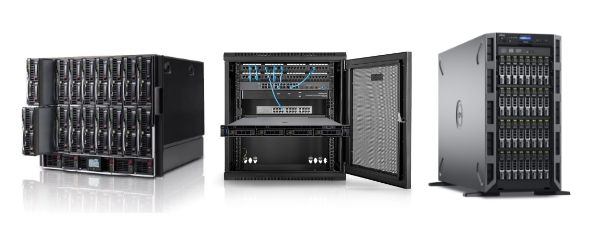
Start with three questions, not with the number of machines: how much downtime the company can withstand, how variable the workload is and whether you fall under NIS2. Everything else follows from the answers – one server for a small company with acceptable downtime, three nodes wherever continuity matters, and the awareness that two nodes without a witness is the worst compromise. Tell us how many users you have, what is supposed to run on the server and what downtime is acceptable, and we will put together a configuration – from a single machine to an HA cluster – tested, ready to deploy and covered by warranty. You will find the full offer in the servers category – in the Tower, Rack and Blade formats.
FAQ
How many servers does a company employing 50 people need?
Usually one high-performance server with virtualisation will handle 50 people, provided the workload is predictable and downtime measured in hours is acceptable. If critical systems (ERP, SQL) run on it, it is worth considering a three-node cluster for high availability.
Is one server enough for a small company?
Yes, for up to around 25 users with a predictable workload. Windows Server Essentials covers companies with up to 25 users and 50 devices on a single-processor server. The limitation is that one server is a single point of failure.
Why does a two-node cluster require a third vote?
A cluster works on the principle of a majority of votes (quorum). With two nodes, the failure of one produces a 1:1 tie – neither side has a majority, so the protection mechanism may bring everything to a halt. A third vote (a node or a QDevice witness) decides which node is to continue.
How many virtual machines will fit on one physical server?
That depends on the resources and the load of the VMs, not on a rigid limit. Consolidation works because workloads peak at different moments. The key is keeping a reserve – if you are planning HA, VMware recommends a reserve of 50% CPU and memory for taking over the workload after a failure.
Are several smaller servers cheaper than one big one?
Usually not. Three 8-core servers require 48 Windows Server core licences instead of 16 for a single 16-core machine. On top of that comes higher energy consumption, because every idle server still draws more than 70% of its peak power.
What happens when the company's only server goes down?
All the services running on it stop – mail, files, ERP, databases. A backup will let you restore the data, but it will not keep the company running during the outage. Continuity of work is only provided by redundancy, that is at least three nodes in an HA cluster.
Does NIS2 require having more than one server?
NIS2 does not dictate the number of servers outright, but it does require the entities it covers to have a business continuity plan and an appropriate level of redundancy. In practice, for many companies this means having to ensure a level of resilience that a single server does not provide. The scope of entities covered is worth confirming.
Bibliography
- ITIC – 2024 Global Server Hardware, Server OS Reliability Report – https://www.lenovo.com/content/dam/lenovo/dcg/global/en/products/servers/itic-2024-global-server-hardware-server-os-reliability-report.pdf
- Beloglazov, Buyya et al. – A Taxonomy and Survey of Energy-Efficient Data Centers and Cloud Computing Systems (2010) – https://arxiv.org/pdf/1007.0066
- A Framework for Auditing Data Center Energy Usage and Mitigating Environmental Footprint (2021) – https://arxiv.org/pdf/2102.04446
- Carbon accounting in the Cloud: a methodology for allocating emissions across data center users (Google Cloud, 2024) – https://arxiv.org/pdf/2406.09645
- Uptime Institute – Global Data Center Survey 2024 – https://datacenter.uptimeinstitute.com/rs/711-RIA-145/images/2024.GlobalDataCenterSurvey.Report.pdf
- Natural Resources Defense Council – Data Center Efficiency Assessment (IP:14-08-a, 2014) – https://www.nrdc.org/sites/default/files/data-center-efficiency-assessment-IP.pdf
- Revisiting Memory Errors in Large-Scale Production Data Centers (Facebook / CMU, DSN 2015) – https://users.ece.cmu.edu/~omutlu/pub/memory-errors-at-facebook_dsn15.pdf
- SSD Failures in Datacenters: What? When? and Why? (Microsoft Research, 2016) – https://www.microsoft.com/en-us/research/wp-content/uploads/2016/08/a7-narayanan.pdf
- What Can We Learn from Four Years of Data Center Hardware Failures? (DSN 2017) – https://people.iiis.tsinghua.edu.cn/~weixu/Krvdro9c/dsn17-wang.pdf
- SUSE Linux Enterprise High Availability 16.0 – Installing a Basic Three-Node HA Cluster (2026) – https://documentation.suse.com/sle-ha/16.0/pdf/HA-installing-three-node-cluster_en.pdf
- VMware vSAN Stretched Cluster Guide (2024) – https://www.vmware.com/docs/vsan-stretched-cluster-guide
- High-Availability Clusters: A Taxonomy, Survey, and Future Directions (2021) – https://arxiv.org/pdf/2109.15139
- Windows Server 2025 Licensing Guide (Microsoft, 2025) – https://www.licensingschool.co.uk/wp-content/uploads/2025/02/Licensing_guide_PLT_Windows_Server_2025-February-2025.pdf
- TCO benefits of server virtualization for the SMB (Principled Technologies for Dell, 2012) – https://i.dell.com/sites/csdocuments/Business_smb_sb360_Documents/en/us/wp-virtualization-tco.pdf
- Clearing the Clouds: A Study of Emerging Scale-out Workloads on Modern Hardware (ASPLOS 2012) – https://www.comp.nus.edu.sg/~hebs/course/cs6284/papers/Ferdman-ASPLOS12.pdf
- Virtual Machine Consolidation in the Wild (IBM Research India, Middleware 2014) – https://dl.acm.org/doi/pdf/10.1145/2663165.2663316
- 16 Years of SPEC Power: An Analysis of x86 Energy Efficiency Trends (2024) – https://arxiv.org/pdf/2411.07062
- Statistics Poland (GUS) – Information Society in Poland in 2025 – https://stat.gov.pl/files/gfx/portalinformacyjny/pl/defaultaktualnosci/5497/2/15/1/spoleczenstwo_informacyjne_w_polsce_w_2025_r..pdf
- Eurostat – Cloud computing: statistics on the use by enterprises (2026) – https://ec.europa.eu/eurostat/statistics-explained/SEPDF/cache/37043.pdf
- ENISA – Technical Implementation Guidance on Cybersecurity Risk Management Measures, v1.0 (2025) – https://www.enisa.europa.eu/sites/default/files/2025-06/ENISA_Technical_implementation_guidance_on_cybersecurity_risk_management_measures_version_1.0.pdf
- Joint Research Centre (EC) – 2025 Best Practice Guidelines for the EU Code of Conduct on Data Centre Energy Efficiency – https://publications.jrc.ec.europa.eu/repository/handle/JRC141521
- Lawrence Berkeley National Laboratory – United States Data Center Energy Usage Report (2025 update) – https://eta-publications.lbl.gov/sites/default/files/2024-12/lbnl-2024-united-states-data-center-energy-usage-report.pdf
- Congressional Research Service – Data Centers and Their Energy Consumption: FAQ (R48646, 2025) – https://www.congress.gov/crs_external_products/R/PDF/R48646/R48646.1.pdf